
Missing or mismatched GSM USB Drivers are the #1 reason phone flashing, FRP resets, and bootloader repairs fail with Waiting for Device errors on Windows. Whether you are renting UnlockTool, DFT Pro, Samsung Tool CellTool, or Android Multi Tool, installing the exact vendor driver for Samsung, Qualcomm EDL 9008, MediaTek VCOM, Unisoc/SPD, ADB/Fastboot, and Apple before checkout ensures every paid rental minute goes to actual servicing.
Table of Contents
Which 5 GSM USB Drivers does every Windows repair PC need?
Every Windows 10 or 11 GSM workstation needs five core USB driver layers to cover modern smartphones: Samsung Android USB Driver, Google ADB/Fastboot (Platform-Tools), Qualcomm HS-USB QDLoader 9008, MediaTek Preloader/VCOM (plus libusb filter when needed), and Apple Mobile Device USB / Bonjour for iPhone servicing.
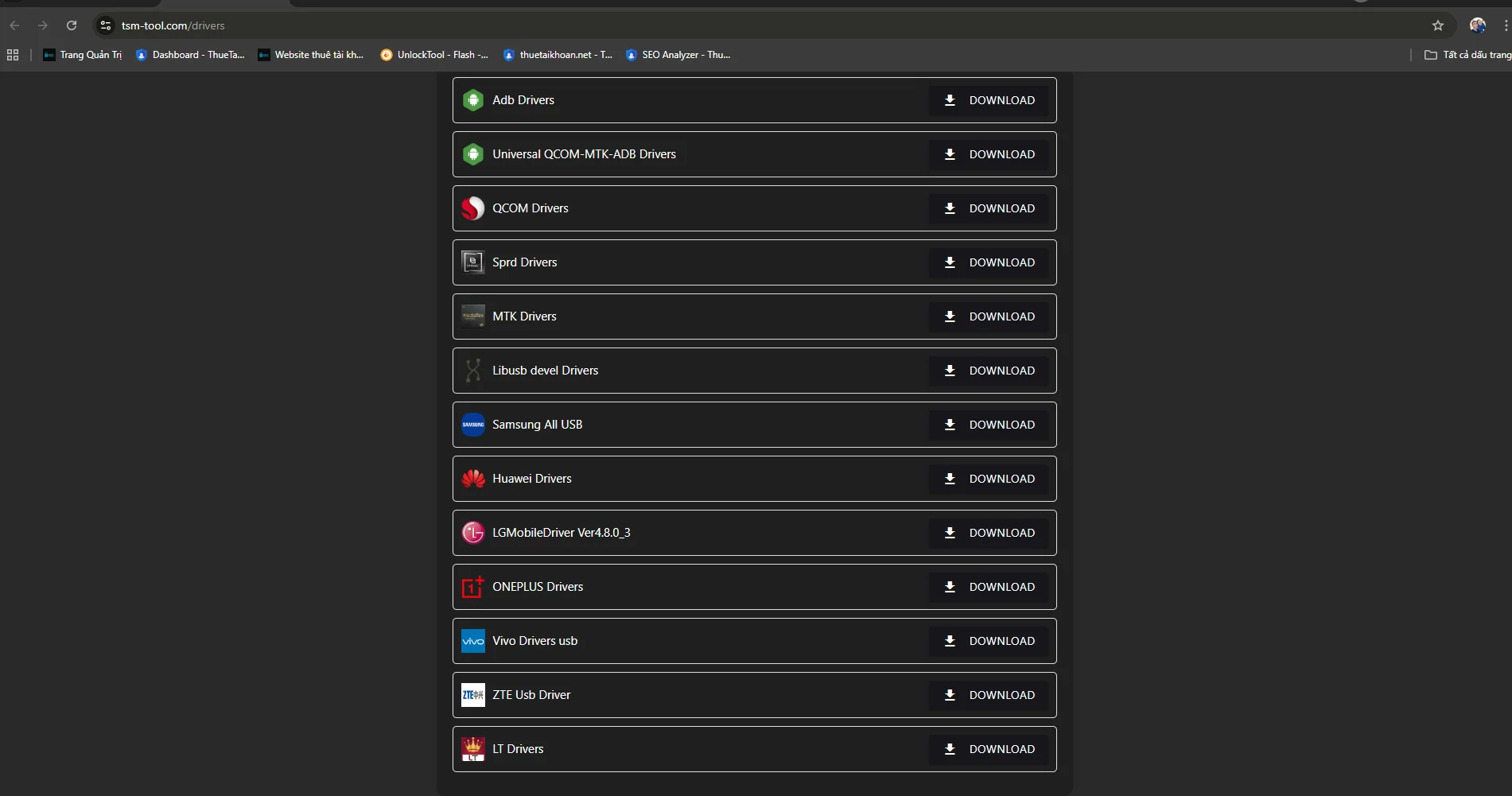
Reference breakdown of core GSM USB driver packages across ADB, Qualcomm, Spreadtrum/Unisoc, MediaTek, Samsung, and OEM brands.
Samsung USB Driver & Google ADB / Fastboot
Always download these two foundational packages directly from their official vendor pages so Windows trusts their digital signatures automatically:
- Samsung Android USB Driver: Official installer at developer.samsung.com/android-usb-driver — required for Odin/Download Mode, Samsung Mobile USB Modem, MTP, and ADB across all Galaxy models (used by CellTool, Z3X, Octoplus, and UnlockTool).
- Google USB Driver & Platform-Tools: Pull official ADB/Fastboot binaries from Google Android SDK Platform-Tools and the signed Windows Google USB Driver from developer.android.com/studio/run/win-usb for Pixel, Fastboot flashing, and universal ADB debugging.
Qualcomm QDLoader 9008, MediaTek VCOM & Unisoc SPRD
Low-level bootloader modes bypass Android entirely and speak directly to the SoC over virtual COM ports:
- Qualcomm HS-USB QDLoader 9008: Required for EDL flashing, Firehose loaders, EFS/QCN backup, and unbricking on Snapdragon phones (Xiaomi, Samsung US/Snapdragon, OPPO, OnePlus, Vivo — used in AndroidWinTool, Cheetah-Tool Pro, and DFT Pro).
- MediaTek Preloader / BROM VCOM Driver: Required for MTK Preloader and BROM exploits on Redmi, Realme, Tecno, Infinix, Vivo, and Samsung MTK models (plus
libusbfilter only when a tool specifically requires BROM bypass). - Spreadtrum / Unisoc (SPRD U2S Diag): Required for budget Itel, Tecno, Nokia, and Samsung Unisoc models (such as
itel S665Lin Android Multi Tool).
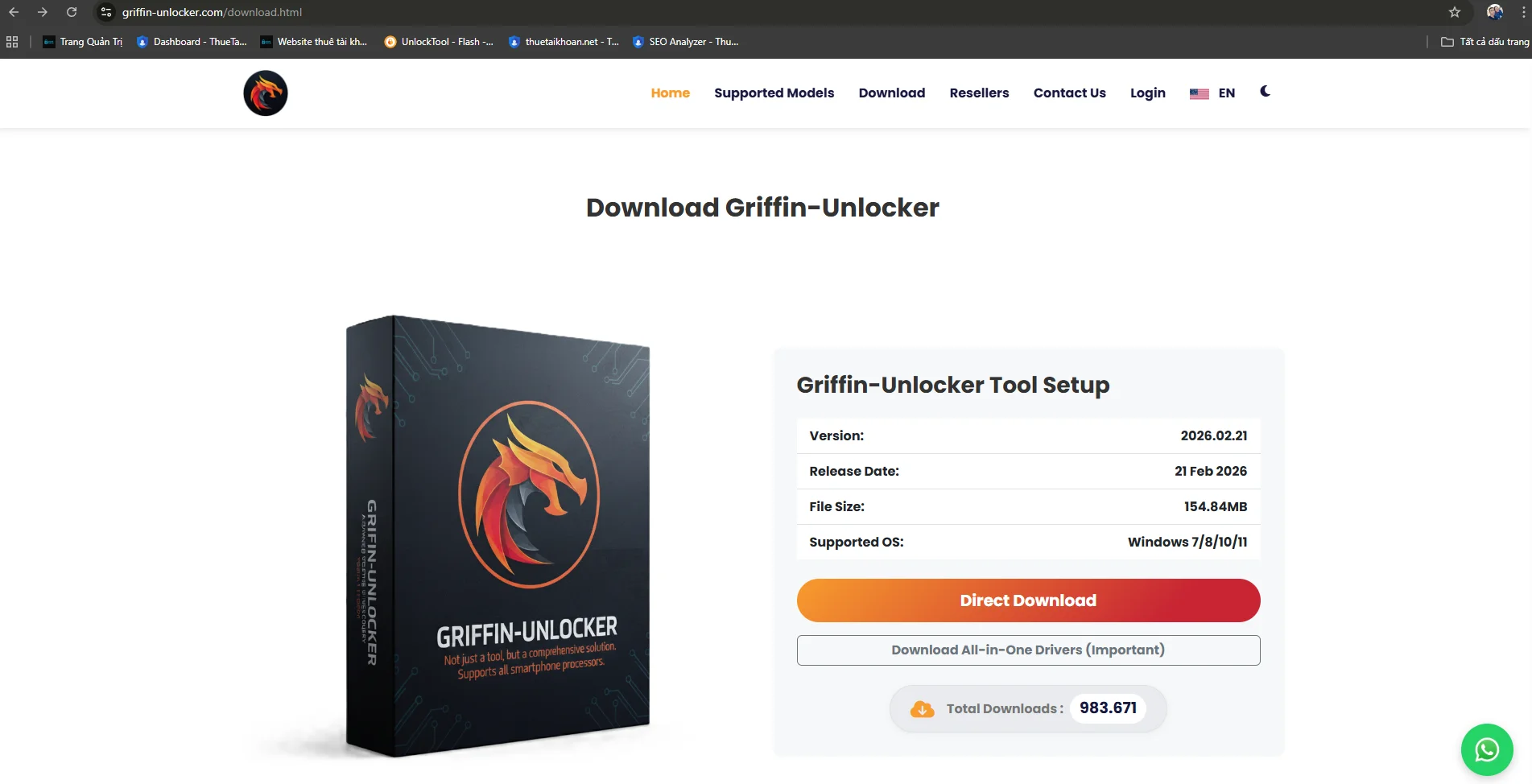
Official tool portals like Griffin-Unlocker, AMT, DFT Pro, and Chimera Tool also provide bundled All-in-One driver installers for Windows 7–11.
Apple Mobile Device & Bonjour Drivers for iPhone
When servicing iPhones or iPads in Normal, Recovery, or DFU mode on Windows (such as HFZ Activator A12+ Windows or UnlockTool Ramdisk), Windows requires Apple Mobile Device USB Driver, Apple Application Support, and Bonjour Service. Check Apple Support iPhone Windows recognition guidance or verify driver health with 3uTools' built-in Repair Drivers tool shown below.
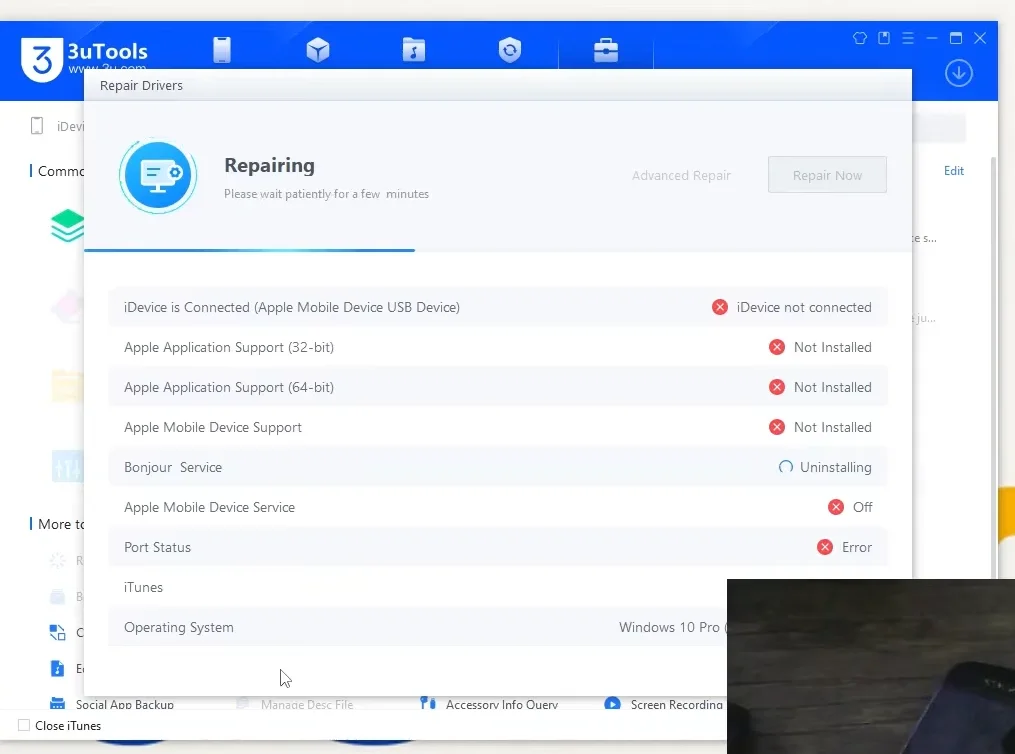
3uTools Repair Drivers utility diagnosing missing Apple Application Support, Bonjour Service, and Apple Mobile Device USB drivers on Windows.
How do you match each brand and chipset to Windows Device Manager?
Opening Windows Device Manager (devmgmt.msc) before launching any GSM tool confirms instantly whether the right driver loaded. Look for the exact device string listed below under Ports (COM & LPT), Modems, or Universal Serial Bus devices:
| Chipset / Platform | Connection Mode | Expected Device Manager Entry | Driver Needed |
|---|---|---|---|
| Samsung Galaxy | Download / MTP / ADB | SAMSUNG Mobile USB Modem / ADB Interface |
Samsung Android USB Driver |
| Qualcomm Snapdragon | EDL 9008 / Diag | Qualcomm HS-USB QDLoader 9008 (COMx) |
Qualcomm USB QDLoader Driver |
| MediaTek (MTK) | BROM / Preloader | MediaTek PreLoader USB VCOM (COMx) / MTK USB Port |
MTK VCOM (+ libusb if required) |
| Unisoc / Spreadtrum | Diag / Flash | SPRD U2S Diag (COMx) |
Unisoc / Spreadtrum USB Driver |
| Android Generic | ADB / Fastboot | Android Bootloader Interface / ADB Interface |
Google USB Driver + Platform-Tools |
| Apple iPhone / iPad | Normal / Recovery / DFU | Apple Mobile Device USB Device |
Apple Mobile Device + Bonjour |
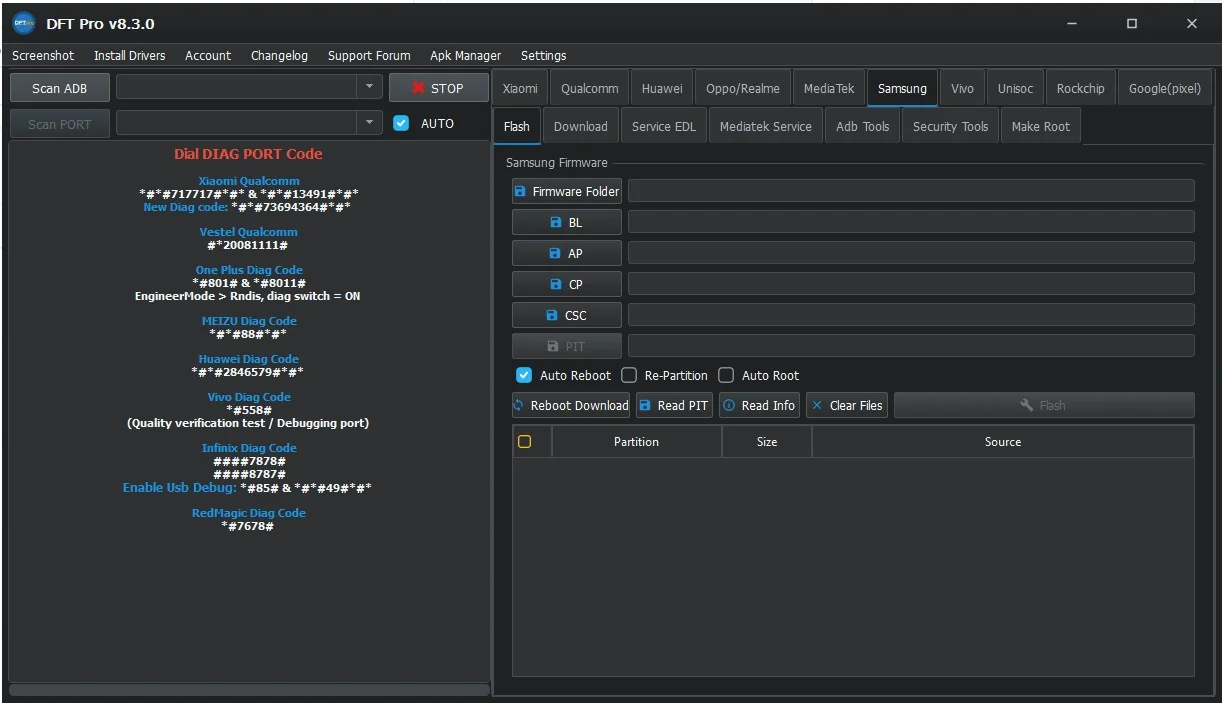
Many GSM tools like DFT Pro include a top-bar Install Drivers shortcut plus Diag Port dial codes for Qualcomm/MTK servicing.
Real Port Diagnostic Tip (QHSUSB_BULK vs 9008): When a Qualcomm phone connects in EDL mode without drivers, Windows lists it under Other Devices as QHSUSB_BULK with a yellow exclamation icon. Installing the signed Qualcomm HS-USB QDLoader 9008 driver converts QHSUSB_BULK immediately into Qualcomm HS-USB QDLoader 9008 (COMx) under Ports — confirming EDL is ready for flashing.
How do you install GSM USB Drivers cleanly on Windows 10/11?
Installing all required GSM drivers in the right order prevents Windows 10 and 11 driver-signature blocks and COM port collisions across tools. Run each official installer as Administrator, reboot once after installing low-level Qualcomm/MTK/Unisoc drivers, and always test detection using a rear motherboard USB port before renting any software.
- Start With Signed Vendor Installers: Install Samsung USB Driver, Google Platform-Tools, and Apple Mobile Device drivers first since all three carry full Microsoft WHQL signatures.
- Add Qualcomm 9008, MTK VCOM & Unisoc Drivers: Use official tool driver bundles (from Griffin-Unlocker, AMT, DFT Pro, or TSM Tool) and reboot Windows once so kernel services initialize.
- Handle Unsigned Legacy Drivers Safely: Only disable Windows Driver Signature Enforcement temporarily (Advanced Startup → Option 7) if an older unsigned MTK/SPD INF refuses to bind on Windows 11.
- Keep One Tool Open at a Time: Never run two GSM clients simultaneously while plugging in a phone — only one process can claim a COM port cleanly.
Rear USB Port & Cable Rule: Front-case PC USB ports and unpowered USB-C hubs cause the majority of mid-flash disconnects during Qualcomm Firehose EDL, MediaTek BROM, and Apple DFU transfers. Keep a dedicated short, high-grade data cable plugged directly into a rear motherboard USB 2.0/3.0 port for all flashing work.
Common Windows USB driver errors and fixes
Resolve the four most frequent Windows driver glitches without reinstalling Windows:
- Yellow Exclamation Mark (Code 52 — Unsigned Driver): Reboot via Windows Advanced Startup → Startup Settings → press 7 (Disable Driver Signature Enforcement) or switch to a WHQL-signed Qualcomm/Samsung driver installer.
- MediaTek Preloader Port Appears for 2 Seconds Then Vanishes: Normal behavior! MTK Preloader only holds the COM port briefly while waiting for a handshake — click Start inside your GSM tool first, then plug the powered-off phone in while holding Volume buttons.
- Duplicate libusb / Zadig Filter Blocking Normal Mode: If a tool like Chimera Tool or UnlockTool stops seeing an iPhone or MTK phone, open Device Manager → View → Show hidden devices and uninstall duplicate libusb-win32 entries before reconnecting.
- ADB Shows "Unauthorized": Unlock the phone screen (if accessible), revoke USB debugging authorizations in Developer Options, run
adb kill-server && adb start-server, and tap Always allow from this computer.
Frequently Asked Questions
Where should I download official Samsung and Google ADB USB drivers?
Download Samsung's signed installer directly from developer.samsung.com/android-usb-driver, Google Platform-Tools from developer.android.com/tools/releases/platform-tools, and the Google Windows USB Driver from developer.android.com/studio/run/win-usb.
Why does my Qualcomm phone show up as QHSUSB_BULK in Device Manager?
QHSUSB_BULK means the handset is properly in Qualcomm EDL 9008 mode, but Windows lacks the Qualcomm HS-USB QDLoader 9008 driver. Installing the signed Qualcomm QDLoader driver converts it immediately into a working COM port.
Why does MediaTek Preloader COM port disappear after 2 seconds?
MediaTek Preloader/BROM mode only waits briefly for a tool handshake before continuing normal boot. Always start the operation inside UnlockTool, DFT Pro, or AMT first, then connect the powered-off phone.
Do I need to install separate drivers for UnlockTool, DFT Pro, AMT, and TSM Tool?
No. All Windows GSM tools share the same underlying Samsung, Qualcomm 9008, MediaTek VCOM, Unisoc SPRD, ADB, and Apple Mobile Device drivers — just avoid running two GSM tools at the exact same time.
How do I fix missing Apple Mobile Device USB drivers on Windows 10/11?
Install the official Apple iTunes/Apple Devices components or run 3uTools Repair Drivers until Apple Mobile Device USB Device, Apple Application Support, and Bonjour Service all report healthy.
Should I install GSM USB drivers before or after renting a tool on GSM24h?
Always install and verify your USB drivers in Windows Device Manager before placing a rental order so none of your paid session hours are spent downloading or troubleshooting drivers.
Drivers Ready? Rent Your GSM Tool Instantly 24/7
Put your clean Windows bench to work with automated UnlockTool ($0.30), AMT ($0.39), DFT Pro ($1.19), and 20+ tools on GSM24h.com.
Browse & Rent Tools →
Written by: Thanh Tài
6 years of GSM & IT background; specializes in mobile and laptop software, firmware flashing, iCloud, Xiaomi, Samsung, and OPPO unlocking. Facebook · Profile & articles · About us



No comments yet. Be the first to share your thoughts!