
Z3X Samsung Tool PRO (developed by the official Z3X Team) is a veteran Samsung Galaxy servicing platform trusted across repair shops worldwide for stock .tar / .md5 firmware flashing, EFS/NVM backup, IMEI repair, network unlocking, and FRP servicing across more than 2,200 Samsung models. Instead of purchasing a physical Z3X smartcard box for occasional Samsung jobs, technicians can book Z3X Samsung Tool PRO remote activation via UltraViewer starting from $4.50 on GSM24h.com. Every unlock and IMEI restoration workflow applies strictly to owner-authorized devices.
Table of Contents
- What is Z3X Samsung Tool PRO and the Z3X Ecosystem?
- How much does Z3X Samsung Tool PRO remote rental cost?
- How does Z3X remote activation via UltraViewer work?
- How does Z3X compare with UnlockTool, CellTool, Chimera, and Pandora?
- Common Z3X Samsung Tool PRO errors and fixes
- Frequently Asked Questions
What is Z3X Samsung Tool PRO and the Z3X Ecosystem?
Published at z3x-team.com, Z3X Samsung Tool PRO is dedicated Samsung repair software supporting over 2,200 Galaxy models across Exynos, Qualcomm, MediaTek, and Unisoc chipsets. It combines a built-in official firmware downloader, original .tar/.md5 flashing, screen-lock and FRP utilities, network unlocking, and low-level IMEI/NVM/EFS servicing.
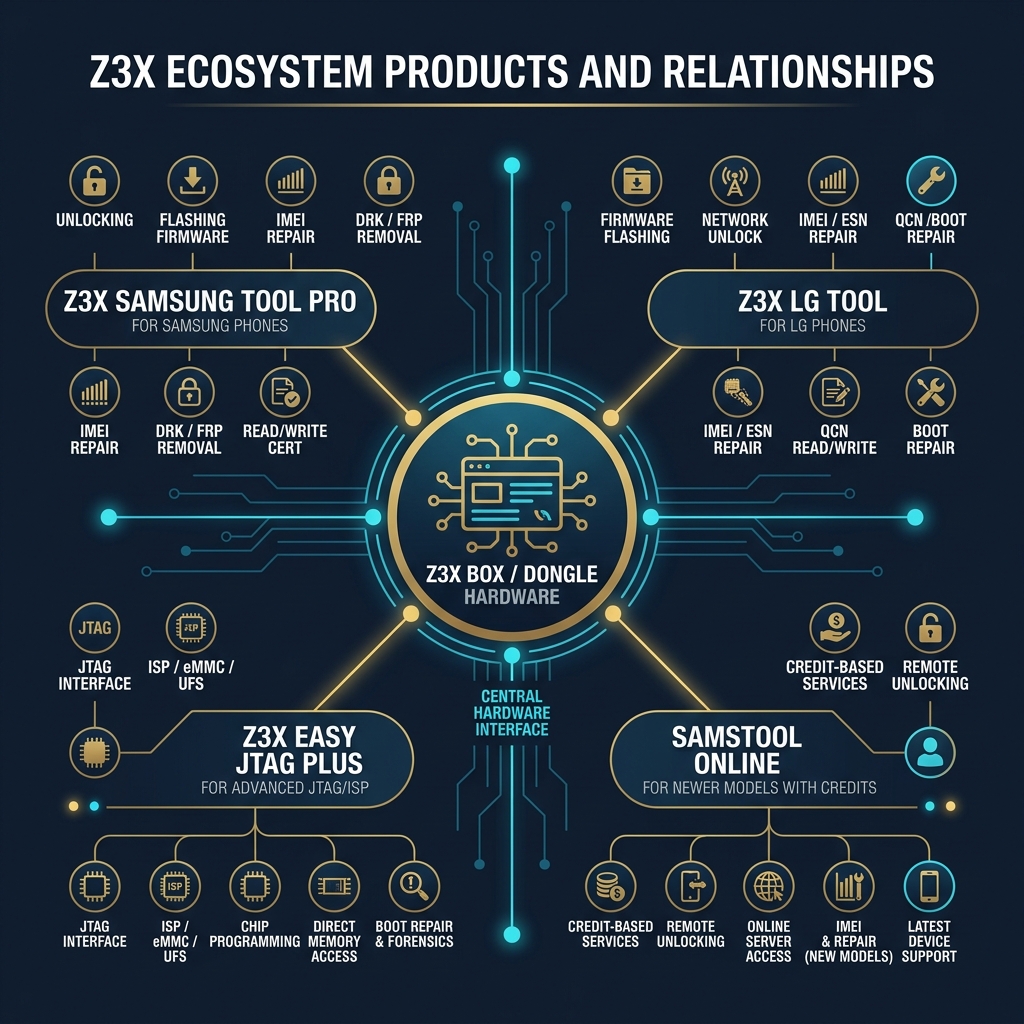
Overview of the Z3X Team ecosystem: Samsung Tool Pro, LG Tool, Easy-JTAG Plus, and credit-based SamsTool Online.
Core Galaxy Flash, EFS, Unlock & FRP Functions
Technicians keep Z3X Samsung Tool PRO on standby for deep Galaxy baseband and firmware recovery where lightweight FRP tools fall short:
- Stock Firmware Flashing & Downloader: Built-in support area for official firmware downloads and clean flashing of original
.tar/.md5BL, AP, CP, and CSC archives. - IMEI, NVM & EFS Servicing: Read/write EFS and NVM backups, read/write certificates on supported models, repair DRK/baseband corruption, and restore original factory IMEI values after motherboard repairs.
- Network Unlock, Screen Lock & FRP: Carrier unlocking, ADB/Download Mode FRP removal, and direct model-specific manuals included right inside the interface.
Z3X Box vs SamsTool Online, Pandora & Easy-JTAG Plus
Understanding Z3X Team's four product lines prevents buying or renting the wrong tool:
- Z3X Samsung Tool PRO (Hardware Smartcard / Remote Activation): Core Samsung Galaxy software servicing over USB.
- SamsTool Online: Credit-based server module for newer high-security Samsung carrier/remote tasks.
- Z3X Pandora Tool: Separate multi-brand MediaTek/Unisoc/Qualcomm hardware & software suite built by Z3X Team — also available for remote rental on GSM24h Pandora Tool.
- Easy-JTAG Plus: Hardware chip-off / ISP / eMMC / UFS / NAND programmer for dead-boot and physical memory forensics.
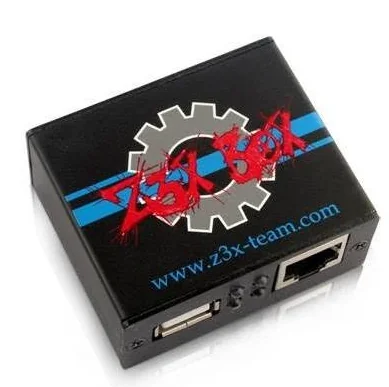
Traditional Z3X Box hardware smartcard — which you no longer need to purchase up front when booking remote activation via UltraViewer.
Binary BIT & EFS Safety Rule on Samsung Galaxy: Before flashing any stock .tar/.md5 package or attempting DRK/IMEI repair in Z3X Samsung Tool PRO, verify the 5th character from the right of your current PDA build (for example, U5 or S5 means Binary Bit 5). Flashing a lower binary triggers an instant bootloader rejection, and skipping an EFS backup beforehand risks losing baseband calibration permanently.
How much does Z3X Samsung Tool PRO remote rental cost?
On GSM24h.com, Z3X Samsung Tool PRO remote access starts from $4.50 with transparent USD pricing shown live before checkout. You pay only for the active session you need instead of shipping a physical Z3X smartcard box internationally or maintaining an idle hardware activation.
| Package | Current price | Original price | Save |
|---|---|---|---|
| 1 hour | $4.50 | — | — |
Updated November 2026 — listed price before coupon
Every order is backed by USD & crypto checkout and GSM24h WhatsApp technical assistance to connect and verify your remote session cleanly.
How does Z3X remote activation via UltraViewer work?
Because Z3X Samsung Tool PRO authenticates against a physical smartcard, GSM24h activates the license remotely on your Windows PC over UltraViewer — once activated, you operate Z3X directly on your own computer for your full rental window:
- Install Official Drivers & UltraViewer: Install the latest official Samsung Android USB Driver, pull the official Z3X Shell / Samsung Tool PRO setup from z3x-team.com/download/, and have UltraViewer open on Windows.
- Confirm Model & Cable Connection: Plug your Galaxy into a rear motherboard USB port and confirm Windows Device Manager lists
SAMSUNG Mobile USB Modemcleanly in Normal/ADB or Download Mode. - Order on GSM24h & Receive Remote Activation: Complete checkout on the Z3X Samsung Tool PRO rental page, share your UltraViewer ID/password with GSM24h support, and wait while the technician authorizes your Z3X session.
- Operate Directly on Your Bench: Run EFS backup, flash original firmware, or complete your authorized unlock/IMEI repair directly in Z3X Samsung Tool PRO on your PC.
Z3X Team official branding — always obtain Z3X Shell and Samsung Tool PRO binaries strictly from z3x-team.com.
Smooth UltraViewer Session Checklist: Download your exact Galaxy firmware archive (matching model code, CSC region, and binary BIT) before requesting remote activation. Large Samsung AP files exceed 5–8 GB; having the firmware already extracted on your SSD ensures you finish flashing immediately once Z3X opens.
How does Z3X compare with UnlockTool, CellTool, Chimera, and Pandora?
Samsung technicians often combine two or three tools depending on whether the ticket is a routine FRP lock, Knox Guard removal, or legacy baseband repair. Compare GSM24h's live rental options below:
| Tool | Best Samsung / Multi-Brand Role | GSM24h Rental Starting At | Related Guide |
|---|---|---|---|
| Z3X Samsung Tool PRO | 2,200+ Galaxy models, .tar/.md5 flash, EFS/NVM, legacy & mid-range IMEI/unlock | $4.50 | This guide |
| Samsung Tool CellTool | Android 16 MTP FRP, Qualcomm EDL, KG Removal Method 3 | $2.15 | CellTool Guide |
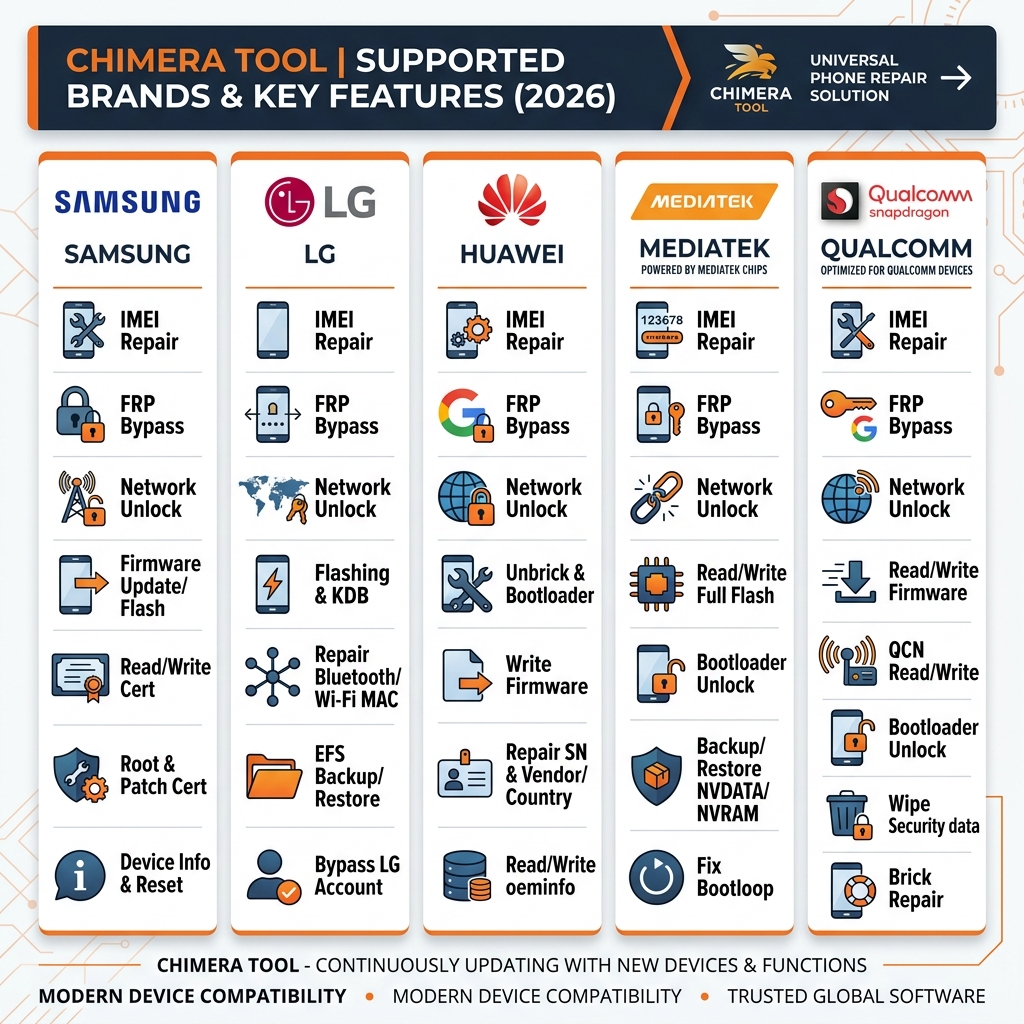
| Chimera Tool | Samsung Patch Cert/Unlock, Huawei unbrick, LG | $25.96 | Chimera Guide |
| UnlockTool | Fast daily Samsung/Xiaomi/OPPO FRP & Apple Ramdisk | $0.30 | UnlockTool Samsung Guide |
| Pandora Tool (Z3X) | Advanced MTK/Unisoc/Qualcomm multi-brand servicing | $13.00 | Rent Pandora Tool |
If your repair is an Exynos EUB test-point FRP job or a dedicated Android 14–16 Knox Guard ticket, also compare Sigma Plus Exynos EUB and Octoplus FRP Tool before selecting your rental.
Common Z3X Samsung Tool PRO errors and fixes
Fix these four recurring Z3X bench issues cleanly:
- Card Not Found / Remote Bridge Interrupted: Keep a stable wired Ethernet connection during UltraViewer remote activation and avoid putting Windows into sleep mode mid-session.
- "SW REV. CHECK FAIL" During Firmware Flash: You attempted to flash a firmware with a lower bootloader binary (BIT) than currently installed on the Galaxy. Download a firmware matching or exceeding the current BIT level.
- ADB Device Unauthorized or Modem Port Missing: Reinstall Samsung Android USB Drivers, revoke conflicting ADB daemons (
adb kill-server), and swap USB cables directly to a rear motherboard port. - Server Credits Needed on Newer Carrier Unlocks: Classic Z3X Samsung Tool PRO covers local license functions; newer server-calculated unlocks require separate Z3X/SamsTool server credits, which you should confirm before ordering.
Frequently Asked Questions
Do I need to buy a physical Z3X Box to rent Z3X Samsung Tool PRO on GSM24h?
No. GSM24h activates Z3X Samsung Tool PRO remotely on your Windows computer via UltraViewer, letting you operate the full software directly without purchasing physical smartcard hardware.
How many Samsung models does Z3X Samsung Tool PRO support?
According to z3x-team.com, Z3X Samsung Tool PRO supports over 2,200 Samsung models with built-in firmware downloads, original .tar/.md5 flashing, unlock, screen-lock, FRP, and IMEI/NVM/EFS repair tools.
How much does Z3X Samsung Tool PRO rental cost on GSM24h.com?
Remote Z3X Samsung Tool PRO sessions start from $4.50 on GSM24h.com, with live USD package pricing shown directly on /rent-z3x-samsung-tool before checkout.
What is the difference between Z3X Samsung Tool PRO and Z3X Pandora Tool?
Z3X Samsung Tool PRO is dedicated strictly to Samsung Galaxy servicing, whereas Pandora Tool (also developed by Z3X Team and rentable on /rent-pandora-tool) focuses on multi-brand MediaTek, Unisoc, and Qualcomm smartphones.
Can Z3X Samsung Tool PRO downgrade a Samsung phone's bootloader binary?
No. Samsung enforces hardware anti-rollback checks across every bootloader binary (BIT). You can only flash firmware matching the current BIT version or higher.
What should I prepare before my UltraViewer Z3X session starts?
Install the official Samsung Android USB Driver, download and extract your matching stock firmware archive if flashing, open UltraViewer, and confirm your Galaxy enumerates cleanly in Windows Device Manager.
Book Z3X Samsung Tool PRO via UltraViewer
Get remote Z3X Samsung Tool PRO activation from $4.50 — operate directly on your PC with zero hardware shipping.
Rent Z3X Samsung Tool →
Written by: Trần Kế Khang
5 years of in-depth mobile & laptop hardware repair experience; founder of thuetaikhoan.com.vn, unlocktool.us, dienthoailaptop.vn, and gsm24h.com. Facebook · Profile & articles · About us
No comments yet. Be the first to share your thoughts!