
Griffin-Unlocker (branded officially as Griffin-Unlocker Pro) is an all-in-one Windows GSM servicing platform covering Qualcomm, MediaTek, Samsung, Apple, Honor, Xiaomi, OPPO, and Vivo for FRP bypass, MDM/Knox removal, firmware flashing, and EFS/IMEI servicing. Instead of paying for a full multi-month subscription up front, technicians can rent Griffin-Unlocker online starting from $0.45 with instant automated delivery on GSM24h.com. Always restrict bypass and unlock procedures strictly to owner-authorized devices.
Table of Contents
- What is Griffin-Unlocker Pro and which brands are supported?
- How much does renting Griffin-Unlocker cost on GSM24h?
- How do you download, install drivers, and log in cleanly?
- How does Griffin-Unlocker compare with UnlockTool, AMT, and EFT Pro?
- Common Griffin-Unlocker errors and fixes
- Frequently Asked Questions
What is Griffin-Unlocker Pro and which brands are supported?
Griffin-Unlocker Pro is a dongle-free Windows repair utility published at griffin-unlocker.com that combines FRP bypass, firmware flashing, Knox reset, MDM removal, EFS repair, and Apple utility modules inside a single lightweight installer. Its official Supported Models directory spans 20 major smartphone brands across Qualcomm, MediaTek, Unisoc, Exynos, and Apple hardware.
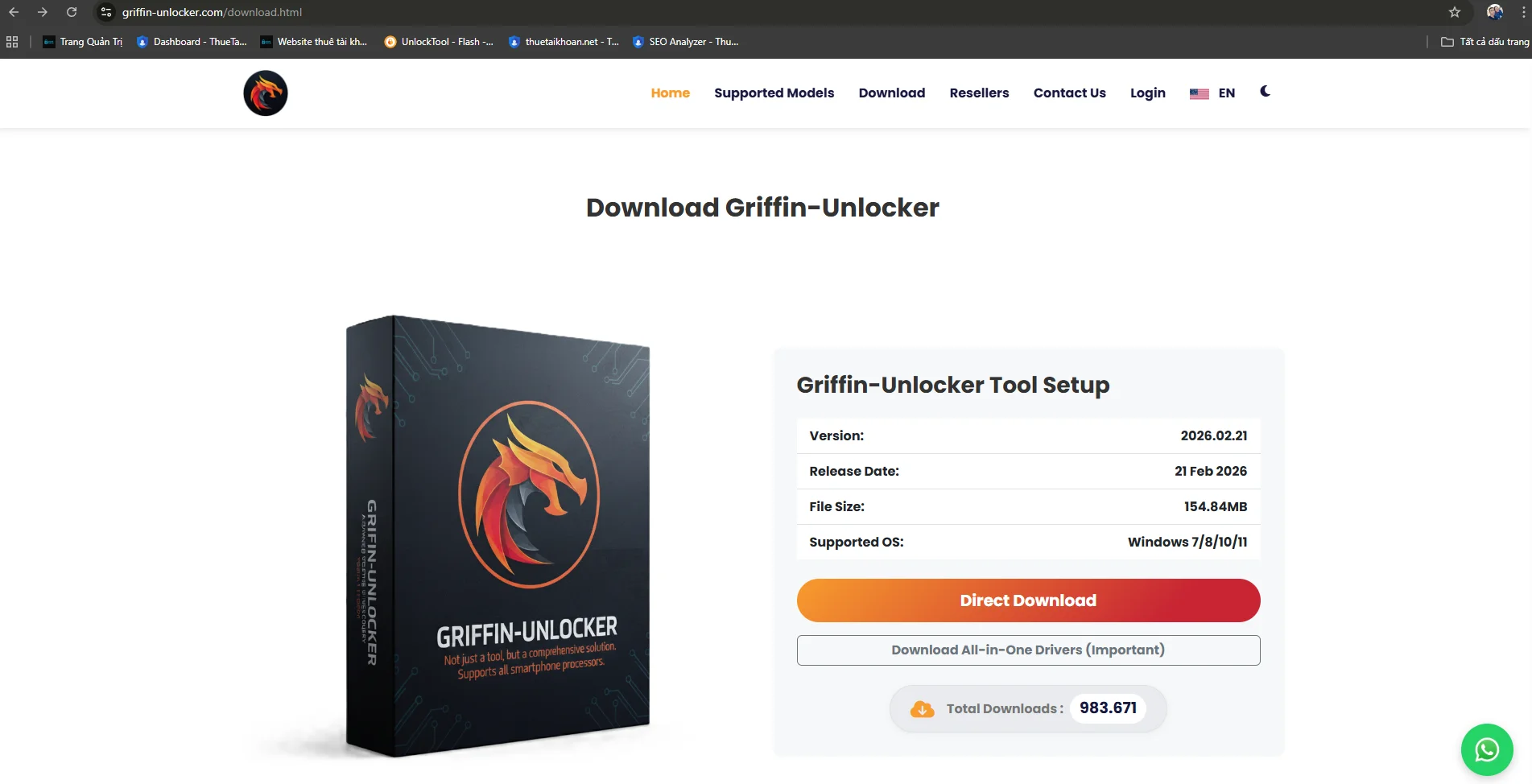
Official griffin-unlocker.com/download.html portal hosting the 154.84 MB Windows 7/8/10/11 setup and All-in-One Drivers bundle.
Qualcomm, MediaTek, Samsung Knox & MDM Workflows
On the Android bench, Griffin-Unlocker targets fast one-click turnaround across budget and mid-range devices alongside Snapdragon flagships:
- Qualcomm & MediaTek Generic Modules: EDL 9008 and BROM/Preloader flashing, FRP wipe, factory reset, bootloader operations, and EFS/NV partition backup.
- Samsung & Honor/Huawei: MTP/ADB/Download Mode FRP resets, Knox Guard and MDM enrollment removal where supported by patch level, and stock firmware flashing.
- 20 Listed Brands: Verified directly on griffin-unlocker.com/models.html — ASUS, Alcatel, Apple, BLU, Blackview, Gionee, Google Pixel, Huawei, Itel, Infinix, Lava, LG, Lenovo, MTK, OPPO, OnePlus, Realme, Samsung, Vivo, Wiko, and Xiaomi.
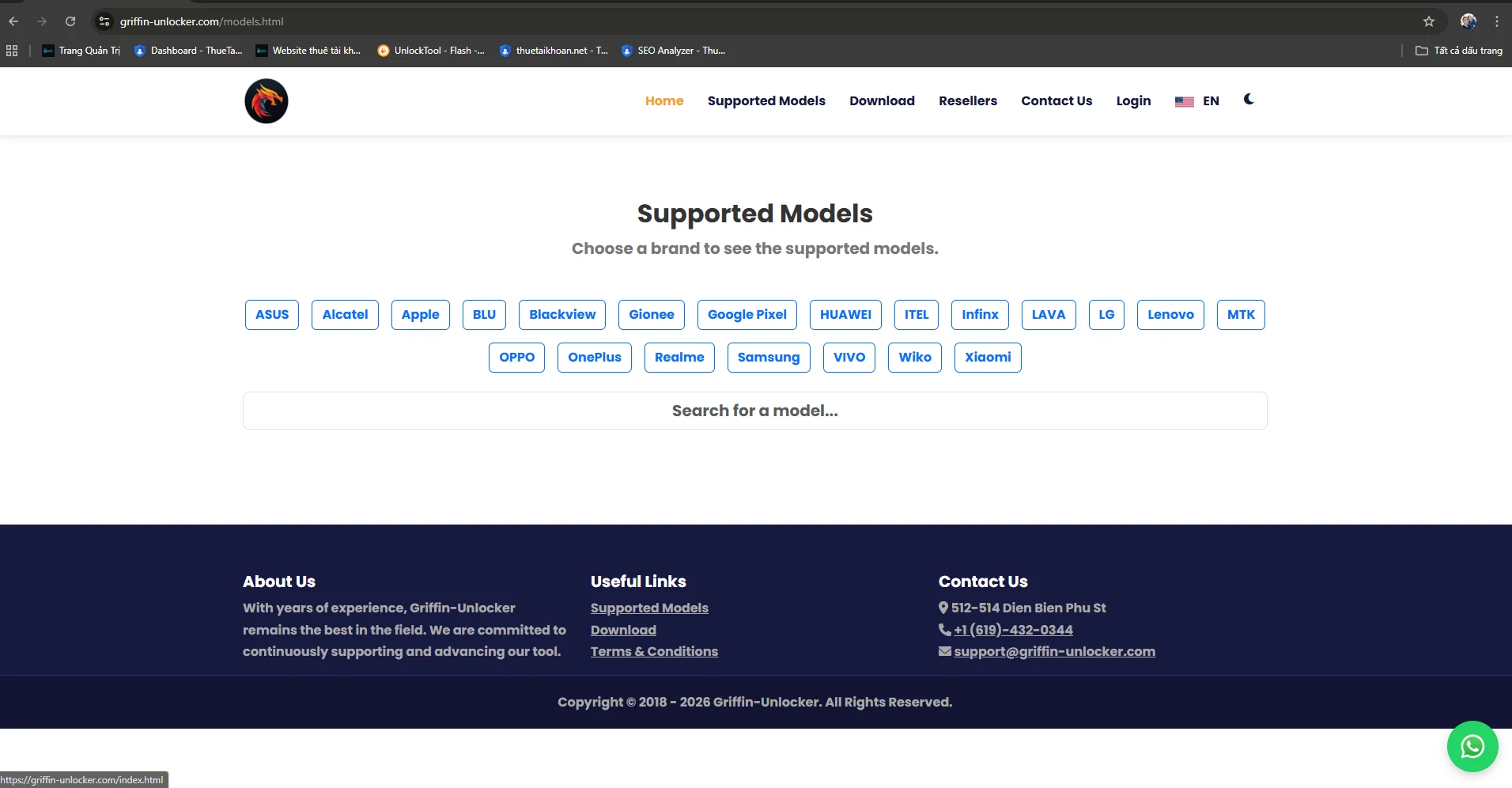
Official Griffin-Unlocker Supported Models lookup page for verifying exact handset compatibility before ordering a rental.
Apple Servicing Scope & Eligibility Notes
Griffin-Unlocker also includes Apple servicing utilities (such as MDM management removal and checkm8/ramdisk or server-assisted flows depending on the active Premium Pack tier). Because Apple iOS security changes rapidly across iOS 18–26 and A12+ chipsets, never assume every iPhone model is covered by a standard hourly login. Check model/iOS compatibility first; for dedicated per-SN A12+ Activation Lock or Ramdisk Passcode jobs, compare directly with our HFZ Activator A12+ guide, HFZ Bypass catalog, or HFZ Ramdisk passcode services.
Pre-Order Model Verification Habit: Before opening a timed Griffin-Unlocker session for an Android MDM or Apple job, always type the exact model code into griffin-unlocker.com/models.html and verify whether your task runs locally under a standard license or requires paid server credits. That 30-second lookup prevents renting the wrong tool for a newly patched bootloader.
How much does renting Griffin-Unlocker cost on GSM24h?
Renting Griffin-Unlocker on GSM24h.com starts from just $0.45 with flexible 6-hour, 12-hour, and 1-day durations tailored for single repairs or full workshop shifts. Orders confirm in ~2 seconds with automated 24/7 credential delivery, no pre-registration, and USD or crypto checkout.
| Package | Current price | Original price | Save |
|---|---|---|---|
| 6 hours | $0.45 | $0.49 | 8% |
| 12 hours | $0.74 | $0.80 | 8% |
| 1 day | $1.60 | $1.80 | 11% |
Updated November 2026 — listed price before coupon
For low-volume or occasional MDM/FRP tickets, a 6-hour rental lets you finish several handsets for a fraction of a standalone subscription while keeping replacement/refund protection active if a rented credential encounters a technical fault.
How do you download, install drivers, and log in cleanly?
Setting up Griffin-Unlocker Pro on Windows 7, 8, 10, or 11 takes only a few minutes when you install drivers before purchasing a timed session. Download the official 154.84 MB setup and All-in-One Drivers bundle, whitelist the install folder in Windows Security, rent your slot on GSM24h, and connect over a rear USB port.
- Download Official Installer & Drivers: Visit griffin-unlocker.com/download.html, grab the main Windows setup (e.g.,
2026.02.21, 154.84 MB), and click Download All-in-One Drivers (Important). - Install Platform Tools & Whitelist Folder: Keep Google Android SDK Platform-Tools ready and add Griffin-Unlocker's installation folder to Windows Security exclusions so packed loaders aren't quarantined.
- Rent Your Window on GSM24h: Open the Griffin-Unlocker rental page, pick 6h, 12h, or 1 day, and copy your username/password right after payment settles.
- Connect Over Rear USB & Back Up Security: Plug the device into a rear motherboard USB port, verify Device Manager recognizes Qualcomm 9008, MTK VCOM, or Apple Mobile Device USB cleanly, and back up EFS/NV data before flashing or resetting.
Windows Driver Conflict Tip: Installing Griffin's All-in-One Drivers alongside existing UnlockTool or EFT Pro setups occasionally leaves duplicate libusb-win32 filters attached to MTK BROM or Apple DFU ports. If Griffin stalls at "Waiting for Device", check Windows Device Manager under Ports (COM & LPT) and remove stale yellow-flagged USB entries before reconnecting.
How does Griffin-Unlocker compare with UnlockTool, AMT, and EFT Pro?
Griffin-Unlocker competes directly with daily multi-brand utilities by offering low-cost 6-hour to 1-day sessions covering Qualcomm, MediaTek, Samsung Knox/MDM, and selected Apple tools. Compare entry USD pricing and strongest bench specialties across Griffin-Unlocker, UnlockTool, Android Multi Tool, and EFT Pro before booking your next ticket.
| Tool | Best Use Cases | GSM24h Rental Starting At | Detailed Guide |
|---|---|---|---|
| Griffin-Unlocker | Budget Qualcomm/MTK FRP, Samsung Knox/MDM, 20 Android brands & Apple utilities | $0.45 | This guide |
| UnlockTool | All-around Samsung, Xiaomi, OPPO FRP & checkm8 Ramdisk | $0.30 | UnlockTool Guide |
| Android Multi Tool (AMT) | Xiaomi Android 16, Samsung Exynos ODIN, Unisoc, Transsion auth | $0.39 | AMT Guide |
| EFT Pro Dongle | Samsung Exynos FRP, Huawei/Xiaomi flash & Apple servicing | $2.30 | EFT Pro Guide |
Common Griffin-Unlocker errors and fixes
Troubleshoot the four most frequent runtime snags before re-flashing a handset:
- Setup Blocked or Executable Missing After Install: Windows Defender Real-Time Protection removed a core file. Restore it from Protection History, whitelist the Griffin folder, and relaunch as Administrator.
- Device Stuck at "Waiting for Port" in EDL/BROM: Install Griffin's official All-in-One Drivers package, reboot Windows once, and use a short OEM data cable on a rear USB 2.0/3.0 port.
- "Operation Requires Credits" Message: Standard time-based rentals include regular license features without extra paid server credits. Check whether your target operation needs credits or switch to a credit-free workflow such as UnlockTool chipset FRP.
- Login / Session Already Active Error: Never launch one rented account across two PCs simultaneously. If an assigned account fails on first login due to a prior lock, contact GSM24h support for immediate replacement or refund.
Frequently Asked Questions
What Windows versions does Griffin-Unlocker Pro support?
According to griffin-unlocker.com/download.html, the official Griffin-Unlocker setup supports Windows 7, Windows 8, Windows 10, and Windows 11, paired with their All-in-One Drivers bundle.
How much does it cost to rent Griffin-Unlocker on GSM24h.com?
Rental plans on GSM24h start from $0.45, with 6-hour, 12-hour, and 1-day durations delivered automatically 24/7 after payment confirmation.
Can Griffin-Unlocker bypass every iPhone A12+ iCloud lock without extra credits?
No. Apple iOS support varies strictly by iOS build, lock state (MDM vs Passcode vs Hello), and upstream server availability. Always check griffin-unlocker.com/models.html first, or use dedicated per-SN services on /bypass-icloud and /hfz-ramdisk for A12+ iPhones.
Does Griffin-Unlocker need a physical smartcard dongle?
No. Griffin-Unlocker runs completely through cloud credentials on Windows without requiring any physical USB dongle or box.
Why should I install the All-in-One Drivers package before renting?
Installing Qualcomm 9008, MediaTek VCOM, Samsung, and Apple Mobile Device drivers ahead of time prevents COM port detection failures and ensures your paid rental hours go strictly to repairing devices.
What if a rented Griffin-Unlocker account has a technical login error?
GSM24h backs every automated rental with replacement or refund protection if an assigned account cannot log in due to a verified technical issue on our side.
Rent Griffin-Unlocker Pro Online in Seconds
Start from $0.45 with 6h, 12h, or 1-day plans, automated 24/7 delivery, and USD / crypto checkout.
Rent Griffin-Unlocker Now →
Written by: Trần Kế Khang
5 years of in-depth mobile & laptop hardware repair experience; founder of thuetaikhoan.com.vn, unlocktool.us, dienthoailaptop.vn, and gsm24h.com. Facebook · Profile & articles · About us



No comments yet. Be the first to share your thoughts!