
Approaching a Google Pixel FRP Bypass ticket requires clear technical honesty that most generic repair blogs leave out: Google Pixel smartphones are the hardest mainstream Android devices on the market to service after an untrusted factory reset. Because Google designs both Android's monthly security patches and — from Pixel 6 onward — the custom Google Tensor SoC paired with the Titan M2 hardware security chip, standard Qualcomm EDL 9008 and MediaTek BROM methods do NOT apply to modern Pixels. This verified bench guide separates legacy Qualcomm Pixels (Pixel 2–5a) from modern Tensor Pixels (Pixel 6–9), explains official recovery steps first, and prevents technicians from wasting money on unsupported tool rentals.
Notice: This guide is strictly for legitimate device owners and authorized repair counters. On modern Google Tensor Pixel models running current Android 14–16 security patches, official Google Account recovery remains the primary reliable solution.
Table of Contents
- Why is Google Pixel harder to service for FRP than Samsung or Xiaomi?
- How do legacy Qualcomm Pixels differ from modern Google Tensor Pixels?
- What official recovery steps should Pixel owners try first?
- What can PC GSM tools realistically do on Pixel and Nexus devices?
- How does Google Pixel FRP difficulty compare with Samsung, Xiaomi, and Motorola?
- What common Pixel troubleshooting errors should technicians avoid?
- Frequently Asked Questions
Why is Google Pixel harder to service for FRP than Samsung or Xiaomi?
Google Pixel phones receive day-one Android monthly security patches directly from Google, enforce Verified Boot with a hardware-backed Titan M / Titan M2 security coprocessor, and strip away third-party OEM diagnostic menus such as Samsung's *#0*# or MediaTek's BROM bootrom. As a result, patched Setup Wizard exploits and generic PC bootrom tools fail on up-to-date Tensor Pixels.
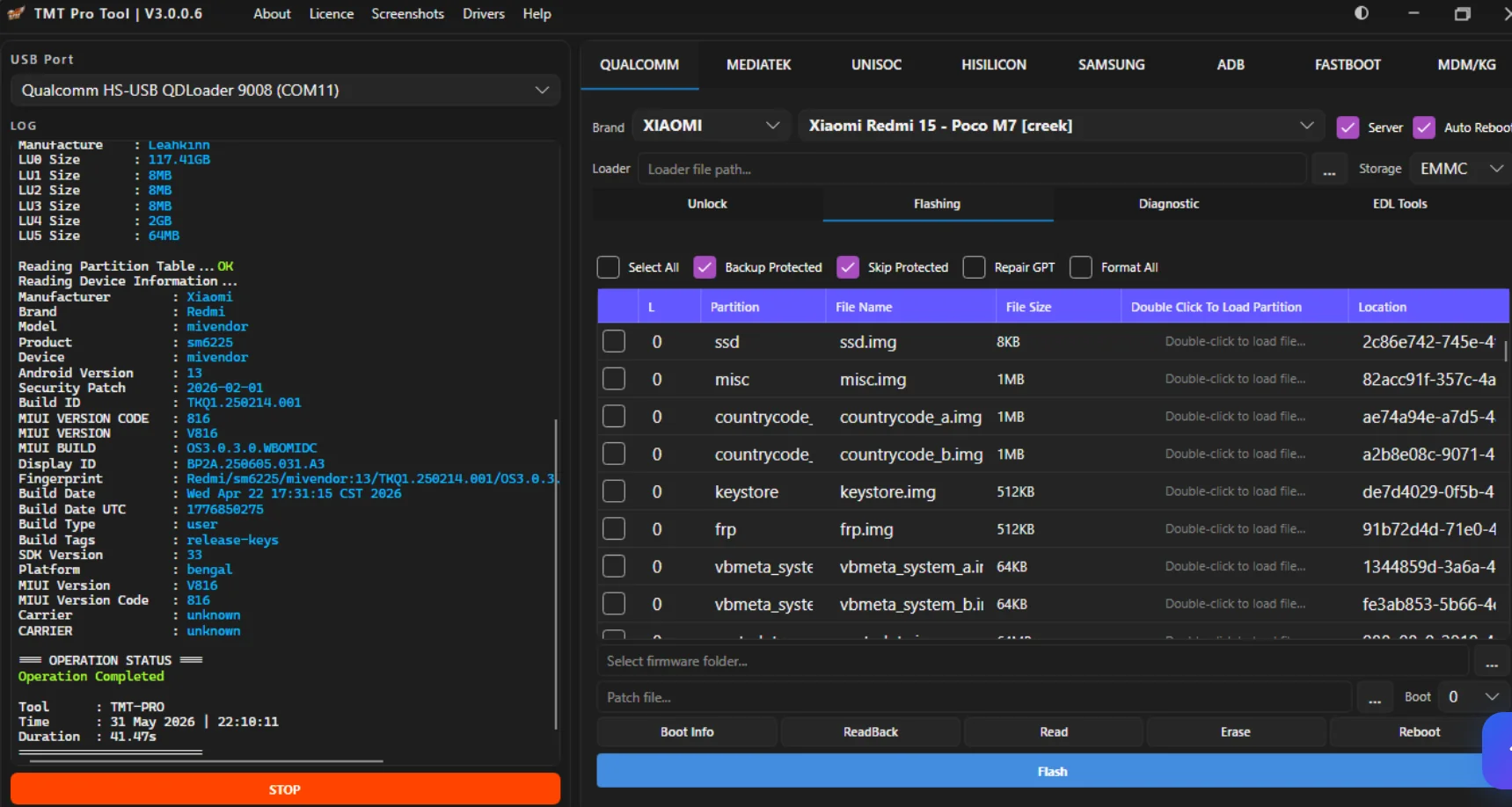
Unlike standard Qualcomm/MediaTek Android phones that expose raw frp partition tables in EDL/BROM (shown in TMT Pro), Google Tensor Pixels lock down bootrom partition access via Titan M2.
Under the Android bootloader architecture, Pixel bootloaders block fastboot flashing and partition erasure completely whenever OEM Unlocking is off (Device state: locked). Unlike MediaTek or Unisoc budget phones, there is no simple button combo that drops a Pixel 7, Pixel 8, or Pixel 9 into an open flasher port.
How do legacy Qualcomm Pixels differ from modern Google Tensor Pixels?
Legacy Nexus and Pixel 1 through Pixel 5a devices used Qualcomm Snapdragon chips running end-of-life Android 10–14 builds, whereas Pixel 6 through Pixel 9 run custom Google Tensor G1–G4 silicon hardened by Titan M2 and live monthly Android 15–16 patches, eliminating public EDL or BROM bypass paths.
| Pixel Generation | Processor & Security Chip | Android Patch Reality | Realistic Bench Status |
|---|---|---|---|
| Nexus & Pixel 1–3a | Qualcomm Snapdragon 821–845 / 670 | End-of-life (Android 10–12) | Older builds sometimes supported via legacy ADB/Fastboot or Qualcomm tools |
| Pixel 4 / 4a / 5 / 5a 5G | Qualcomm Snapdragon 855 / 730G / 765G + Titan M | Final Android 13–14 patches | Very restricted; bootloader locked blocks Fastboot writes; requires exact patch verification |
| Pixel 6 / 6a / 7 / 7a | Google Tensor G1 / G2 + Titan M2 | Active Android 14–16 updates | No public EDL/BROM; official Google account recovery is primary path |
| Pixel 8 / 8a / 9 / 9 Pro | Google Tensor G3 / G4 + Titan M2 | Latest Android 15–16 security | Highest Android FRP hardening; do not pay for unverified "1-click" claims |
What official recovery steps should Pixel owners try first?
Before paying for any third-party software, legitimate Google Pixel owners should try three official recovery methods in order: resetting the previously synced Google Account password (waiting out any 24–72 hour security cooldown), entering the pre-reset screen PIN or pattern on the FRP screen, or requesting official Google/enterprise IT serial release.
- Recover the previously synced Google Account: Visit Google's account recovery flow from another trusted device or browser, reset the password via recovery phone/email, and wait up to 24–72 hours if Google's post-password-change FRP cooldown triggers.
- Use the previous screen lock PIN / Pattern: On modern Android versions, Google's "Verify your account" screen often displays a secondary link reading "Use my PIN/pattern instead" — entering the device's pre-reset lock screen passcode clears FRP immediately.
- Official Google Support or Enterprise IT Release: If the Pixel was purchased new or retired from a company fleet (Workspace / Android Enterprise), present the original invoice to Google Support or ask the company's IT administrator to release the serial from zero-touch enrollment.
Technician Honesty Saves Chargebacks: Whenever a walk-in customer hands you a FRP-locked Pixel 7, Pixel 8, or Pixel 9 on Android 15 or 16, check the Recovery Mode screen (Power + Volume Up briefly from the dead robot screen) to read the exact build date first. If it runs a current monthly patch and the owner cannot recall the Google account or old PIN, explain the Titan M2 limitation upfront instead of promising an impossible 5-minute bypass.
What can PC GSM tools realistically do on Pixel and Nexus devices?
Professional Windows tools such as UnlockTool ($0.30), Griffin Unlocker ($0.45), and DFT Pro ($1.19) remain valuable for legacy Qualcomm Android devices, ADB/Fastboot diagnostics (paired with Google Platform-Tools and the official Google USB Driver), and checking unlocked-bootloader Fastboot flashing — but technicians should always check the tool's live supported-model changelog before renting for any Tensor Pixel.
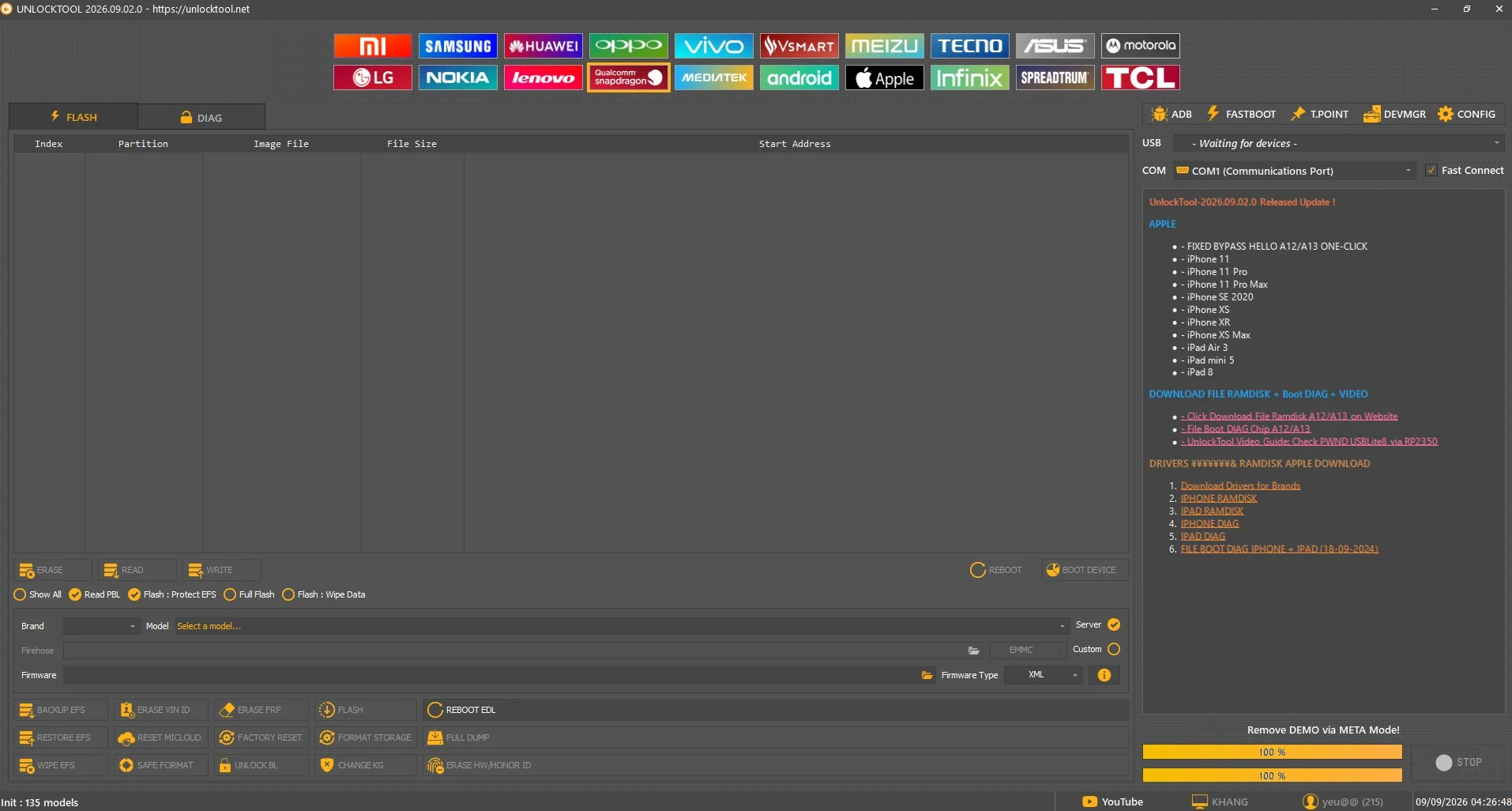
UnlockTool Qualcomm module — useful for legacy Snapdragon Android servicing when a verified Firehose loader is supported, but not applicable to Google Tensor chips.
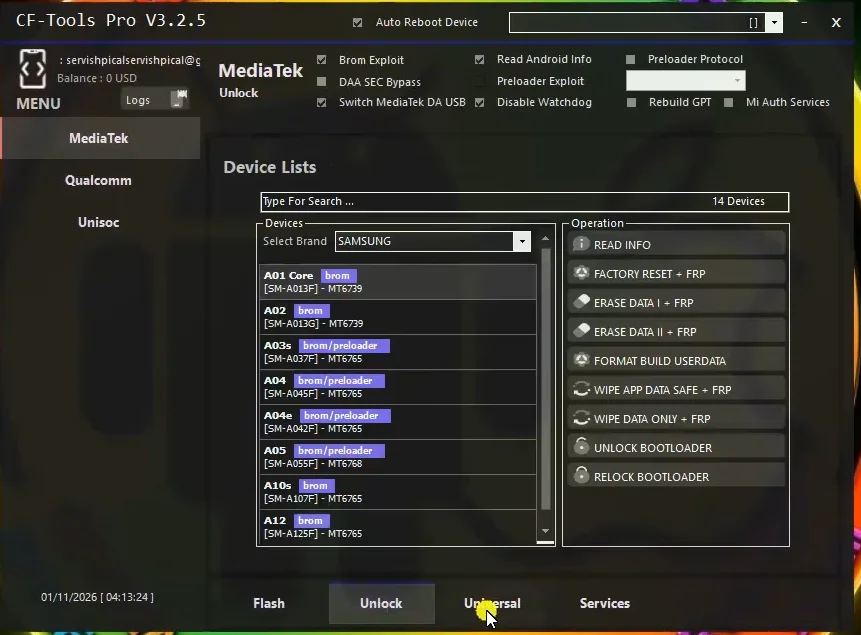
Standard GSM suites target MediaTek, Qualcomm, Unisoc, and Exynos bootroms — check exact model and security patch compatibility before starting any Pixel rental.
How does Google Pixel FRP difficulty compare with Samsung, Xiaomi, and Motorola?
Google Pixel Tensor models rank as the hardest mainstream Android devices for FRP servicing because they combine Titan M2 hardware security with zero-day monthly patches, whereas Samsung, Xiaomi, Motorola, and Transsion phones expose structured MTP, EDL 9008, PreLoader, or EUB diagnostic pathways supported by mainstream GSM tools.
- Samsung Galaxy: High daily tool support via Android 14–16 MTP, Qualcomm EDL, MediaTek BROM, and Exynos EUB — see our Samsung FRP by Chipset guide.
- Xiaomi / Redmi / POCO: Wide coverage via MediaTek BROM/PreLoader and authorized Qualcomm EDL 9008 — see our Xiaomi EDL Auth guide.
- Motorola & Transsion (Tecno/Infinix/Itel): Rapid 30-second PC tool workflows across MediaTek, Unisoc, and Qualcomm — see our Motorola FRP guide and Tecno/Infinix/Itel FRP guide.
- Google Pixel (Tensor G1–G4): Strictly hardened by Titan M2 and monthly zero-day Google patches; official account/PIN recovery is the only guaranteed permanent fix on current firmware.
What common Pixel troubleshooting errors should technicians avoid?
Technicians troubleshooting FRP-locked Pixels should avoid three costly mistakes: trying to flash Fastboot Factory Images or Recovery OTA zips onto a locked bootloader (which never clears FRP), installing unverified malware-laced "1-click Tensor bypass" apps, and skipping Google WinUSB driver verification when servicing older legacy Qualcomm Pixels.
- Trying to flash a Factory Image with a locked bootloader: Running flash-all.bat via Fastboot on a locked Pixel (Device state: locked) will always fail with "Flashing is not allowed in Lock State" — flashing stock OTA sideload .zip files in Recovery also NEVER clears Google FRP.
- Falling for scam "online Pixel FRP unlock" apps: Avoid unverified .exe downloaders claiming instant Tensor Android 15/16 bypasses; they frequently bundle malware or steal browser sessions.
- Skipping driver checks on legacy Qualcomm Pixels: When servicing older unlocked or legacy Qualcomm Pixels/Nexus units, install Google's official WinUSB driver (see our GSM USB drivers guide) and verify fastboot devices detects cleanly first.
| Package | Current price | Original price | Save |
|---|---|---|---|
| 6 hours | $0.30 | $0.35 | 14% |
| 12 hours | $0.42 | $0.49 | 14% |
| 1 day | $0.95 | $1.00 | 5% |
| 2 days | $1.20 | $1.30 | 8% |
| 3 days | $1.60 | $1.70 | 6% |
| 5 days | $2.00 | $2.10 | 5% |
| 7 days | $3.40 | $3.50 | 3% |
| 14 days | $3.90 | $4.00 | 3% |
| 30 days | $7.40 | — | — |
Updated November 2026 — listed price before coupon
Factory Reset Cooldown Tip: If a legitimate Pixel owner resets their forgotten Google Account password online and tries signing into the locked phone immediately, Google may still reject the login for 24 to 72 hours as an anti-theft safeguard. Advise the customer to wait out the cooldown window rather than wiping the phone again, which resets the clock.
Frequently Asked Questions
Can flashing a stock Google Factory Image or OTA zip remove FRP on a Pixel?
No. Sideloading an official OTA zip in Recovery never clears the protected frp partition, and Fastboot Factory Image flashing is completely blocked whenever the bootloader is locked (OEM Unlocking off).
Do UnlockTool or other PC tools support 1-click FRP bypass on Pixel 8 or Pixel 9 Android 15–16?
No reliable public 1-click bootrom bypass exists for locked-bootloader Google Tensor G3/G4 Pixels running current Android 15–16 patches. Always verify official changelog support before paying for any tool rental.
Can I unlock a FRP-locked Google Pixel using the old screen PIN or pattern?
Yes. On most modern Android builds, tapping "Use my PIN/pattern instead" on the Google verification screen lets the legitimate owner clear FRP immediately if they remember the pre-reset screen lock.
Why does Google reject my newly reset password on the Pixel FRP screen?
Google enforces a 24-to-72-hour security cooldown after a password reset before allowing that account to unlock an FRP-locked device. Wait for the cooldown to expire and try signing in again over stable Wi-Fi.
Do older Qualcomm Google Pixel 2, 3, 4, or Nexus devices work differently from Tensor Pixels?
Yes. Legacy Nexus and early Qualcomm Pixel models running older, end-of-life Android versions lack the Titan M2 architecture and monthly Android 15–16 patches found on Pixel 6–9, though locked bootloaders still restrict Fastboot writes.
Which GSM tools on GSM24h are best for general multi-brand Android FRP?
For supported Samsung, Xiaomi, Motorola, Vivo, OPPO, and Transsion Android repairs, UnlockTool (/rent-unlocktool) from $0.30, TSM Tool Pro (/rent-tsm-tool), and Griffin Unlocker (/rent-griffin-unlocker) provide instant automated rentals.
Need automated multi-brand Android FRP tools for supported Samsung, Xiaomi, Motorola, and legacy Qualcomm models? Explore UnlockTool rentals on GSM24h.com.
View UnlockTool Rental Plans →
Written by: Thanh Tài
6 years of GSM & IT background; specializes in mobile and laptop software, firmware flashing, iCloud, Xiaomi, Samsung, and OPPO unlocking. Facebook · Profile & articles · About us



No comments yet. Be the first to share your thoughts!