
Mastering Tecno Infinix Itel FRP removal is a daily bread-and-butter skill for mobile technicians across international repair markets, where Transsion Holdings smartphones dominate budget and mid-range sales. Because Tecno (Spark, Camon, Pova), Infinix (Hot, Smart, Note, Zero), and Itel (A, P, S series) share closely related HiOS, XOS, and itelOS firmware built on MediaTek Helio/Dimensity and Unisoc Tiger chipsets, one structured chipset workflow handles almost every model cleanly. This verified guide covers drivers, BROM/PreLoader vs Unisoc Diag entry, and real rental tools — including UnlockTool ($0.30), TSM Tool Pro ($0.69), Pandora Tool ($13.00), Hydra Tool ($1.21), and CF-Tools Pro ($1.00) — strictly for owner-authorized devices.
Table of Contents
- Why do Tecno, Infinix, and Itel share the same FRP removal methods?
- Which chipsets power popular Tecno, Infinix, and Itel models?
- What USB drivers and cables do you need before removing Transsion FRP?
- How do you remove FRP on MediaTek vs Unisoc Tecno, Infinix, and Itel phones?
- Which rented GSM tool handles Tecno, Infinix, and Itel FRP best?
- Frequently Asked Questions
Why do Tecno, Infinix, and Itel share the same FRP removal methods?
Tecno, Infinix, and Itel are all sister smartphone brands owned by Transsion Holdings, sharing common motherboard reference designs, signed MediaTek PreLoader/DA security architectures, and Unisoc FDL bootloaders across HiOS, XOS, and itelOS. Once you configure MediaTek VCOM and Spreadtrum SPRD USB drivers on your Windows PC, the same GSM tools service all three brands seamlessly.
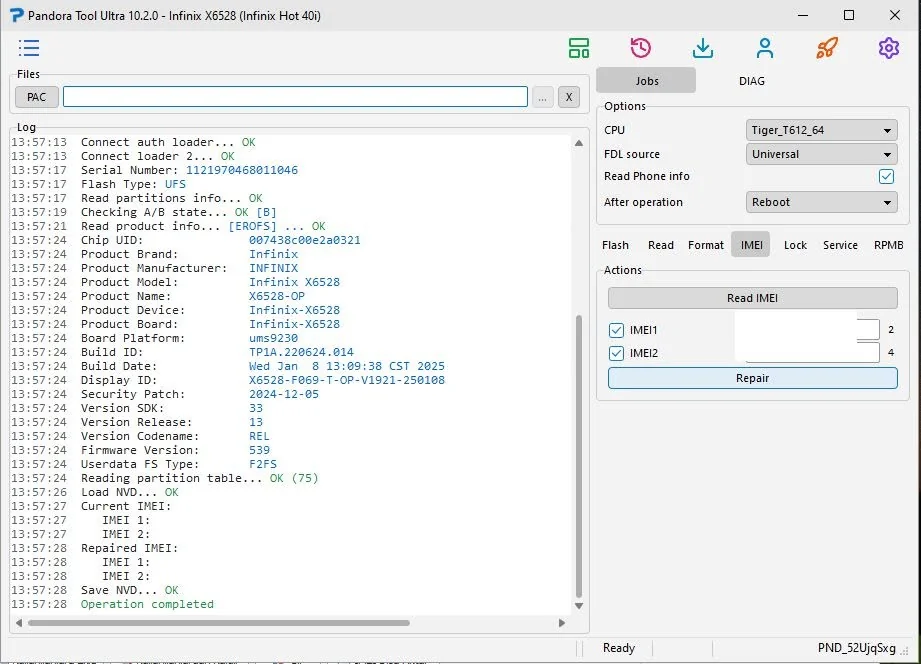
Pandora Tool Ultra 10.2.0 reading full UFS partition table and system info on Infinix Hot 40i (X6528, Unisoc Tiger T612 / ums9230).
On older Android 10–12 Transsion models, free SP Flash Tool scatter-file wipes or manual TalkBack browser tricks occasionally worked. On modern Android 13–15 HiOS/XOS security patches, Transsion enabled strict MediaTek SLA/DAA PreLoader signing and patched Setup Wizard browser loopholes — making professional signed-DA GSM tools the fast, reliable standard.
Which chipsets power popular Tecno, Infinix, and Itel models?
Identifying whether a Transsion phone uses MediaTek or Unisoc silicon takes 30 seconds by looking up the exact model code (such as X6528, KJ5, or A665L) and determines which USB driver and connection mode you must use:
| Transsion Brand | Common MediaTek Models (BROM / PreLoader) | Common Unisoc Models (SPRD Diag) |
|---|---|---|
| Tecno | Spark 10/20/30 Pro, Camon 20/30, Pova 4/5/6 (Helio G37/G85/G99, Dimensity) | Spark Go 2023/2024/1, Pop 7/8/9 (Unisoc T606, T615, SC9863A) |
| Infinix | Hot 30/40/50, Note 30/40, Zero 30, GT series (Helio G88/G99/G100, Dimensity) | Smart 7/8/9, Hot 30i, Hot 40i (Unisoc T606, T612, T616) |
| Itel | Itel S23+, RS4, P55 5G (Helio G99, Dimensity 6080) | Itel A60/A70/A80, P40/P55, S23/S24/S26 Ultra (Unisoc SC9863A, T603, T606, T7300) |
What USB drivers and cables do you need before removing Transsion FRP?
Before renting a tool shift, install both the MediaTek USB VCOM / LibUSB filter driver and the Unisoc/Spreadtrum SPRD U2S Diag driver (covered step by step in our complete GSM USB drivers guide), alongside Google Platform-Tools and the official Android WinUSB documentation.
PreLoader vs BROM Note on 2024–2026 Tecno & Infinix Models: On newer Helio G85/G99/G100 and Dimensity Transsion devices, holding Volume Up + Volume Down no longer forces raw BROM — the phone connects via MediaTek PreLoader USB VCOM for 2–3 seconds before booting to charging screen. Always click Start / Erase FRP inside UnlockTool, TSM Tool, or Pandora FIRST, then plug in the powered-off phone while holding both Volume buttons.
How do you remove FRP on MediaTek vs Unisoc Tecno, Infinix, and Itel phones?
Both MediaTek and Unisoc Transsion FRP removals complete in under 30 seconds once the matching driver is installed: select the exact brand/model (or Auto PreLoader/Unisoc CPU), click Erase FRP, power off the device completely, hold the boot key combination, and connect your USB data cable.
MediaTek Helio & Dimensity Workflow (PreLoader / BROM / META)
- Launch your rented tool: Open UnlockTool (MediaTek / Tecno / Infinix tab), TSM Tool Pro (Meta Task: Remove FRP Tecno/Infinix/Itel), or CF-Tools Pro (MediaTek tab).
- Select the exact Transsion model or PreLoader Auth: Choosing the exact model lets the software load the matching Transsion signed DA (Download Agent) and EMI file automatically.
- Trigger Erase FRP & connect powered-off device: Click Erase FRP first, wait for "Waiting for device", then hold Volume Up + Volume Down on the powered-off phone and insert the USB cable.
- Wait for clean reboot: Once the log confirms Erasing FRP... OK, unplug the cable and power on — the Google account prompt is cleared while preserving original IMEI and NVRAM.
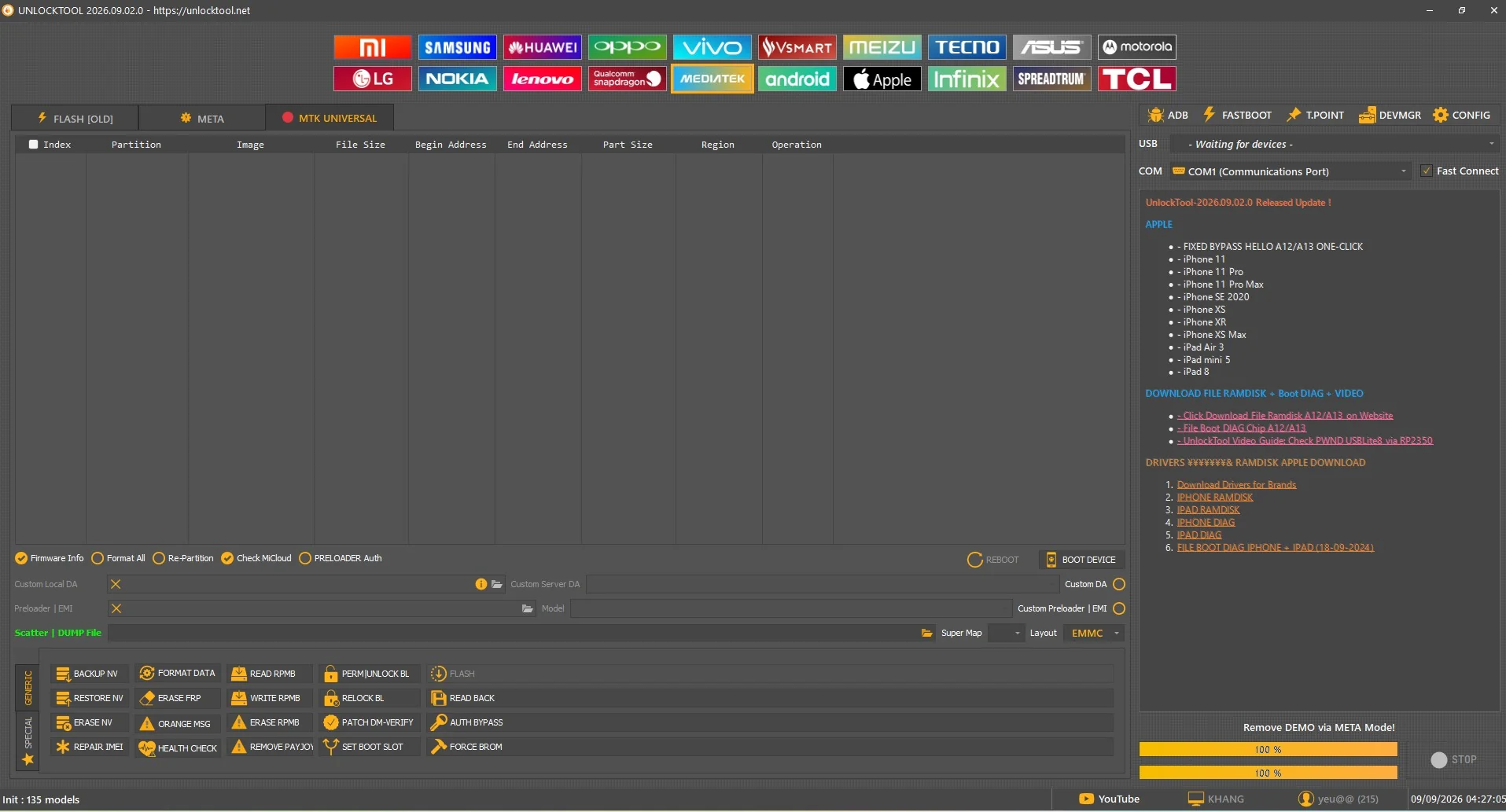
UnlockTool MediaTek Universal workspace featuring dedicated TECNO, Infinix, and Spreadtrum tabs alongside PreLoader Auth, Erase FRP, and Backup NV.
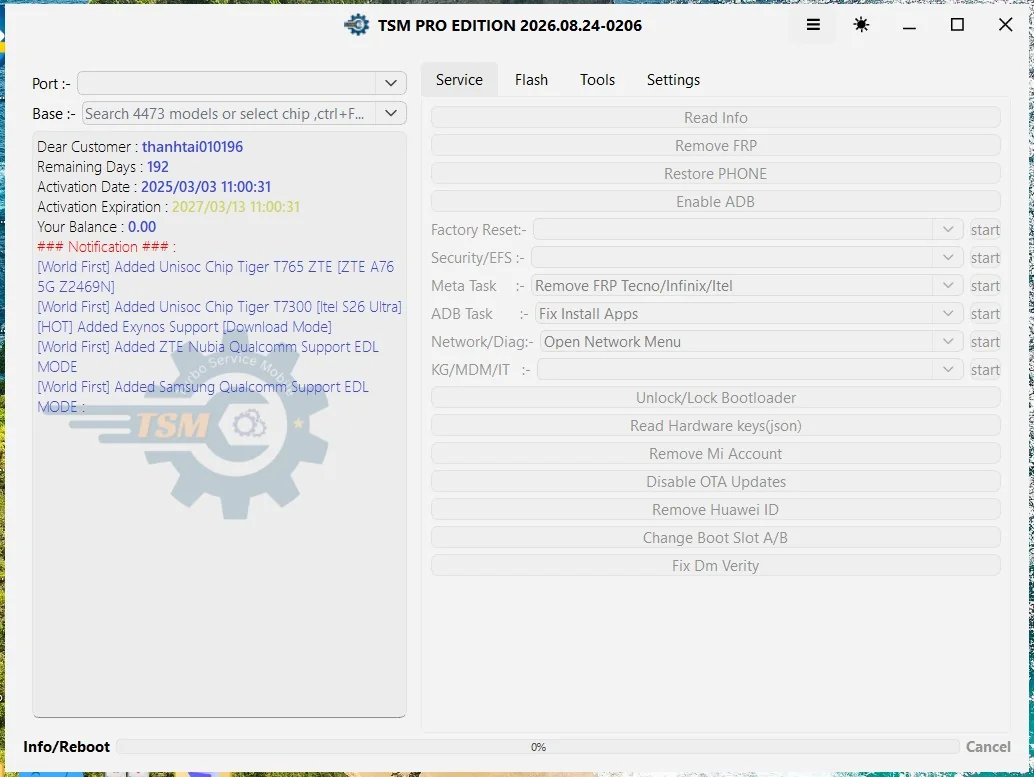
TSM PRO EDITION Service tab featuring built-in Meta Task: Remove FRP Tecno/Infinix/Itel and updated Unisoc Tiger T7300 (Itel S26 Ultra) loaders.
Unisoc Tiger / SC Workflow (SPRD Diag Mode)
- Select the Unisoc model or Tiger CPU: Inside Pandora Tool, Hydra Tool, TSM Tool Pro, or UnlockTool's Spreadtrum tab, select the exact model (e.g., Infinix Hot 40i Tiger T612 or Itel S26 Ultra Tiger T7300).
- Start FRP Erase and hold Volume Down (or Vol Up + Vol Down): Click Erase FRP, power the device off completely, hold Volume Down (some newer Tiger models use Volume Up + Volume Down), and plug in USB until SPRD U2S Diag appears.
- Complete FDL handshake: Keep the cable still while FDL1/FDL2 loads and clears the frp partition cleanly in seconds.
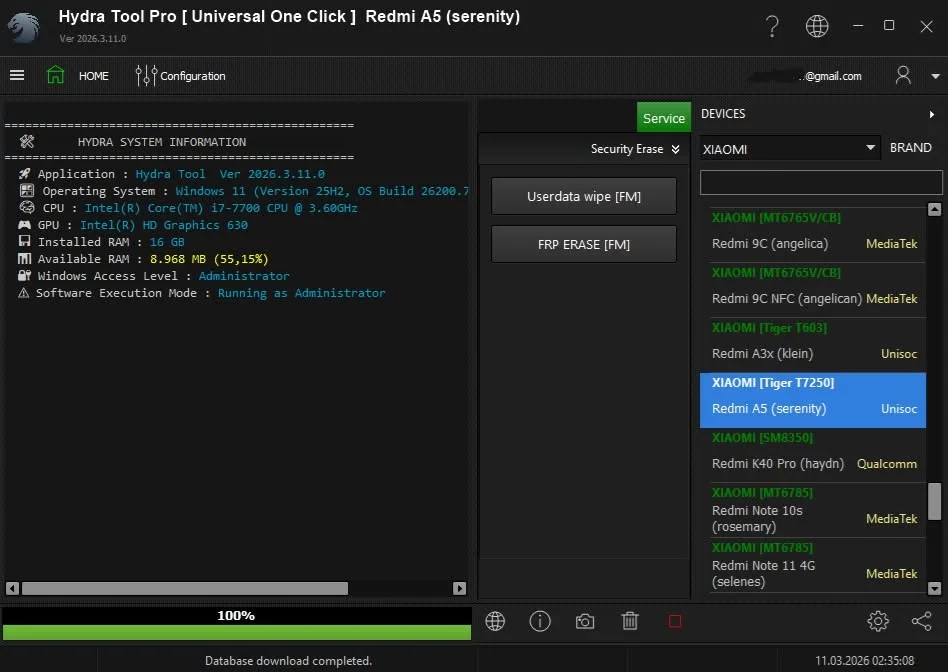
Hydra Tool Pro Universal One-Click module providing rapid FRP Erase and Userdata Wipe across MediaTek and Unisoc Tiger processors.
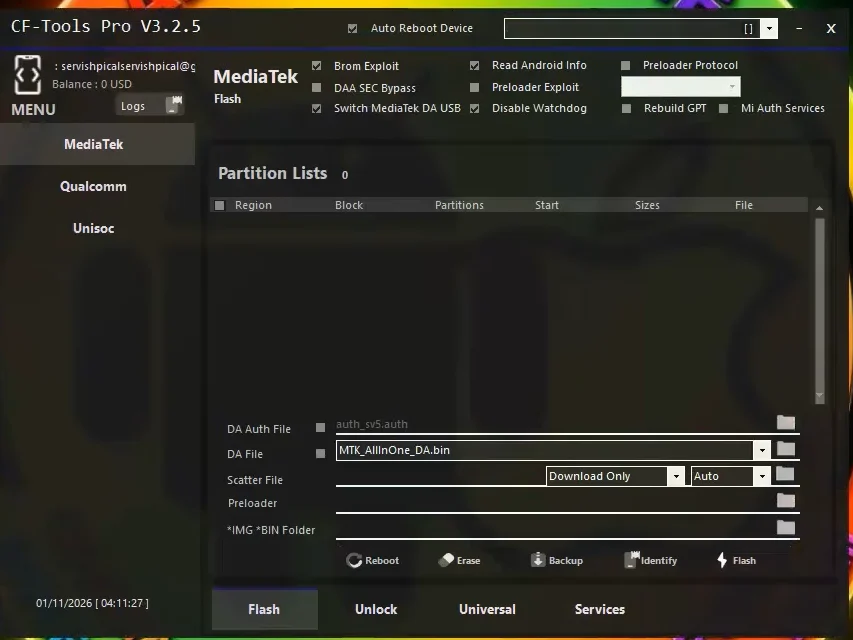
CF-Tools Pro v3.2.5 offering MediaTek, Qualcomm, and Unisoc tabs with BROM Exploit, Preloader Exploit, and DAA SEC Bypass.
Which rented GSM tool handles Tecno, Infinix, and Itel FRP best?
UnlockTool and TSM Tool Pro handle the widest range of everyday MediaTek and Unisoc Tecno, Infinix, and Itel FRP jobs at the lowest hourly USD cost, while Pandora Tool excels on stubborn Unisoc Tiger FDL handshakes and Hydra Tool, TFM Pro, or CF-Tools Pro provide reliable one-click PreLoader alternatives on GSM24h.
| Tool on GSM24h | Transsion Strength | Chipset Focus | Live Rental From |
|---|---|---|---|
| UnlockTool | Broad Tecno/Infinix/Itel model database + PreLoader Auth + Backup NV | MediaTek + Unisoc + Qualcomm | $0.30 |
| TSM Tool Pro | Dedicated Meta Task Remove FRP Tecno/Infinix/Itel + newest Unisoc Tiger T7xxx | MediaTek + Unisoc + Qualcomm | $0.69 |
| Pandora Tool | Top-tier MediaTek & Unisoc Tiger FDL stability, full UFS read/write | MediaTek + Unisoc | $13.00 |
| Hydra Tool / TFM Pro / CF-Tools | One-click Universal MTK/Unisoc FRP erase & PreLoader exploits | MediaTek + Unisoc + Qualcomm | From $1.00 |
| Package | Current price | Original price | Save |
|---|---|---|---|
| 5 hours | $0.69 | $0.75 | 8% |
| 10 hours | $0.79 | $0.80 | 1% |
| 1 day | $1.10 | $1.12 | 2% |
| 2 days | $2.20 | $2.30 | 4% |
| 3 days | $2.38 | — | — |
Updated November 2026 — listed price before coupon
Safety Tip — Never Click Format All + Download on MediaTek Transsion Boards: When servicing Tecno, Infinix, or Itel MediaTek devices, always use targeted Erase FRP (or Backup NV first) rather than Format All. Formatting the entire flash erases nvram and nvdata, causing Invalid IMEI and NVRAM Wi-Fi errors that require backup restoration.
Frequently Asked Questions
Does free SP Flash Tool still remove FRP on 2024–2026 Tecno and Infinix phones?
Rarely on newer Android 13–15 security patches. Modern Transsion MediaTek devices enforce signed PreLoader/DA authentication that rejects unsigned scatter files in free SP Flash Tool, so rented tools like UnlockTool, TSM Tool, or Pandora Tool are much faster and safer.
What if my Tecno or Infinix phone just boots to the charging icon instead of BROM?
Power the phone off completely, wait 5 seconds, click Erase FRP in your tool first, then hold Volume Up + Volume Down while plugging in the USB cable. If PreLoader is locked on a newer security patch, select the exact model's PreLoader Auth or META Mode option instead of raw BROM.
How do I know if an Itel or Infinix phone uses MediaTek or Unisoc?
Check the exact model code printed on the rear label or inside Recovery Mode (e.g., X6528 for Infinix Hot 40i uses Unisoc Tiger T612, while X6833B for Note 30 uses MediaTek Helio G99). Windows Device Manager will also display MediaTek PreLoader USB VCOM vs SPRD U2S Diag.
Can removing FRP on Tecno, Infinix, or Itel erase my original IMEI?
No, as long as you run targeted Erase FRP rather than Format All. Backing up NVRAM/NVDATA before flashing or repairing firmware is always good technician practice.
Which tool is cheapest to rent for a single Tecno, Infinix, or Itel FRP job?
TSM Tool Pro (/rent-tsm-tool) starting from $0.69, UnlockTool (/rent-unlocktool) from $0.30, and CF-Tools Pro (/rent-cf-tool) from $1.00 are the most economical automated rentals on GSM24h.
Do I need to open the back cover for Tecno, Infinix, or Itel FRP removal?
In almost all cases, no. Volume key combinations enter MediaTek PreLoader/META or Unisoc SPRD Diag over a standard USB cable without disassembly.

Written by: Thanh Tài
6 years of GSM & IT background; specializes in mobile and laptop software, firmware flashing, iCloud, Xiaomi, Samsung, and OPPO unlocking. Facebook · Profile & articles · About us



No comments yet. Be the first to share your thoughts!