
Understanding MDM Removal Samsung iPhone workflows is critical for mobile repair counters handling retired corporate fleets, refurbished enterprise devices, and owner-authorized phones still displaying IT Admin or Remote Management screens. Unlike a standard screen passcode or Google FRP lock, Mobile Device Management (MDM) enforces organization-level policies from the cloud — and on Samsung Galaxy devices it often overlaps with Knox Guard (KG). This guide explains how MDM differs from Knox Guard and FRP, compares authorized servicing methods using MDMFixTool ($1.50), Samsung Tool CellTool ($2.15), and KG Killer Tool ($0.60), and clarifies Apple Business Manager limits. Perform MDM servicing strictly on owner-authorized or company-released devices.
Table of Contents
- What is an MDM lock and why do Samsung and iPhone devices display it?
- How does MDM differ from Samsung Knox Guard and Google FRP?
- How do technicians service Samsung MDM and IT Admin locks?
- How does Apple MDM / Remote Management work on iPhone and iPad?
- Which MDM servicing tools can you rent on GSM24h?
- Frequently Asked Questions
What is an MDM lock and why do Samsung and iPhone devices display it?
Mobile Device Management (MDM) is an enterprise administration framework that allows a company's IT department to configure Wi-Fi, restrict factory resets, deploy work apps, or lock lost corporate devices remotely. When an enterprise retires or resells hardware without releasing the serial number from its management portal, the new legitimate owner hits a Remote Management or IT Admin prompt during setup.
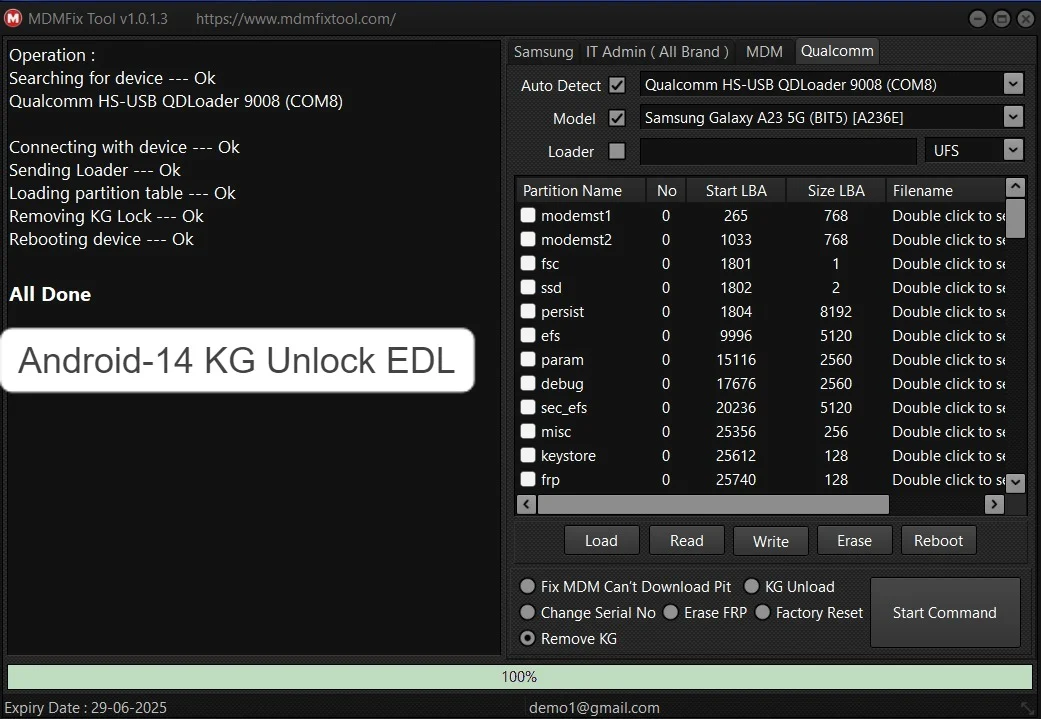
MDMFix Tool v1.0.1.3 Qualcomm EDL 9008 interface showing KG Unlock, Fix MDM Can't Download Pit, and partition safeguards.
Common signs a Samsung or iPhone unit still carries an active MDM profile include disabled Factory Reset menus, blocked USB debugging, a persistent banner reading "This phone is managed by your organization", or a "Remote Management" login screen immediately after connecting to Wi-Fi on an iPhone.
How does MDM differ from Samsung Knox Guard and Google FRP?
Although technicians often receive tickets calling every setup lock "MDM", Google FRP, Samsung Knox Guard (KG), and Corporate MDM operate on completely separate servers and boot layers. Identifying the exact lock state on the first diagnostic check prevents running the wrong tool and wasting rental time.
| Lock Type | Platform | Primary Trigger | Download Mode / Setup Symptom |
|---|---|---|---|
| Google FRP | Android (All Brands) | Factory reset without removing Google account | "Verify your account" screen after Wi-Fi setup |
| Corporate MDM / IT Admin | Samsung (Knox Mobile Enrollment) & iPhone (ABM/ADE) | Serial enrolled in enterprise IT console | "Managed by your organization" or "Remote Management" login; Factory Reset disabled |
| Samsung Knox Guard (KG) | Samsung Galaxy | Carrier / financing / enterprise Knox Guard policy | Download Mode shows KG State: Locked or Prenormal; "MDM does not allow factory reset" |
| iCloud Activation Lock | Apple iPhone / iPad | Find My active on Apple ID | "iPhone Locked to Owner" Apple ID screen (separate from MDM) |
How do technicians service Samsung MDM and IT Admin locks?
Authorized Samsung MDM and Knox Guard servicing starts with checking Download Mode (KG State and binary BIT) and selecting the least invasive connection method: QR/MTP ADB servicing on supported Android 12–16 builds, or Qualcomm EDL 9008 / Exynos EUB when Download Mode or factory reset is blocked.
MTP / QR Code ADB Servicing (MDMFixTool & CellTool)
Before attempting hardware disassembly, install the official Samsung Android USB Driver and Google Platform-Tools (see our GSM USB drivers guide). Tools like MDMFixTool and Samsung Tool CellTool support QR Code ADB enablement on newer Android 14–16 patches to clean local IT Admin restrictions cleanly over a normal USB cable.
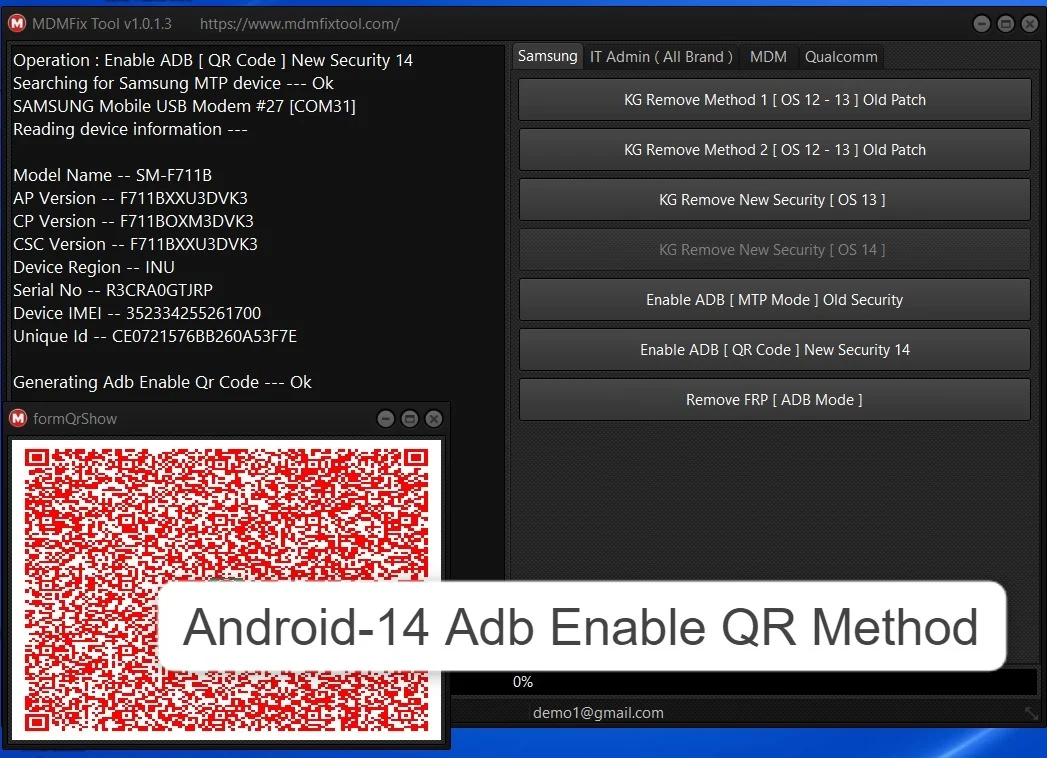
MDMFix Tool Android-14 ADB Enable QR Code workflow over Samsung Mobile USB Modem without opening the housing.
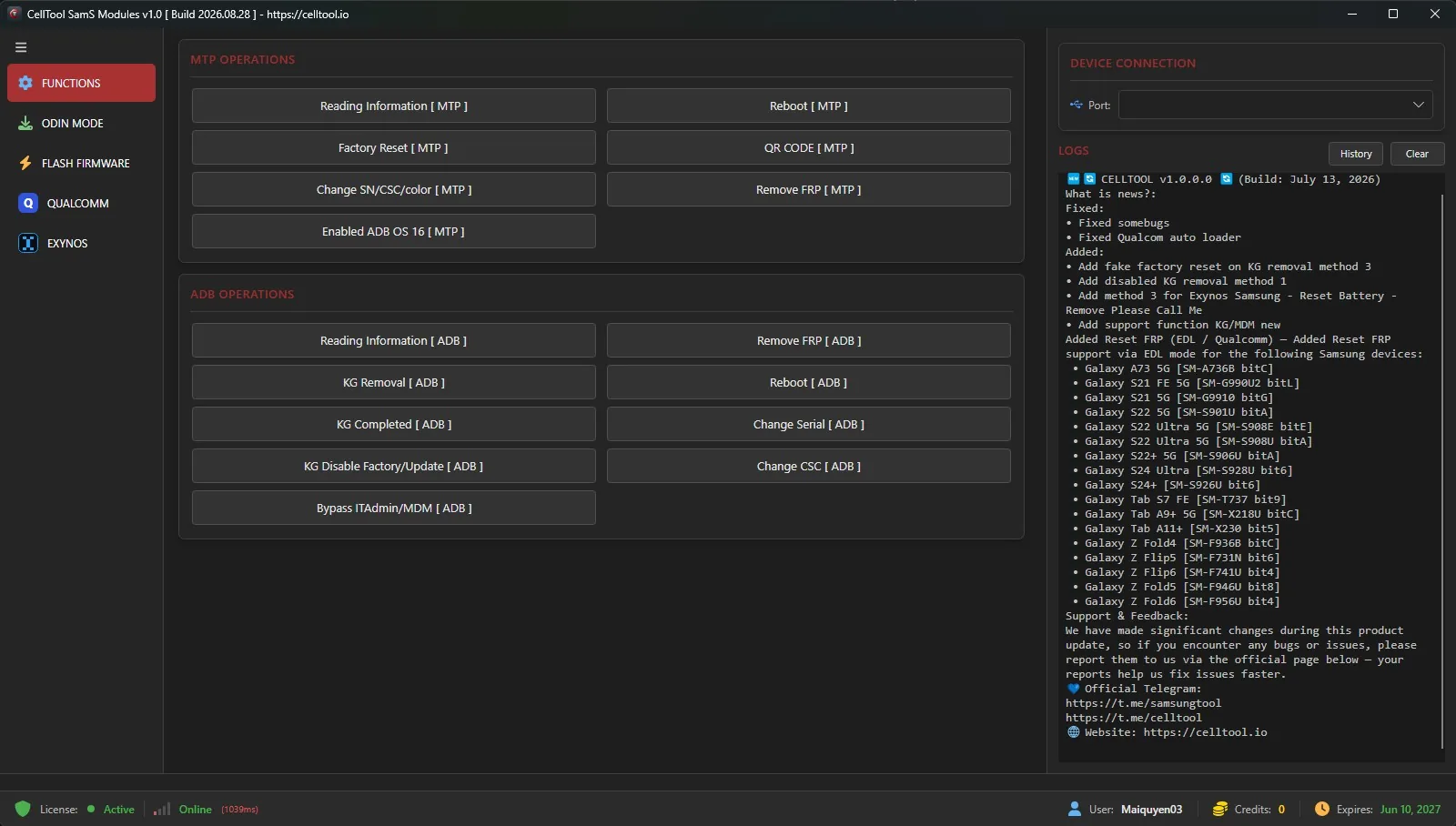
CellTool SamS Modules FUNCTIONS workspace displaying Enabled ADB OS 16 [MTP], KG Removal [ADB], and Bypass ITAdmin/MDM [ADB].
Qualcomm EDL 9008 & Exynos EUB Servicing
When a Galaxy phone shows "MDM Can't Download" in Odin or blocks ADB completely, technicians enter hardware bootrom mode via our Samsung Test Point EDL/BROM/EUB guide. Always back up EFS/NV data first (Samsung EFS backup guide) before executing EDL partition commands in MDMFixTool, CellTool, or KG Killer Tool.
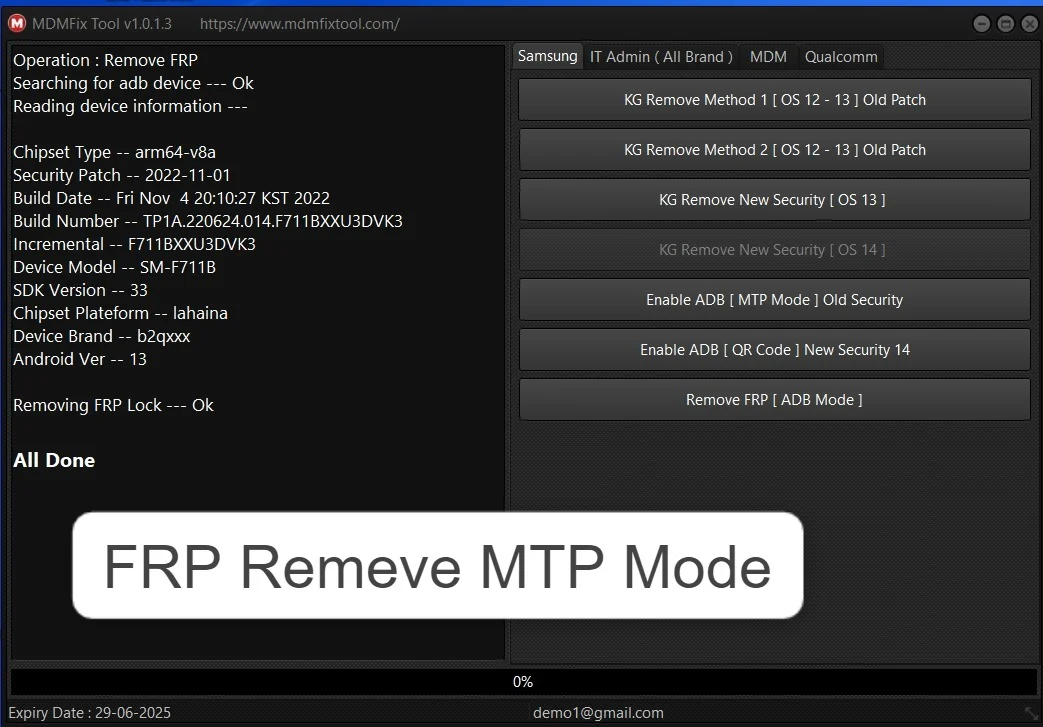
MDMFix Tool live ADB/MTP servicing log verifying chipset platform, security patch, and clean completion.
Post-Service Caution (OTA & Factory Reset): Whenever an enterprise serial remains registered inside Samsung Knox Mobile Enrollment (KME) or a carrier Knox Guard server, software-level local MDM servicing will re-trigger if the user later performs a full Factory Reset or flashes stock firmware. For permanent clean ownership on retired corporate phones, the original IT administrator must release the serial from the KME portal.
How does Apple MDM / Remote Management work on iPhone and iPad?
On Apple devices, MDM enrollment is split between removable manual configuration profiles (which authorized owners can delete under Settings → General → VPN & Device Management when permitted) and Automated Device Enrollment (ADE) tied to Apple Business Manager or Apple School Manager, which re-applies automatically during iOS setup unless released by the organization's IT team.
- Official IT Offboarding (Permanent): If you bought a surplus company iPhone or iPad, request that the seller's IT administrator click Release Device inside Apple Business Manager. Once released, erasing the iPhone permanently clears Remote Management across all future iOS updates.
- Local Supervision / Setup Profile Servicing: Specialized Apple service utilities (distinct from iCloud Activation Lock tools on /bypass-icloud) skip local Remote Management setup screens on owner-authorized devices without jailbreaking, though a full DFU restore will prompt Remote Management again if the serial is still listed in Apple Business Manager.
- Never Confuse MDM with Activation Lock: An iPhone showing "Remote Management" does not require Apple ID removal unless Find My iPhone (Activation Lock) is also turned on. Check both states before ordering any service.
Which MDM servicing tools can you rent on GSM24h?
Instead of buying expensive annual licenses for occasional MDM or Knox Guard repair tickets, GSM24h provides automated hourly rentals delivered in ~2 seconds with live USD pricing across four specialized tools — MDMFixTool, Samsung Tool CellTool, KG Killer Tool, and UnlockTool — so you only pay for the exact bench shift you need.
- MDMFixTool Rental ($1.50): Dedicated Samsung KG/MDM/IT Admin tool with QR ADB enablement and Qualcomm EDL Fix MDM Can't Download utilities.
- Samsung Tool CellTool Rental ($2.15): Comprehensive Samsung suite combining Android 16 MTP ADB, Bypass ITAdmin/MDM, Qualcomm EDL Auto-Loader, and Exynos modules (CellTool guide).
- KG Killer Tool Rental ($0.60) & UnlockTool Rental ($0.30): Strong companion options for Knox Guard, MediaTek/Qualcomm FRP, and general multi-brand diagnostics.
| Package | Current price | Original price | Save |
|---|---|---|---|
| 6 hours | $1.50 | — | — |
| 6 hours | $2.00 | — | — |
Updated November 2026 — listed price before coupon
Bench Check Before Ordering: Always inspect Download Mode (Volume Up + Volume Down + USB) on Samsung devices first and note three values: Model Code (e.g., SM-A236E), Binary Revision (BIT), and KG State (Checking / Prenormal / Locked / Active). Confirming those three values before starting your rental shift ensures you select the right tool on the first try.
Frequently Asked Questions
Is MDM lock the same thing as Google FRP or iCloud Activation Lock?
No. Google FRP and iCloud Activation Lock protect personal user accounts after a factory reset, whereas MDM (Mobile Device Management) links the device serial to a corporate or school IT server for remote management.
Will MDM come back after a factory reset or firmware flash?
Yes, if the serial number is still enrolled in Samsung Knox Mobile Enrollment (KME) or Apple Business Manager (ABM). Permanent removal requires the organization's IT administrator to release the serial from their management console.
Which rented tool is best for Samsung MDM Can't Download and Knox Guard?
MDMFixTool (/rent-mdm-fixtool) and Samsung Tool CellTool (/rent-samsung-tool) both include dedicated Qualcomm EDL Fix MDM Can't Download and ADB ITAdmin/KG servicing modules starting from $1.50.
Does local MDM servicing on Samsung require opening the back cover?
Not always. On supported Android 12–16 builds, QR Code / MTP ADB methods work over a normal USB cable. Hardware test points (Qualcomm EDL 9008 or Exynos EUB) are only needed when ADB and Download Mode are restricted.
Can I verify whether a used Samsung phone has Knox Guard before buying it?
Yes. Boot the phone into Download Mode (hold Volume Up + Volume Down while plugging in USB) and check the KG STATUS line — clean retail devices normally show Checking or Completed rather than Locked or Prenormal.
Are MDM removal services legal for repair shops?
Servicing MDM or Knox Guard locks is strictly intended for legitimate device owners, authorized IT offboarding, and verified corporate fleet decommissioning — never for stolen or unpaid financed devices.

Written by: Thanh Tài
6 years of GSM & IT background; specializes in mobile and laptop software, firmware flashing, iCloud, Xiaomi, Samsung, and OPPO unlocking. Facebook · Profile & articles · About us



No comments yet. Be the first to share your thoughts!