
Understanding Xiaomi EDL Auth is essential for every GSM technician flashing, unbricking, or servicing modern Qualcomm Snapdragon Xiaomi, Redmi, and POCO smartphones on MIUI 12–14 and HyperOS. When you short the motherboard test points to enter Qualcomm HS-USB QDLoader 9008, legacy Mi Flash tools immediately reject the session with an "Authorized Mi Account required" error unless a valid Firehose cryptographic signature is supplied. This guide breaks down how Xiaomi EDL Authorization works under the hood, why Sahara and Auth errors happen, and which automated rental tools — including AndroidWinTool ($1.03), Android Multi Tool (AMT) ($0.39), DFT Pro ($1.19), and UnlockTool ($0.30) — handle authorized Xiaomi EDL workflows cleanly on owner-authorized devices.
Table of Contents
- What is Xiaomi EDL Auth and why did Xiaomi introduce it?
- How does the Qualcomm Sahara and Firehose Auth handshake work?
- Which Xiaomi, Redmi, and POCO models require EDL Auth?
- What are the most common Xiaomi EDL Auth and Sahara errors?
- How do repair shops run authorized Xiaomi EDL jobs without owning an official Mi Auth account?
- Frequently Asked Questions
What is Xiaomi EDL Auth and why did Xiaomi introduce it?
Xiaomi EDL Auth is a server-side cryptographic challenge embedded inside Qualcomm Firehose programmers (prog_firehose_ddr.elf) on Xiaomi, Redmi, and POCO smartphones since roughly 2018. Xiaomi added it to stop unofficial resellers from flashing modified vendor ROMs onto locked-bootloader China-region units and to prevent unauthorized factory partition tampering in EDL 9008 mode.
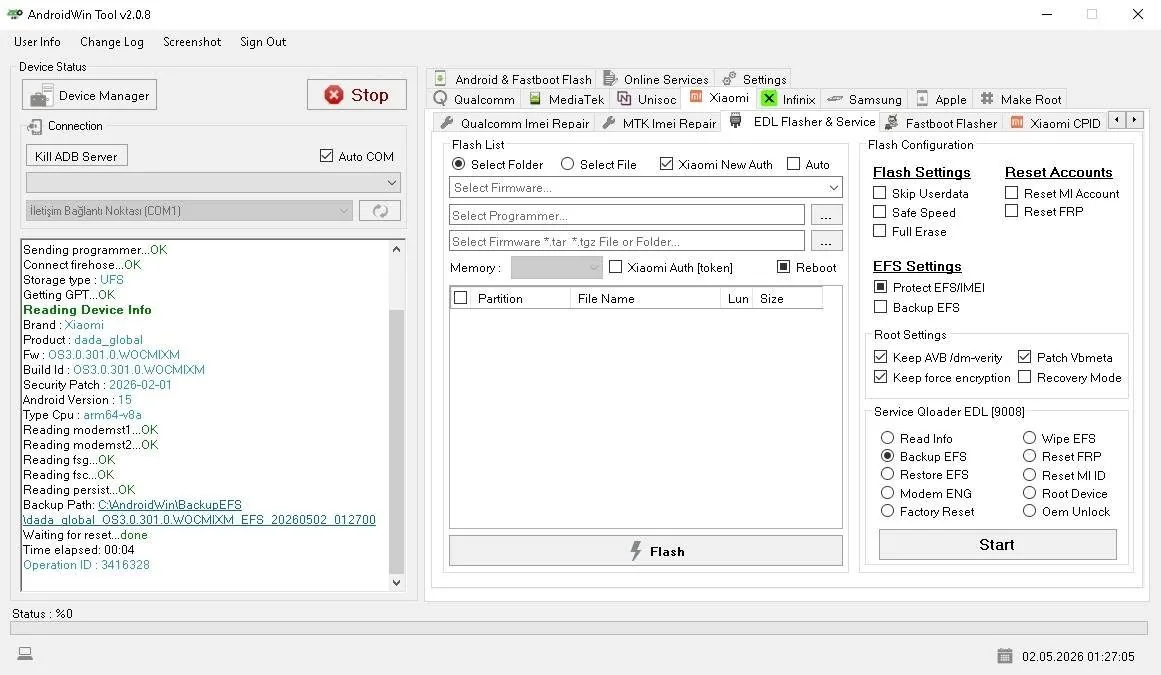
AndroidWin Tool v2.0.8 executing a live Qualcomm EDL 9008 session with Xiaomi New Auth on Xiaomi 15 (dada_global, HyperOS Android 15), backing up modemst1/2, fsg, fsc, and persist.
Before EDL Auth existed (for example on Mi 5, Redmi 4A, or Redmi Note 5A), any Windows PC running free Mi Flash Tool could push a stock Fastboot ROM over QDLoader 9008 offline. On modern Snapdragon devices running MIUI and HyperOS, the SoC accepts the Firehose programmer over Sahara protocol, then pauses and demands a signed authentication token before permitting raw UFS/eMMC reads or writes.
How does the Qualcomm Sahara and Firehose Auth handshake work?
Every authorized Xiaomi EDL 9008 session follows four strict stages: motherboard test-point entry into Qualcomm Primary Boot Loader (PBL), Sahara transfer of the signed Firehose loader, cryptographic challenge-response (either via an authorized server token or a verified patched/no-auth loader for supported chipsets), and finally XML partition read/write execution.
- BootROM Entry (QDLoader 9008): Bridge the dual motherboard pads using our Xiaomi, Redmi & POCO EDL 9008 Test Point guide (49 verified board photos) until Windows Device Manager displays Qualcomm HS-USB QDLoader 9008.
- Sahara Handshake: The flashing tool sends the model-specific Firehose .elf programmer to RAM. Remember: Sahara only accepts one handshake per power cycle — if a job fails, always unplug USB and re-short the test point fresh.
- EDL Authorization Verification: Standard Xiaomi loaders generate a unique hardware nonce that must be signed by an authorized server; specialized GSM suites either route that challenge through integrated server auth or load a verified no-auth Firehose binary on eligible Snapdragon models.
- Partition Backup & Flash: Once authenticated, the tool reads GPT partitions (LUN 0–5 on UFS) so you can safely back up modemst1, modemst2, fsg, fsc, and persist before flashing stock firmware or resetting locks.
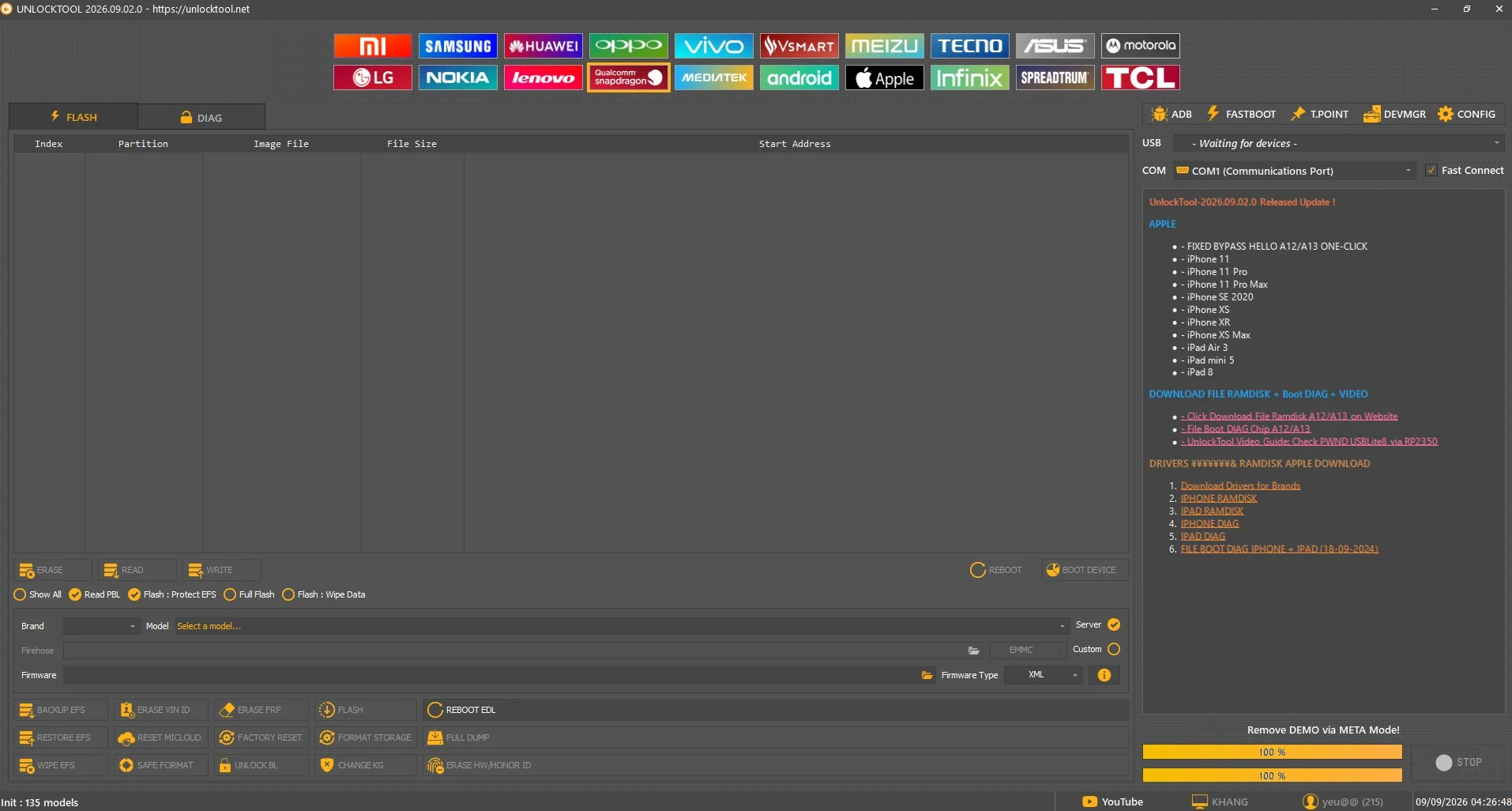
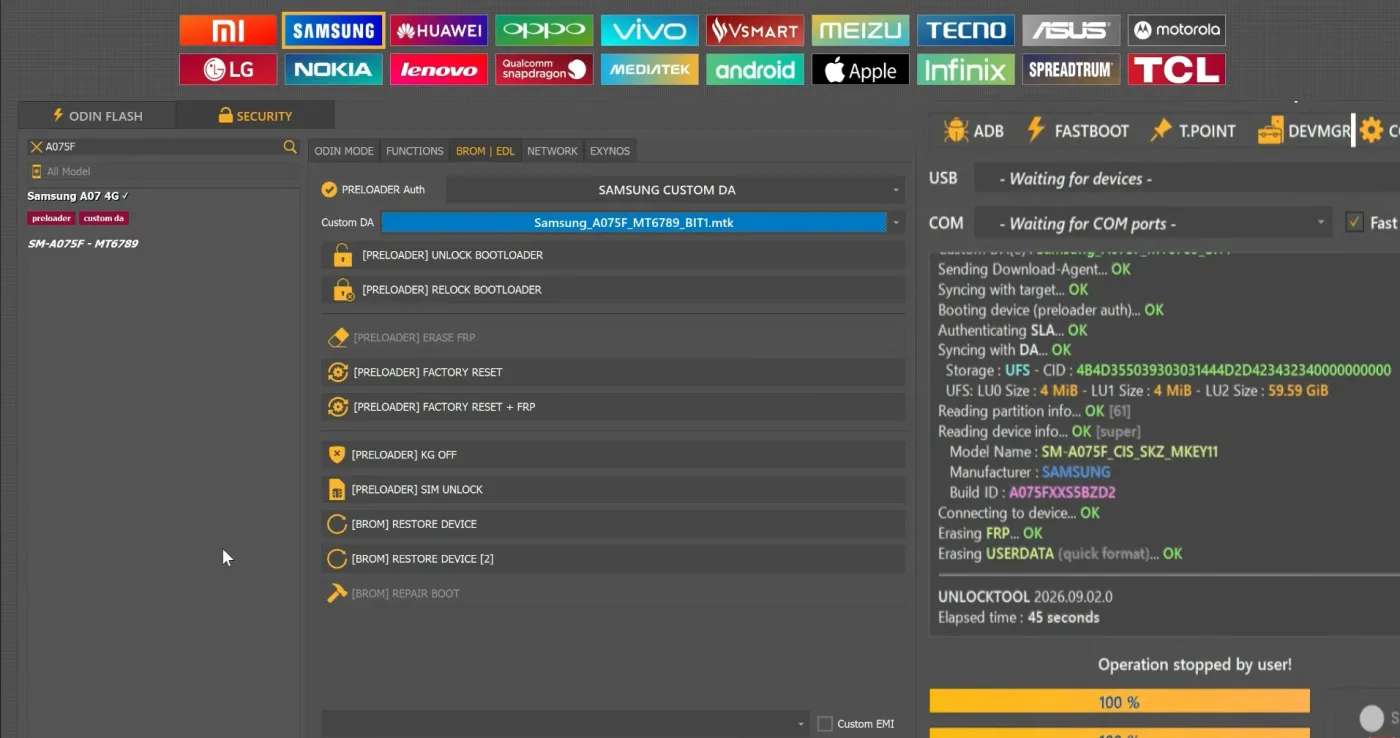
UnlockTool Qualcomm EDL module offering built-in Server Firehose selection alongside Protect EFS, Backup EFS, and Flash operations.
Which Xiaomi, Redmi, and POCO models require EDL Auth?
Virtually all Qualcomm Snapdragon Xiaomi, Redmi, and POCO devices released from the Snapdragon 660/845 generation onward enforce EDL Authorization on official Firehose loaders — including modern Redmi Note 11–14, POCO X/F series, and Xiaomi 12–15 HyperOS flagships. MediaTek Dimensity/Helio Xiaomi models use MediaTek BROM/SLA/DAA authentication instead of Qualcomm EDL Auth.
| Xiaomi Generation / Chipset | EDL Auth Behavior | Typical Servicing Path |
|---|---|---|
| Legacy Snapdragon (Mi 5, Redmi 4A, Note 5A, Note 6 Pro) | No EDL Auth required on standard loaders | Offline EDL flash via Mi Flash, UnlockTool, or DFT Pro |
| Mid-Generation Snapdragon (Note 7–11, Mi 9, K20/K40, POCO F1/X3) | Official loader requires Auth; many supported via No-Auth loaders | UnlockTool, DFT Pro, Hydra Tool |
| Modern HyperOS Snapdragon (Note 12–14, Xiaomi 13–15, POCO F5/F6) | Strict Xiaomi New Auth / Server Token required | AndroidWinTool, AMT, DFT Pro |
| MediaTek Xiaomi (Redmi Note 11S/12 Pro 5G, Redmi 13C, POCO X6 Pro) | Uses MTK BROM / PreLoader Auth (NOT Qualcomm EDL) | UnlockTool, DFT Pro, AMT |
Driver & Cable Prerequisite: Before launching any Xiaomi EDL Auth job, install the signed Qualcomm HS-USB QDLoader 9008 driver plus Google Android SDK Platform-Tools and the Android WinUSB driver reference. Plug directly into a rear motherboard USB port — front-panel hubs are the number-one cause of mid-flash Sahara disconnects.
What are the most common Xiaomi EDL Auth and Sahara errors?
Most failed Xiaomi EDL sessions trace back to four recognizable error messages: unauthorized Mi Account prompts, Sahara protocol read failures, Firehose VIP/No-Auth mismatches, or UFS storage I/O timeouts. Diagnosing the exact error line prevents burning credits or repeating failed flashes.
- "This account is not authorized to perform this operation": You attempted to flash a newer Snapdragon Xiaomi with standard free Mi Flash Tool using an ordinary personal Mi Account. Switch to an authorized GSM tool such as AndroidWinTool, AMT, DFT Pro, or UnlockTool.
- "Cannot receive hello packet / Sahara Fail": The phone was already queried once in its current EDL session, or the USB cable/driver dropped packets. Unplug USB, wait 5 seconds, re-short the EDL test points fresh, and retry immediately.
- "Firehose Fail / Loader Rejected": The selected Firehose programmer does not match the device's exact Snapdragon SoC or HyperOS security version. Switch from Custom to Auto/Server Loader inside your GSM tool.
- "UFS / eMMC Write Error": If authentication succeeds and GPT reads fail with storage I/O errors, inspect the board for physical UFS chip degradation or power rail instability (learn more in our EDL Mode vs Download Mode guide).
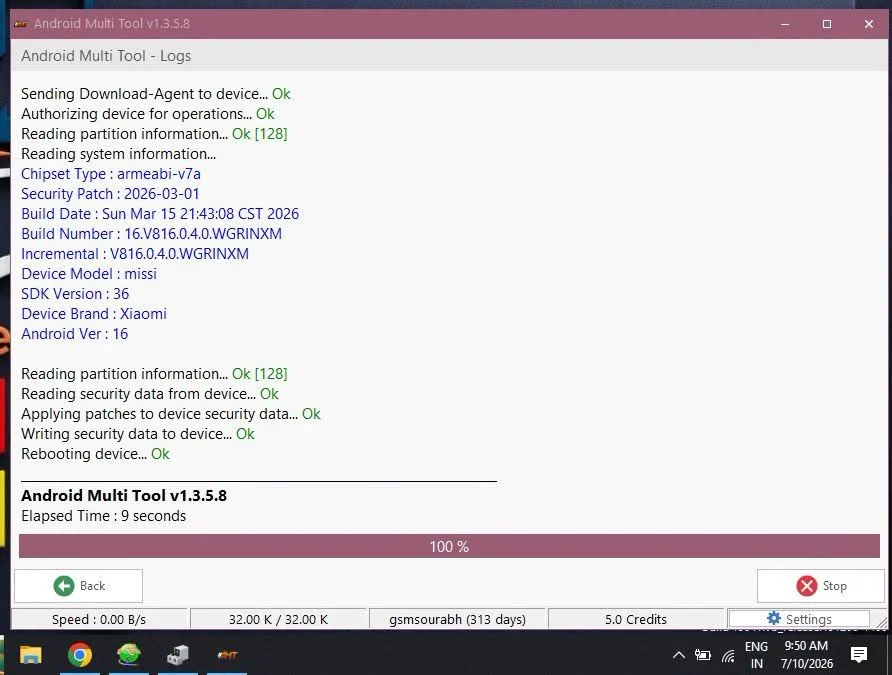
Android Multi Tool (AMT) v1.3.5.8 completing Xiaomi Android 16 authorization, partition read, and security operation in 9 seconds.
How do repair shops run authorized Xiaomi EDL jobs without owning an official Mi Auth account?
Independent repair counters cannot easily obtain official Xiaomi factory service center accounts, so technicians rely on specialized multi-brand GSM tools that bundle verified No-Auth Firehose loaders or integrated server authorization — available for instant hourly rental on GSM24h:
- Rent AndroidWinTool ($1.03): Built specifically for Xiaomi New Auth EDL, HyperOS EFS backup (modemst1/2, fsg, fsc, persist), and authorized firmware recovery (AndroidWinTool guide).
- Rent Android Multi Tool (AMT) ($0.39): Fast server-backed Xiaomi Android 15/16 authorization and multi-brand Qualcomm/MediaTek servicing (AMT guide).
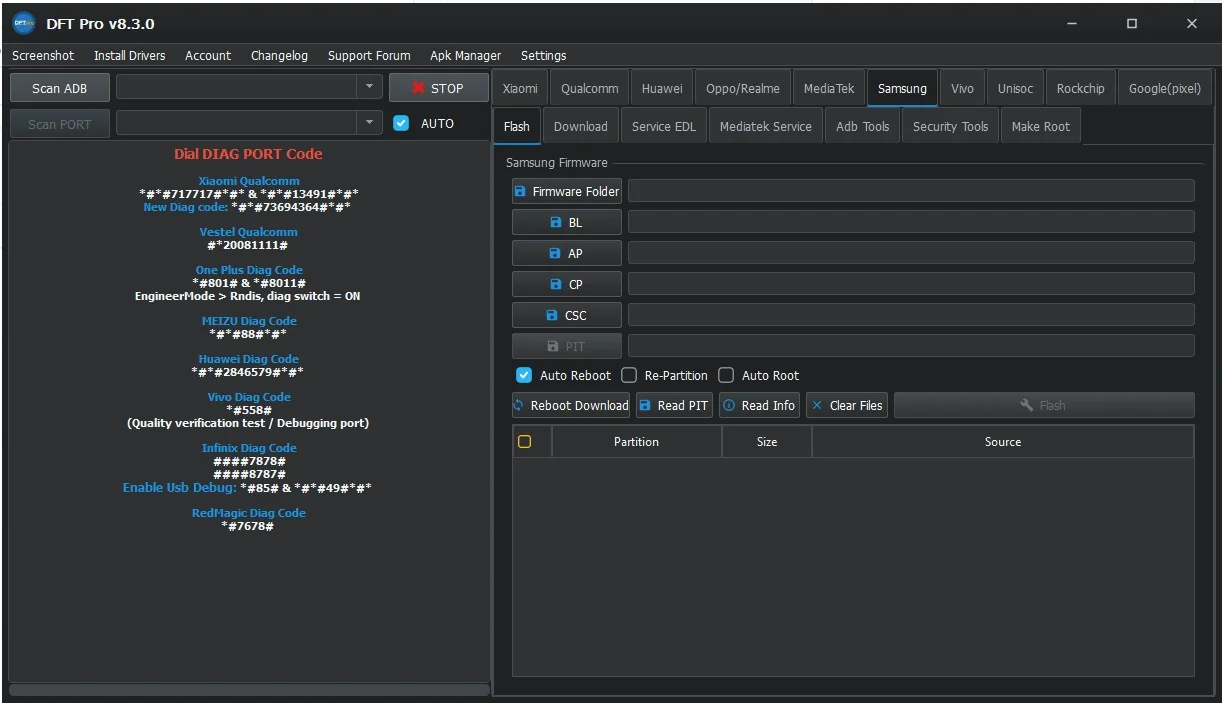
- Rent UnlockTool ($0.30) & Rent DFT Pro ($1.19): Wide coverage of no-auth Snapdragon models, HyperOS FRP/Mi Account workflows (Xiaomi UnlockTool guide), and Qualcomm QCN/EFS tools.
- Rent Hydra Tool ($1.21): Flexible Universal Firehose Qualcomm EDL reader/flasher for GPT inspection and partition backups.
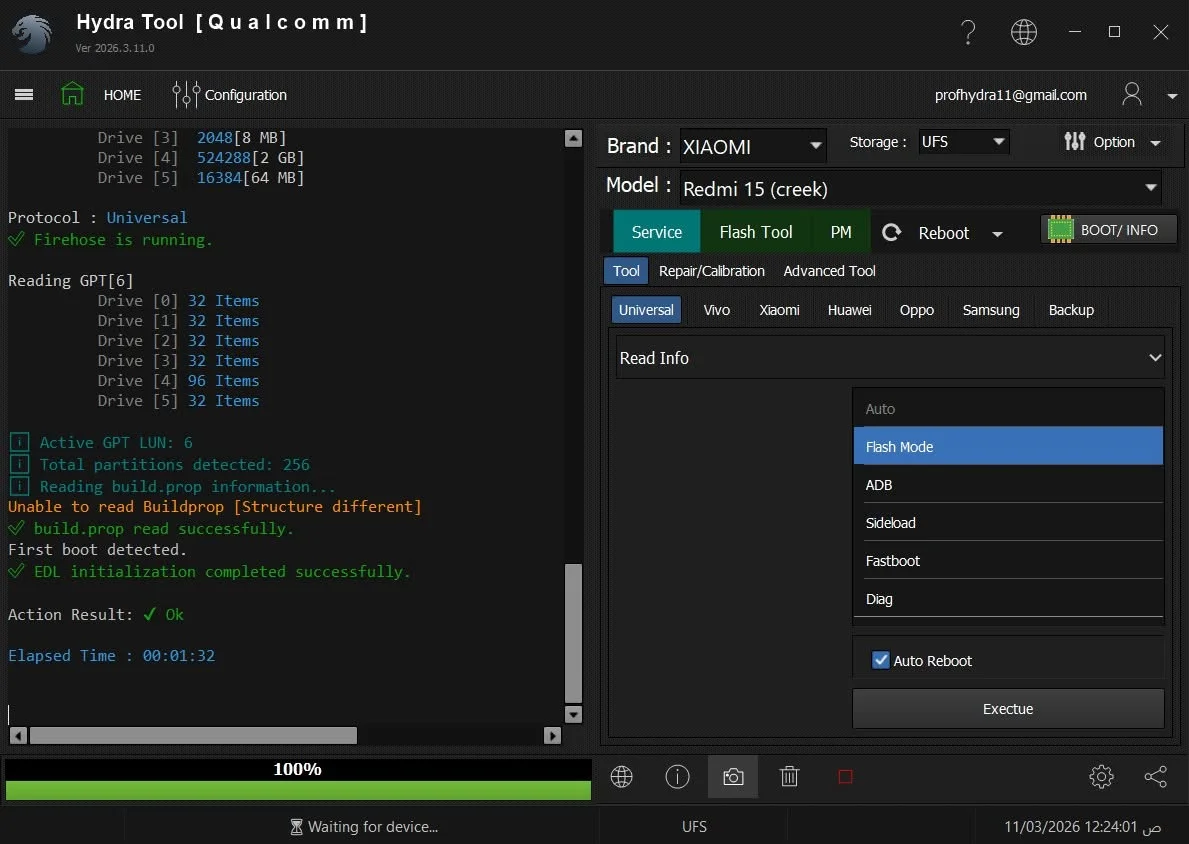
Hydra Tool Qualcomm Firehose session successfully reading all 6 UFS LUN drives and build properties over EDL 9008.
| Package | Current price | Original price | Save |
|---|---|---|---|
| 2 days | $1.03 | $2.10 | 51% |
Updated November 2026 — listed price before coupon
Anti-Rollback & Region Check Before Flashing: Before flashing a full HyperOS or MIUI Fastboot .tgz package in EDL 9008, verify the phone's region (Global vs China vs India) and never flash a lower Anti-Rollback (ARB) index. On China-region hardware, relocking the bootloader while running a Global ROM causes a "This MIUI version can't be installed on this device" Recovery bootloop.
Frequently Asked Questions
Can free Mi Flash Tool bypass Xiaomi EDL Auth on HyperOS phones?
No. Standard Mi Flash Tool requires an official Xiaomi Service Center authorized Mi Account to flash locked-bootloader Snapdragon devices in EDL 9008 mode. Independent shops use authorized GSM tools like AndroidWinTool, AMT, DFT Pro, or UnlockTool.
Do I need EDL Auth if my Xiaomi bootloader is already unlocked?
No. If your bootloader is already unlocked and the phone enters Fastboot Mode cleanly, you can flash official Fastboot ROMs directly over Fastboot without entering EDL 9008 or using EDL Auth.
Do MediaTek Xiaomi and Redmi phones use Qualcomm EDL Auth?
No. MediaTek Xiaomi devices (such as Redmi Note 11S, Note 12 Pro 5G, or Redmi 13C) use MediaTek BROM/PreLoader authentication (DA/SLA/DAA) rather than Qualcomm EDL 9008 Firehose Auth.
Why do I keep getting Sahara Fail even when using an authorized tool?
Qualcomm's Sahara protocol only accepts a single handshake per EDL boot. After any timeout or failed attempt, unplug USB, wait 5 seconds, re-bridge the motherboard test points to re-enter QDLoader 9008 fresh, and use a rear PC USB port.
Which partitions should I back up first after passing Xiaomi EDL Auth?
Always back up modemst1, modemst2, fsg, fsc, and persist before erasing or flashing firmware so you can immediately restore original baseband, IMEI calibration, Wi-Fi, and sensor calibration if anything goes wrong.
How much does it cost to rent a Xiaomi EDL Auth tool on GSM24h?
Hourly rentals on GSM24h start from $1.03 for AndroidWinTool, $0.30 for UnlockTool, $0.39 for Android Multi Tool, and $1.19 for DFT Pro, with automated delivery in ~2 seconds.

Written by: Trần Kế Khang
5 years of in-depth mobile & laptop hardware repair experience; founder of thuetaikhoan.com.vn, unlocktool.us, dienthoailaptop.vn, and gsm24h.com. Facebook · Profile & articles · About us

No comments yet. Be the first to share your thoughts!