
DFT Pro (Diffee Flash Tool Professional) has earned a strong reputation among GSM technicians for tackling tough Android jobs: MediaTek HyperOS IMEI restoration, Samsung FRP removal, bootloader unlocking, and EFS/NVRAM security backups. Unlike hardware boxes that require physical dongles, DFT Pro operates strictly via login credentials—making it ideal for flexible multi-day rental from $1.19.
🔥 Choose how you want to use DFT Pro
Rent for occasional repairs without paying full annual overhead, or check GSM server options:
📑 Table of Contents
- 1. What Is DFT Pro & Why Technicians Choose It?
- 2. Core DFT Pro v8.3.0 Features by Brand
- 3. Which Chipsets & Brands Does DFT Pro v8.3.0 Support?
- 4. Workshop Case Study: Redmi Note 12 Pro 5G & Redmi 13 HyperOS
- 5. Downloading and Installing DFT Pro v8.3.0
- 6. Fixing SmartScreen, Qualcomm 9008 & MTK Preloader Drops
- 7. How Much Does DFT Pro Rental Cost in USD?
- 8. How Automated Rental Works on GSM24h.com
- 9. Frequently Asked Questions
1. What Is DFT Pro & Why Technicians Choose It?
Developed by Diffee Team (backed by an active engineering community on GSM Dost with over 2,000 technical threads), DFT Pro is a native Windows tool supporting Qualcomm, MediaTek, Unisoc, HiSilicon Kirin, and Rockchip devices over standard USB cables—no dongle required.
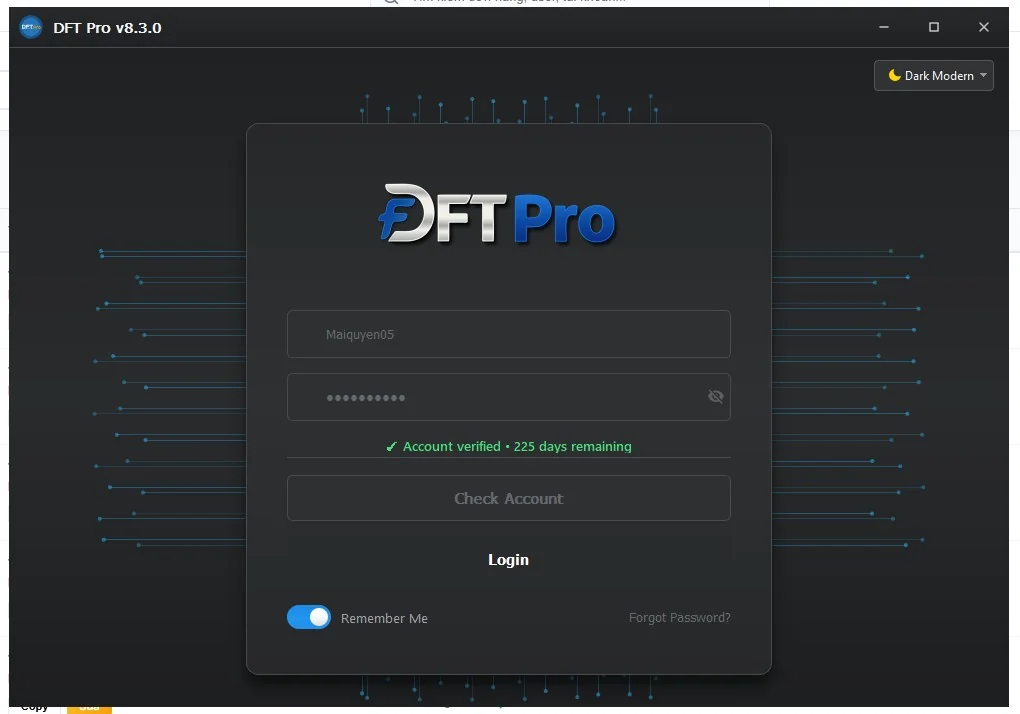
💬 Technician Field Experience — Trần Kế Khang:
On our workbench, we rely on DFT Pro mainly for Xiaomi devices that lost IMEI/baseband after bad flashes and recent Samsung FRP patches. Its biggest edge over UnlockTool is Patch Cert 2026 on modern MediaTek SoCs such as Dimensity 6300 and 7300 alongside Temp Root on locked bootloaders.
2. Core DFT Pro v8.3.0 Features by Brand
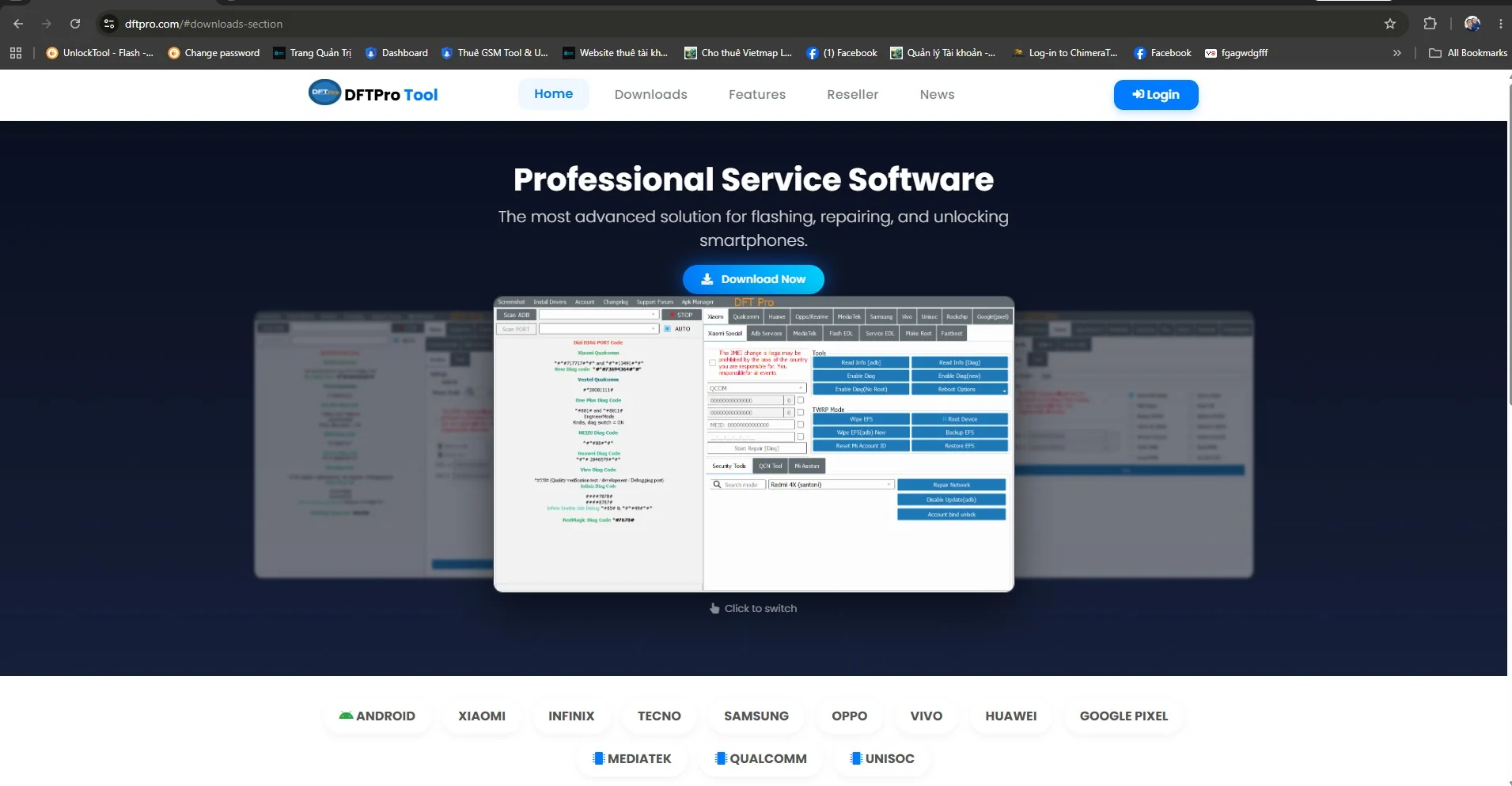
DFT Pro v8.3.0 integrates five main servicing pillars: firmware unbricking, FRP/Mi Account/Huawei ID bypass, IMEI & NVRAM/QCN restoration, EFS/RPMB security backups, and bootloader unlock.
| Capability | Xiaomi | Samsung | Huawei | Oppo / Realme | Vivo | Pixel |
|---|---|---|---|---|---|---|
| FRP Removal | ✅ | ✅ | ✅ | ✅ | ✅ | ✅ |
| Original IMEI Repair | ✅ | ✅ | ✅ | ✅ | ✅ | ✅ |
| Firmware Flash | ✅ | ✅ Odin | ✅ | ✅ | ✅ | ✅ |
| Mi Account Bypass | ✅ | — | — | — | — | — |
| Bootloader Unlock | ✅ | ✅ KG | ✅ | ✅ PL Exploit | ✅ | ✅ |
| EFS Backup / Restore | ✅ | ✅ | ✅ | ✅ | ✅ | ✅ |
| Temp Root (Locked BL) | ✅ | — | — | — | — | — |
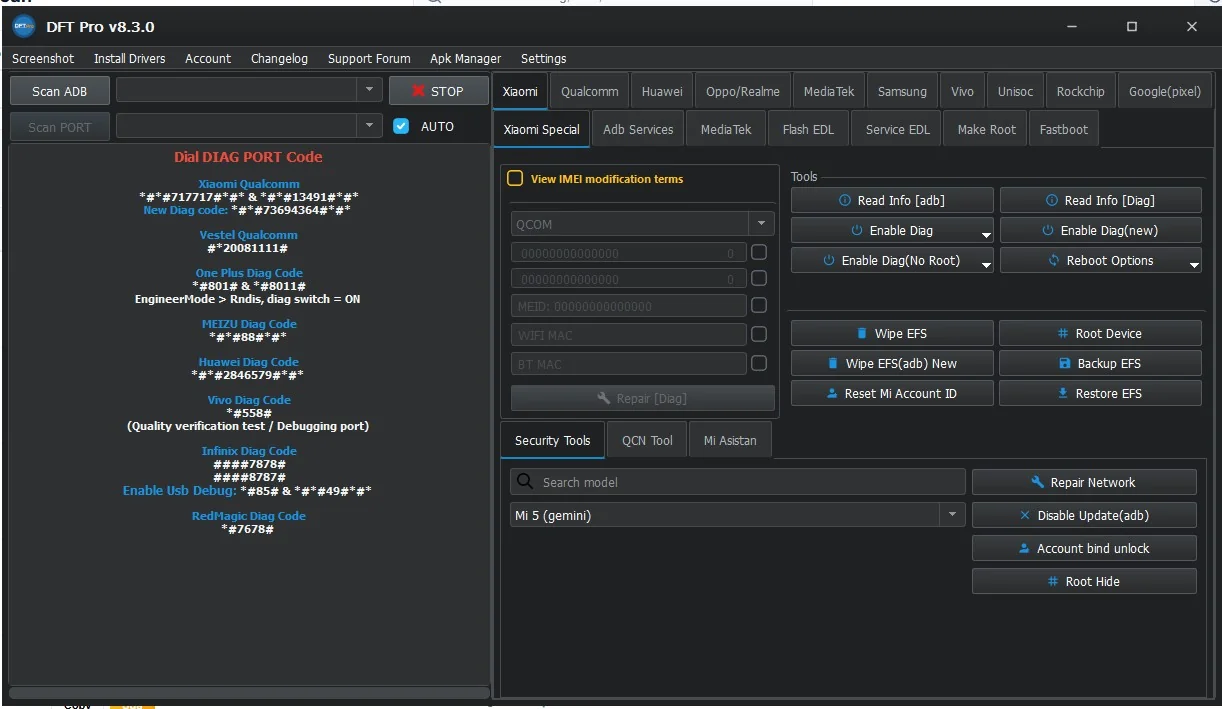
3. Which Chipsets & Brands Does DFT Pro v8.3.0 Support?
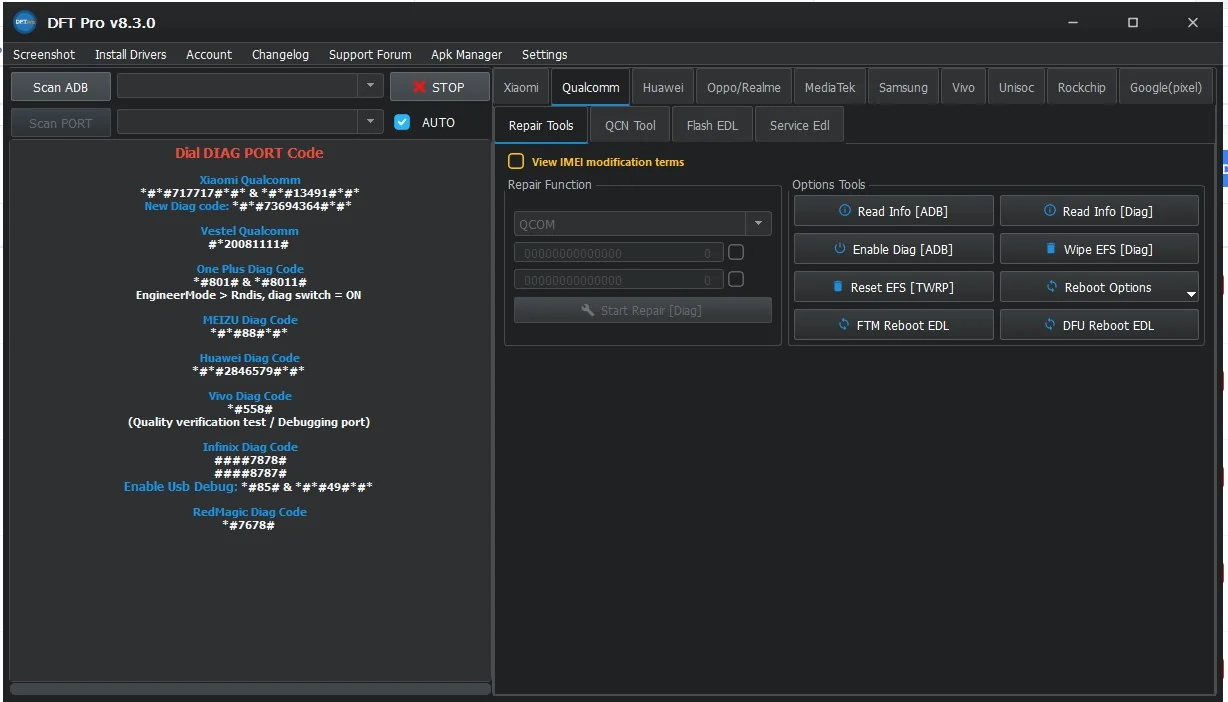
3.1. Qualcomm Snapdragon — EDL 9008, QCN Tool, Wipe EFS
Supports Emergency Download (EDL 9008) firmware flashing, QCN read/write, and EFS partition backup/restore for restoring lost baseband or original factory IMEI on valid repairs.
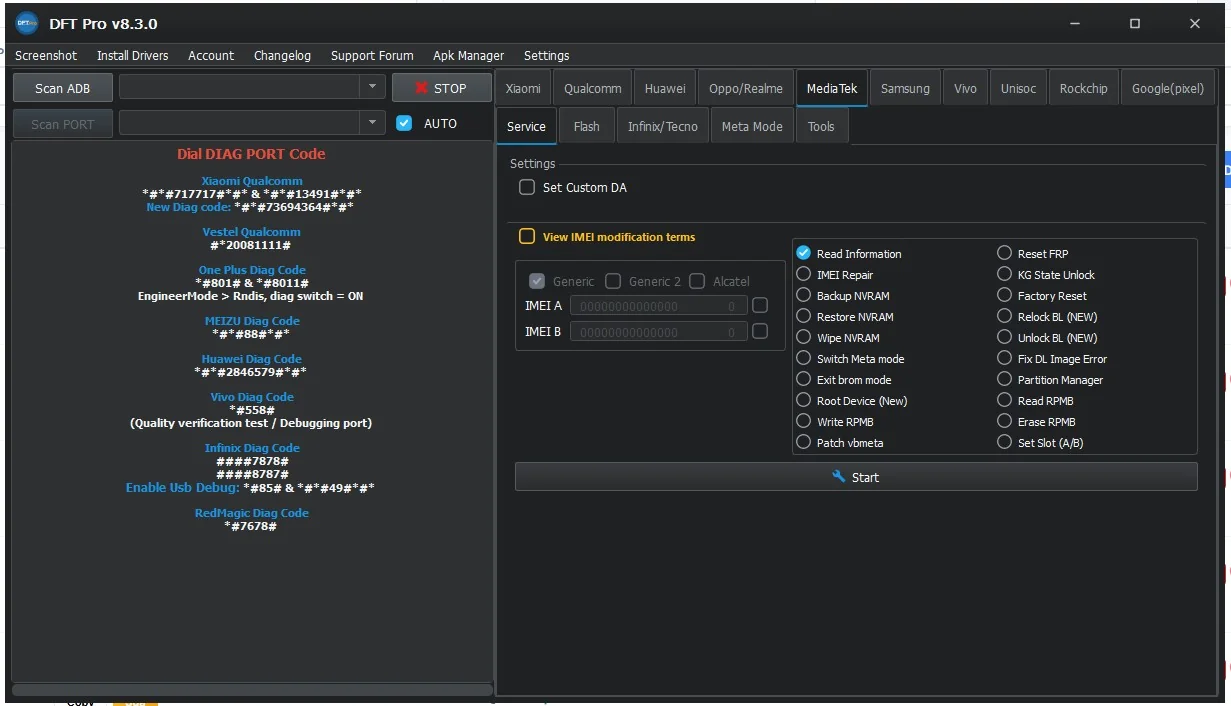
3.2. MediaTek Dimensity & Helio — BROM, Patch Cert 2026 & Temp Root
MediaTek is DFT Pro's strongest vertical. The MTK module handles BROM authentication, IMEI repair paired with updated Patch Cert 2026 certificates (covering newer Redmi Note 14/15 Pro and POCO X8 Pro Max generation models), and v8.0.0 Temporary Root on locked-bootloader devices.
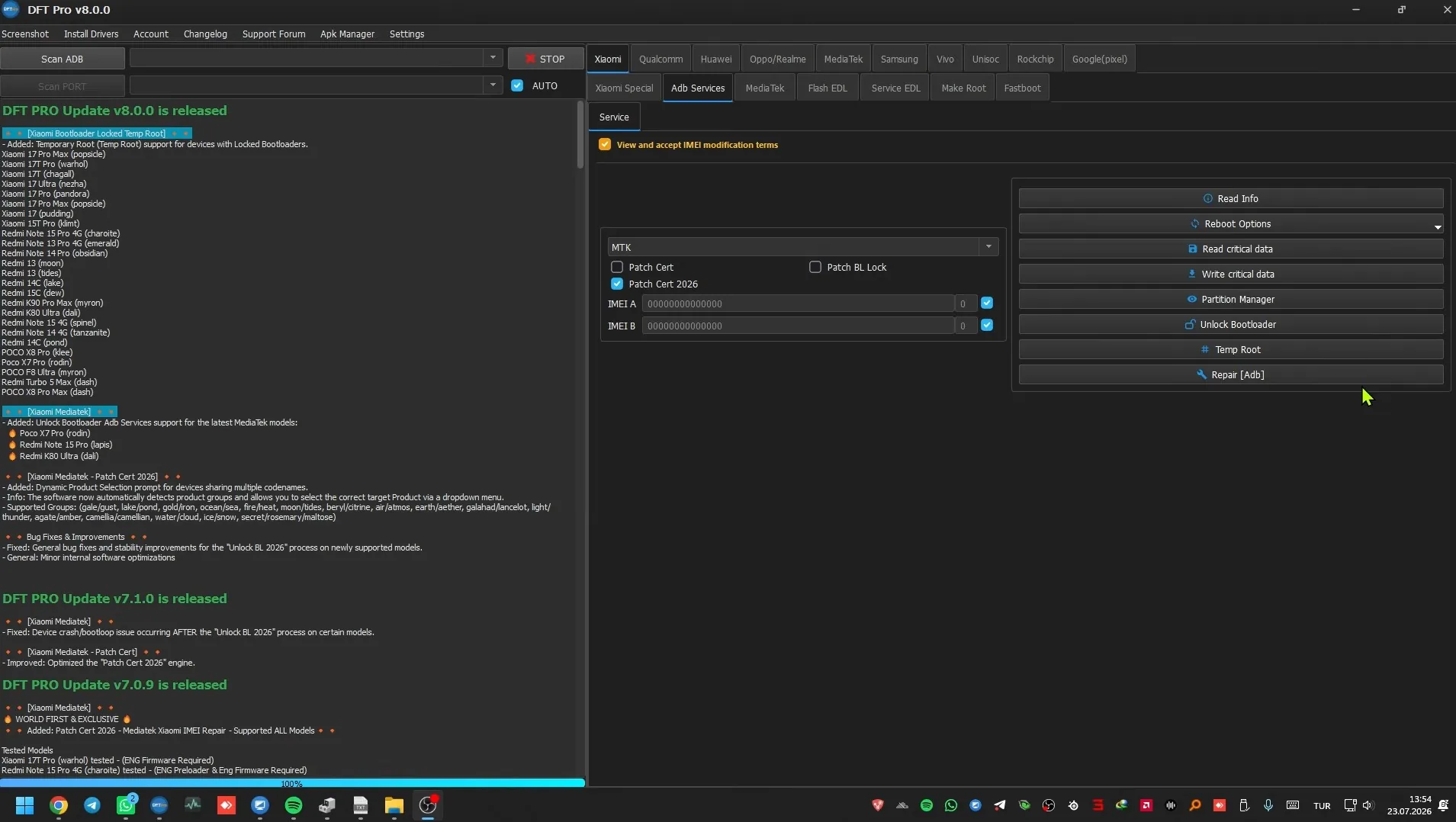
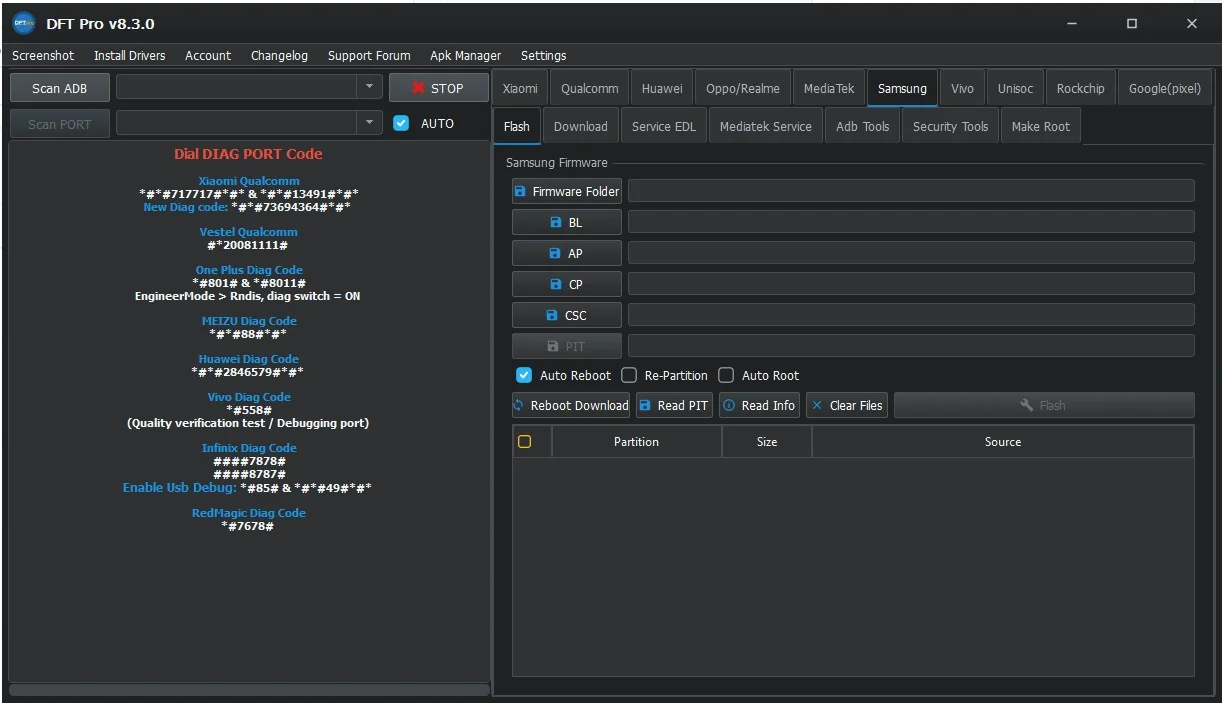
3.3. Samsung & Huawei — 5-File Odin & Kirin HiSilicon
The Samsung tab flashes 5-file Odin packages (BL, AP, CP, CSC, PIT) and removes FRP on modern Galaxy A/M/S models, while the Huawei module services Kirin HiSilicon and MediaTek devices including Huawei ID and FRP resets.
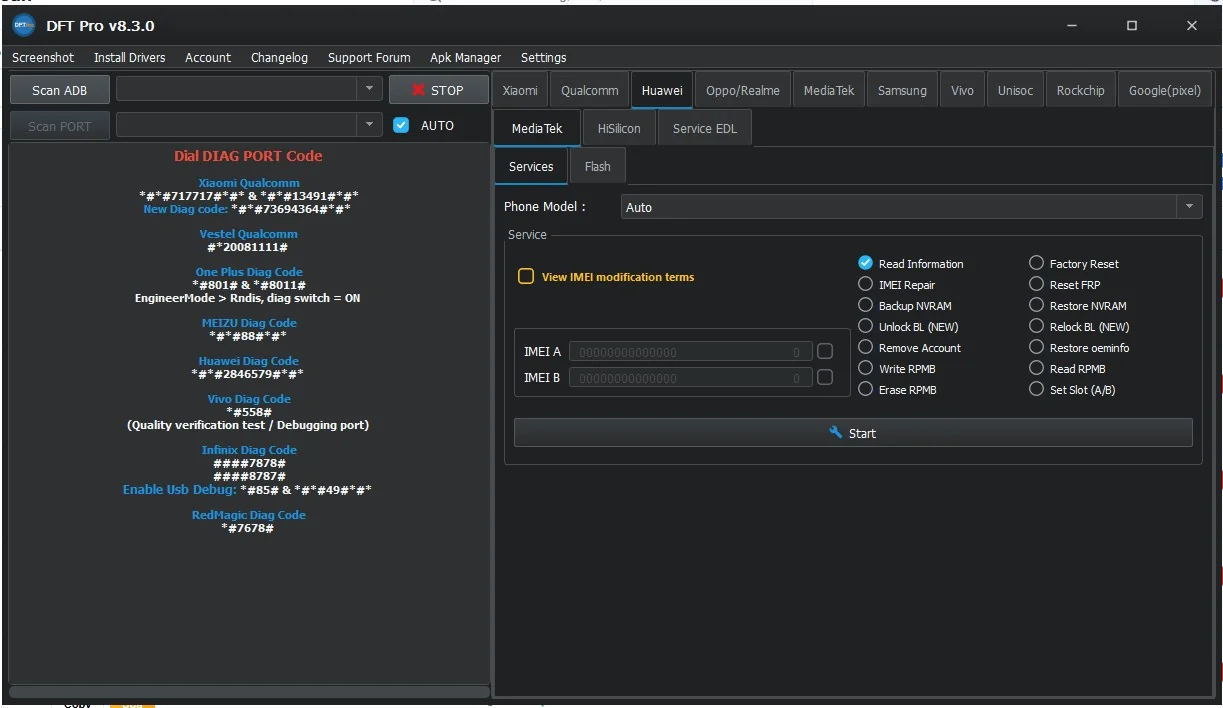
3.4. Oppo, Vivo, Unisoc, Rockchip & Google Pixel
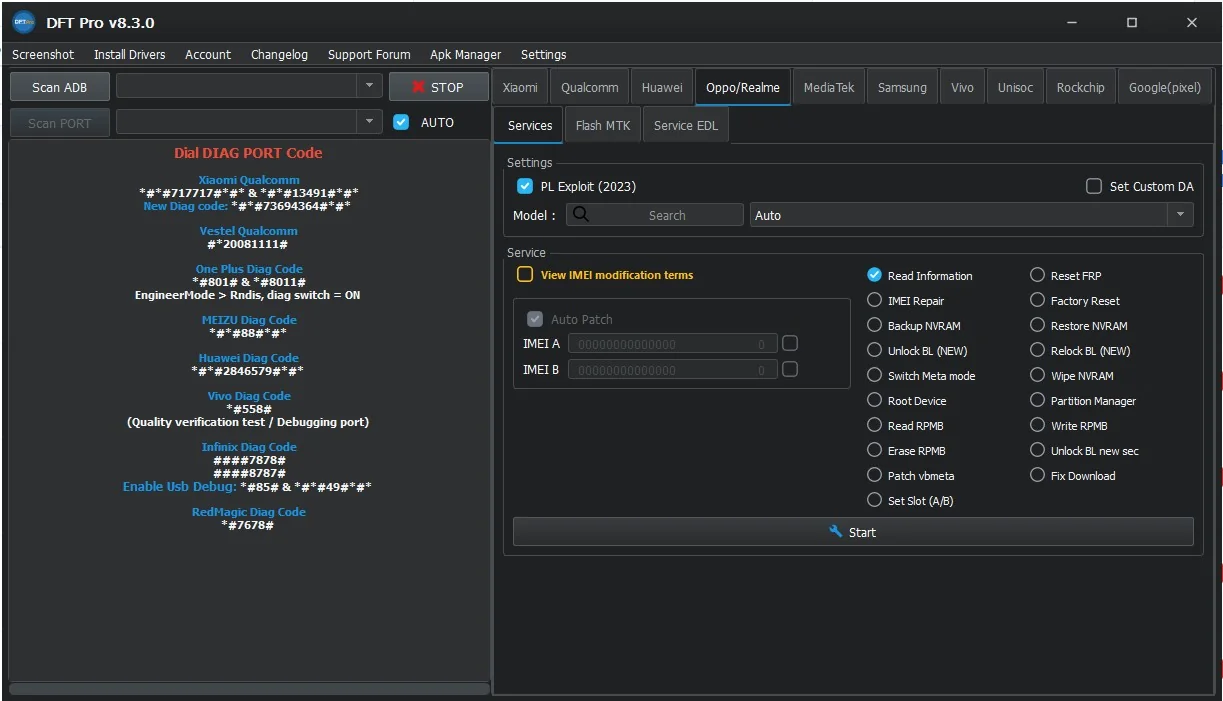
Features PL Exploit (Preloader Exploit) on Oppo/Realme to unlock bootloaders without manufacturer account approval—remember to select the exact Sec_type for your handset so the exploit executes cleanly—plus dedicated Vivo, Unisoc, and Pixel service panels.
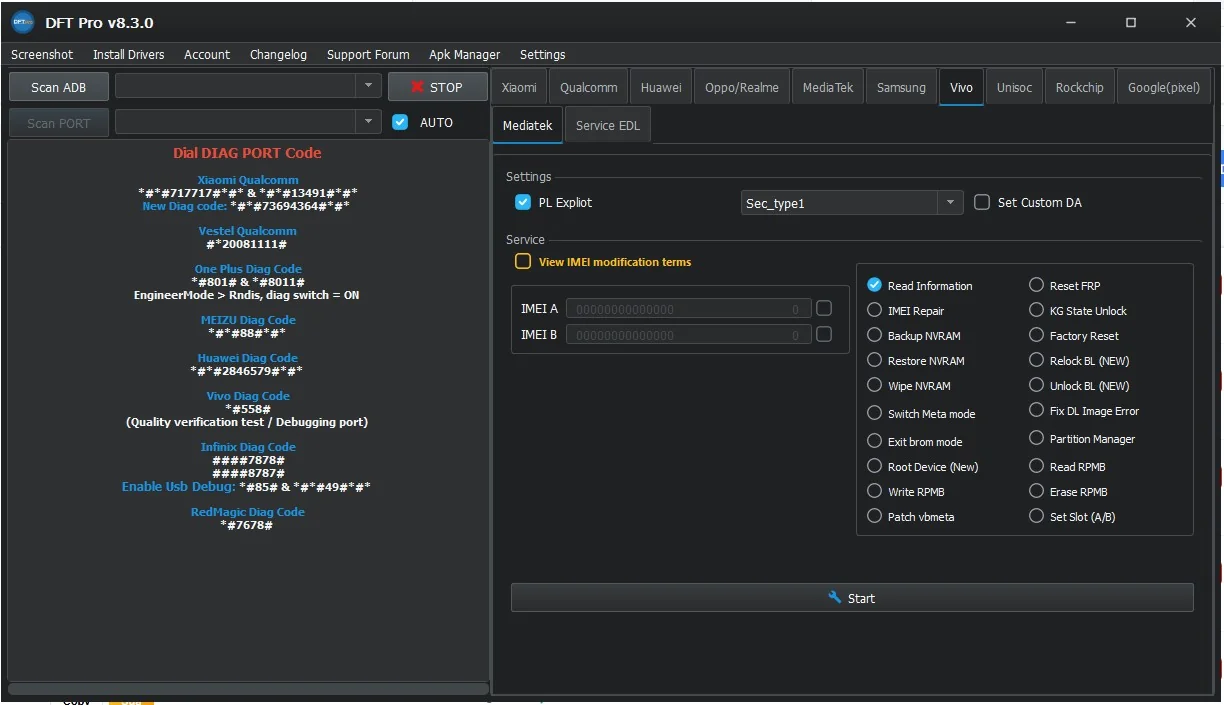
4. Workshop Case Study: Redmi Note 12 Pro 5G & Redmi 13 HyperOS
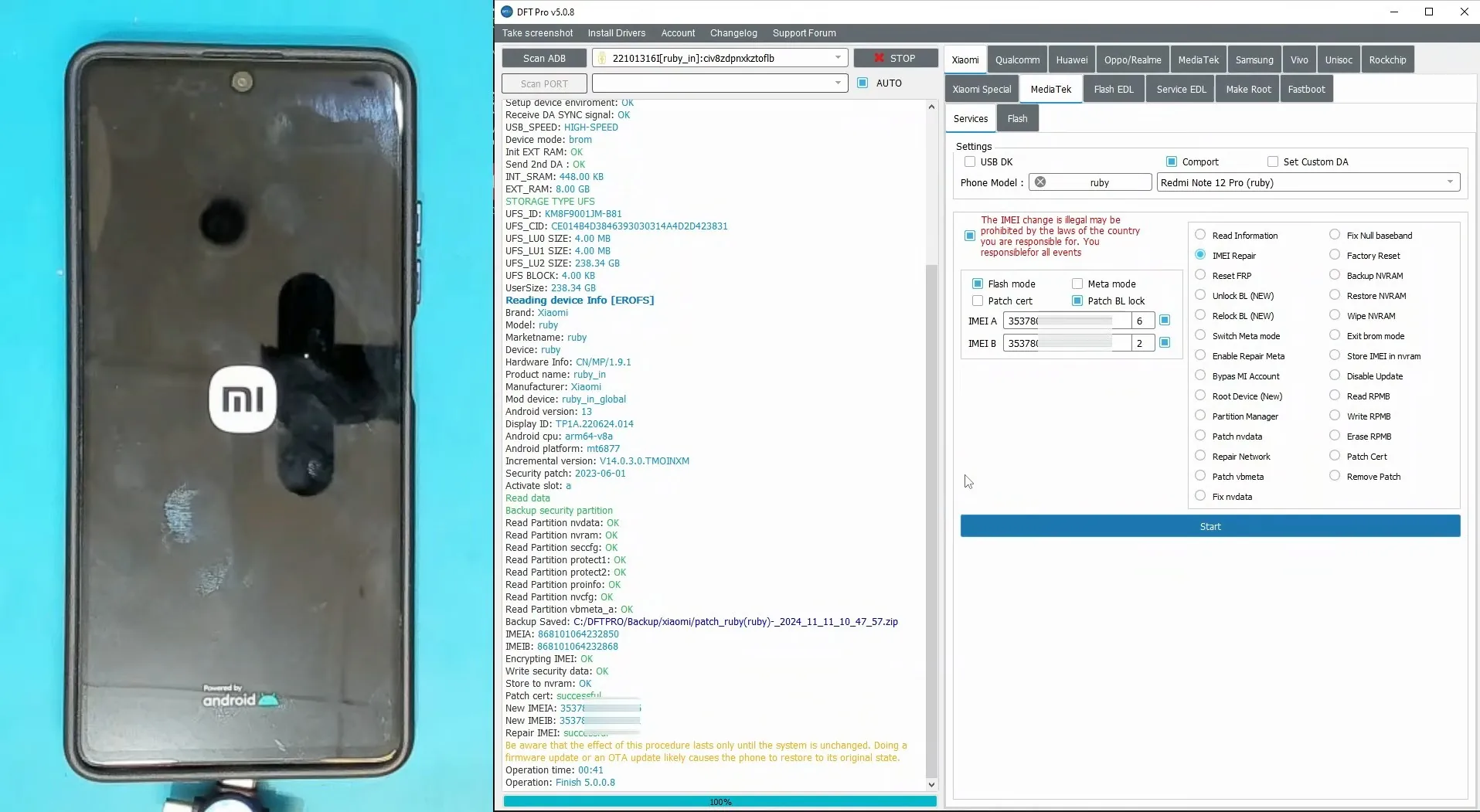
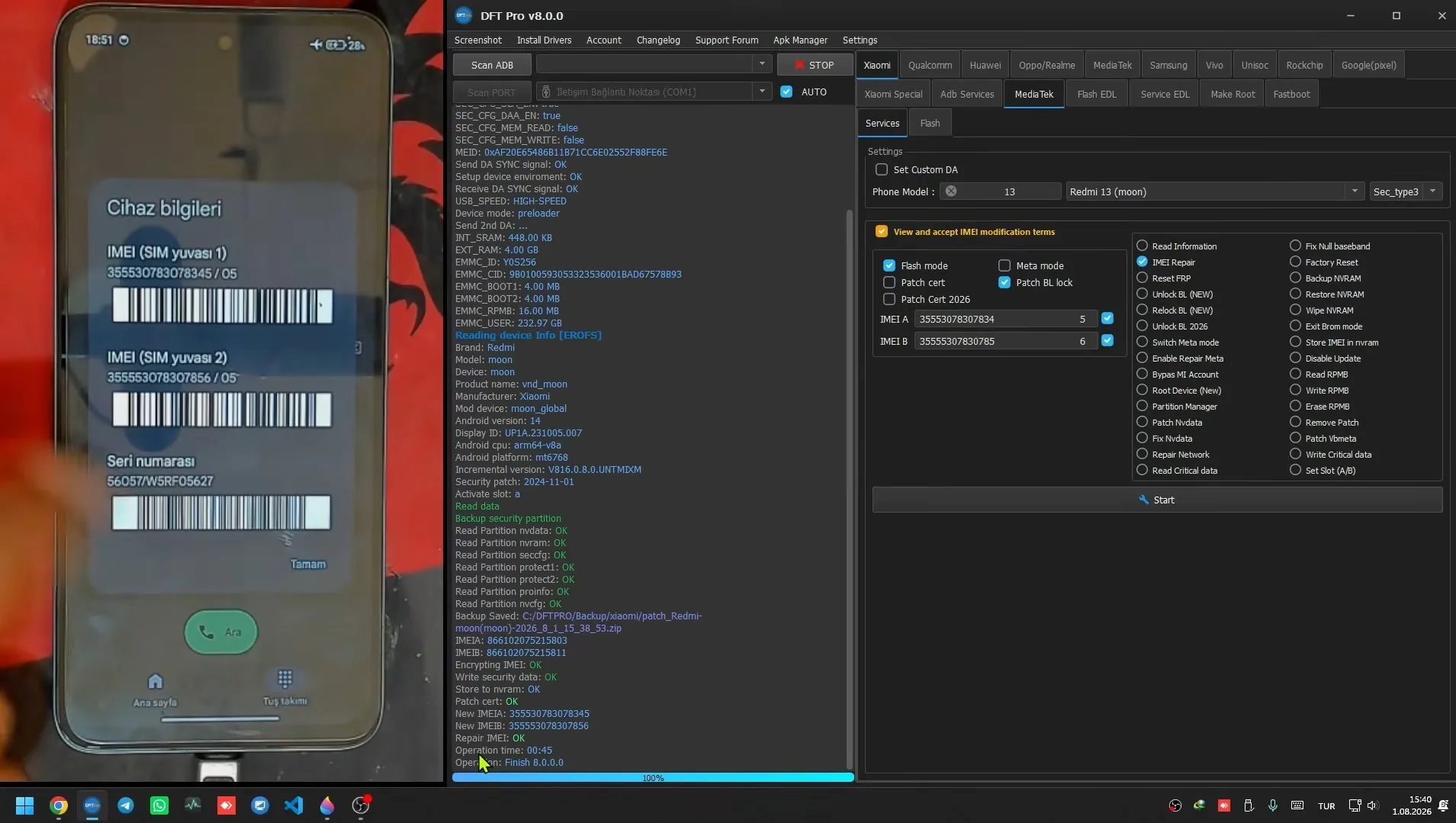
🔧 MediaTek Patch Cert Lab Log (By Trần Kế Khang):
Before writing any Patch Cert package on Redmi Note 12 Pro 5G (MT6877, MIUI 14) or Redmi 13 (MT6769, HyperOS Android 14) using DFT Pro v8.0.0, always read device info and back up the 8 security partitions first, then verify baseband restoration via *#06#.
Verified workshop metrics below track both Redmi repair sessions step by step:
| Model | Chipset | Android / UI | DFT Pro Version | Operation | Result | Time |
|---|---|---|---|---|---|---|
| Redmi Note 12 Pro 5G | Dimensity 1080 (MT6877) | MIUI 14 / Android 13 | v8.0.0 | Original IMEI Repair | ✅ Success | 41s |
| Redmi 13 | Helio G91 Ultra (MT6769) | HyperOS / Android 14 | v8.0.0 | Repair IMEI + Patch Cert | ✅ Success | 45s |

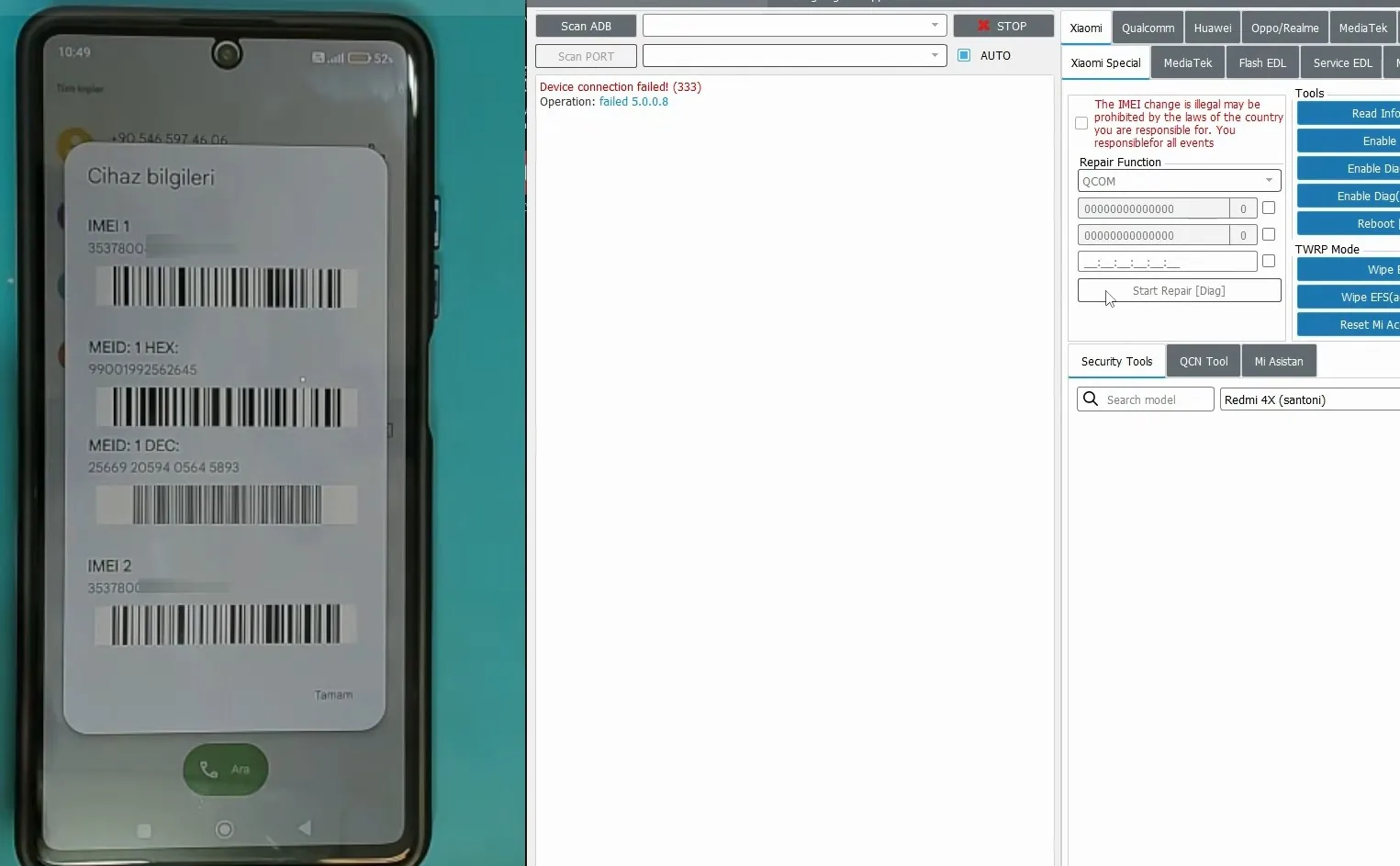
⚖️ Legal Notice: IMEI restoration is strictly intended for restoring a device's original factory IMEI lost due to firmware corruption or bad flashing. Altering IMEIs on third-party or stolen devices is unlawful.
5. Downloading and Installing DFT Pro v8.3.0
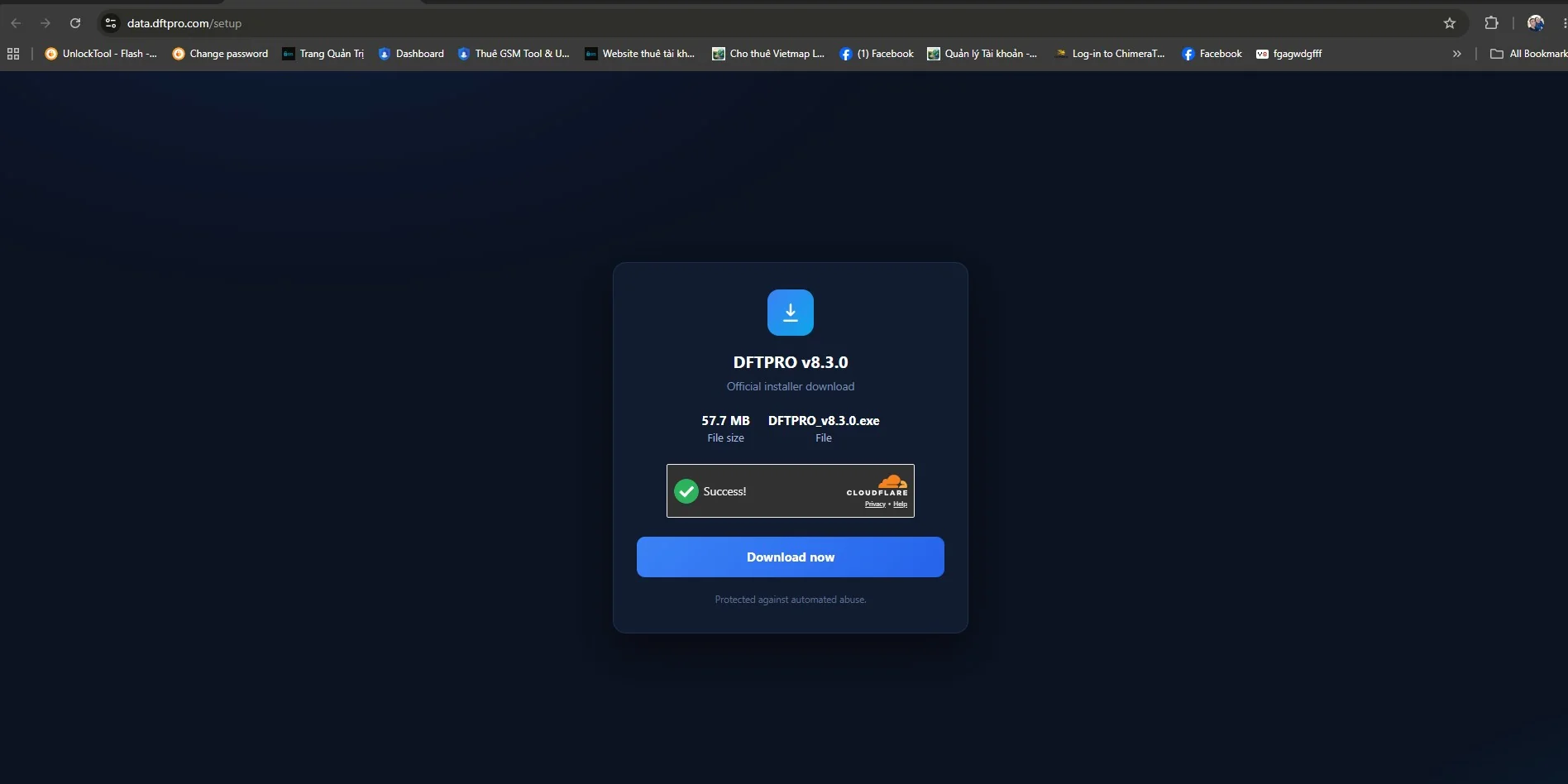
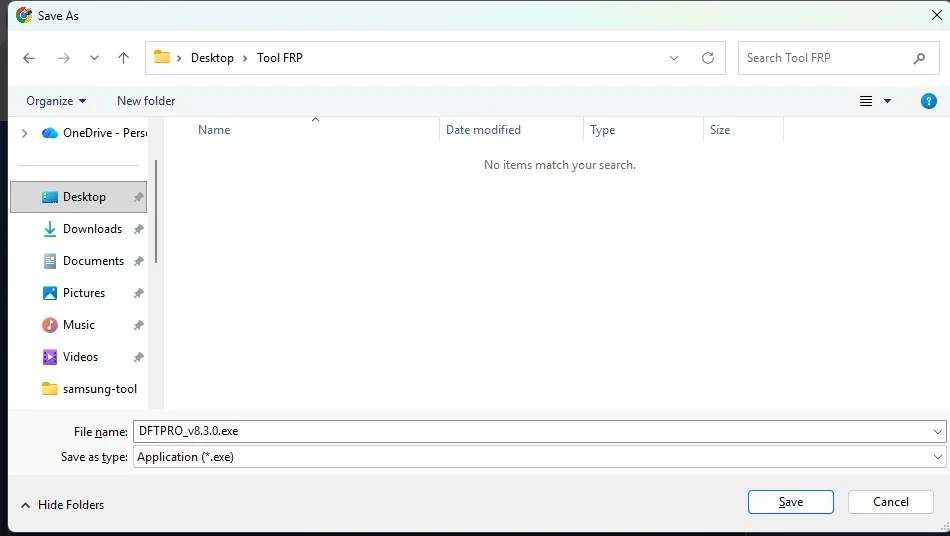
Download DFTPRO_v8.3.0.exe (~57.7 MB) directly from the official DFT Pro website (data.dftpro.com), run the installer, and install the prompted Qualcomm USB, MTK VCOM, and LibUSB drivers if not already present.
6. Fixing SmartScreen, Qualcomm 9008 & MTK Preloader Drops
6.1. Windows Defender SmartScreen Blocked the Installer
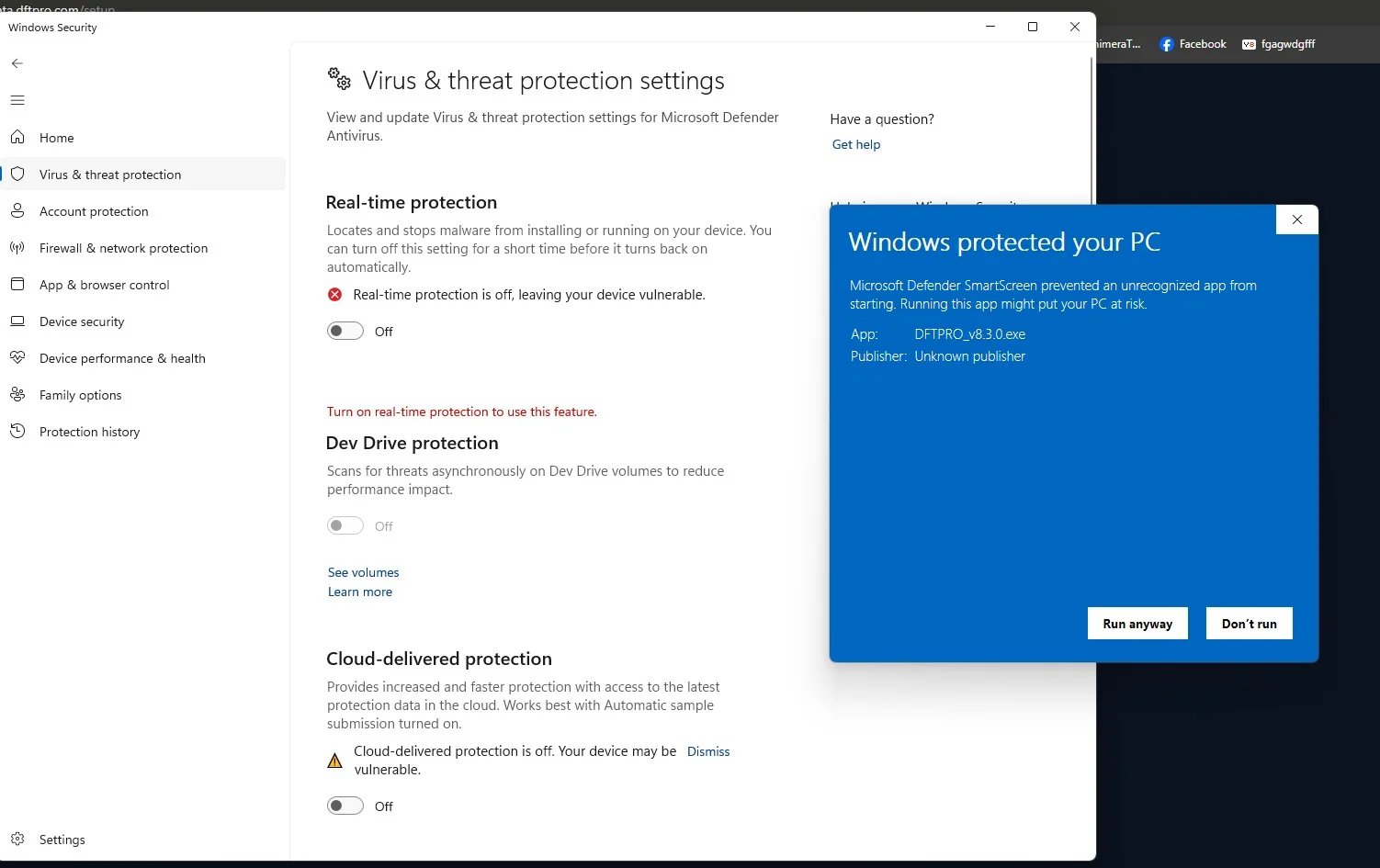
Reputation-based SmartScreen prompts ("Windows protected your PC") appear on newly signed GSM builds downloaded from dftpro.com. Click More info → Run anyway once after verifying the official source.
6.2. Missing Qualcomm 9008 / QHSUSB_BULK Driver
If Device Manager displays a yellow warning icon in EDL mode, install official WHQL Qualcomm HS-USB QDLoader 9008 drivers or the bundled driver pack included with DFT Pro.
6.3. MediaTek Preloader Drops After a Few Seconds
Preloader windows stay open briefly by design. Use a short (< 50 cm) direct cable plugged into a rear motherboard USB port rather than front panel headers or USB hubs.
7. How Much Does DFT Pro Rental Cost in USD?
Buying a full annual DFT Pro license costs far more than multi-day rentals if your shop only receives a few MediaTek or Xiaomi repair tickets per week. View live automated USD rental slots below:
| Package | Current price | Original price | Save |
|---|---|---|---|
| 2 days | $1.19 | $2.12 | 44% |
| 3 days | $2.44 | $2.49 | 2% |
| 4 days | $2.90 | $3.00 | 3% |
Updated November 2026 — listed price before coupon
8. How Automated Rental Works on GSM24h.com
- Visit the Rent DFT Pro USD page and choose a 2-day, 3-day, or 4-day slot. Apply any eligible promo code from Discount Codes.
- Enter your email address for credential delivery and complete USD payment.
- Receive your active DFT Pro login automatically right after payment confirmation—log straight into DFT Pro v8.3.0 and start servicing.
9. Frequently Asked Questions
Does DFT Pro require a hardware box or physical dongle?
No. DFT Pro is 100% account-based software—you only need an active account and a standard USB cable connected to a Windows PC.
Can DFT Pro bypass Mi Account permanently?
DFT Pro supports Mi Account bypass on many models via the Xiaomi Special tab, though results depend on the exact model, MIUI/HyperOS release, and security patch (some newer models require EDL or Temp Root workflows).
Does DFT Pro v8.3.0 run on Windows 11?
Yes, both Windows 10 and Windows 11 (64-bit) are supported. Add a Windows Security folder exclusion so real-time scanning does not block driver binaries.
Can I switch PCs while renting a DFT Pro account?
Per developer licensing rules, a single DFT Pro account binds to one PC at a time. Log out cleanly on the original PC or contact support if a hardware reset limit blocks login.
How does DFT Pro compare with UnlockTool?
DFT Pro excels at MediaTek Patch Cert IMEI repair and locked-bootloader Temp Root, whereas UnlockTool covers broader multi-brand FRP and Apple Ramdisk/Hello bypass. Also check TSM Tool Pro for complementary Android servicing.
What if my rented DFT Pro account fails to sign in?
Verify internet access, temporarily pause VPNs or strict firewall rules blocking the DFT Pro server, and reach out via GSM24h Support with your order ID.
👉 Ready to service MediaTek, Xiaomi, and Samsung devices with DFT Pro?
Rent DFT Pro automatically from $1.19 on GSM24h.com—automated delivery right after payment.
🔑 Rent DFT Pro Now →
Written by: Trần Kế Khang
5 years of in-depth mobile & laptop hardware repair experience; founder of thuetaikhoan.com.vn, unlocktool.us, dienthoailaptop.vn, and gsm24h.com. Facebook · Profile & articles · About us
Rất bổ ích. Cảm ơn admin đã chia sẻ