
Mi Account Lock acts similarly to Apple Activation Lock: once enabled on a Xiaomi, Redmi, or POCO handset, factory resetting the phone leaves it locked at setup until the original Mi credentials are entered. This complete 2026 walkthrough explains how technicians bypass Mi Account cleanly across both MIUI and HyperOS using UnlockTool—covering MediaTek BROM and Qualcomm EDL 9008 workflows.
📑 Table of Contents
- 1. What Is Mi Account Lock & Common Causes?
- 2. Supported Xiaomi, Redmi & POCO Series
- 3. How Do You Distinguish MediaTek vs Qualcomm Xiaomi Devices?
- 4. Pre-Bypass Checklist
- 5. How Do You Bypass Mi Account on MediaTek (MTK) Devices?
- 6. Qualcomm Snapdragon Bypass Steps via EDL 9008
- 7. HyperOS vs MIUI Bypass Differences
- 8. Troubleshooting 4 Common Xiaomi UnlockTool Errors
- 9. Which Mi Account Bypass Method Should You Choose?
- 10. UnlockTool USD Rental Pricing & Important Limits
- 11. Frequently Asked Questions
💬 Workshop Insights — By Trần Kế Khang:
In workshop practice, MediaTek Xiaomi models generally complete more predictably thanks to straightforward BROM Mode handshakes, whereas recent Qualcomm Snapdragon builds enforce strict EDL AUTH checks that often require testpoints or specific loaders. On newer Qualcomm phones like the Xiaomi 14 series, always use a short (<30 cm) USB 2.0 data cable. Need MTK Patch Cert IMEI support too? Check our DFT Pro guide.
1. What Is Mi Account Lock & Common Causes?
Xiaomi binds devices to a cloud Mi ID whenever Find Device is turned on. Common reasons technicians see Mi Account locks include secondhand devices sold before signing out, forgotten account passwords with inactive recovery numbers, region-locked imports, or remotely locked lost-mode handsets.
⚖️ Legal Servicing Policy: Only bypass Mi Account on hardware you legally own or repair with customer authorization. The bypass process factory-resets the handset completely—back up any accessible user data first.
2. Supported Xiaomi, Redmi & POCO Series
- Xiaomi Flagships: Xiaomi 14 / 14 Pro / 14 Ultra, 13 / 13 Pro / 13 Ultra / 13T / 13T Pro, 12 / 12 Pro / 12T / 12T Pro / 12 Lite, 11 / 11T / 11T Pro / 11 Lite / 11 Ultra, plus legacy Mi 10, Mi 9, Mi 8.
- Redmi Mid-Range & Budget: Redmi Note 13 / 13 Pro / 13 Pro+, Note 12 / 12 Pro / 12 Pro+, Note 11 / 11 Pro / 11 Pro+, Redmi 13 / 13C / 12 / 12C / A3 / A2 / A1, and older generations.
- POCO Lineup: POCO F6 / F6 Pro / X6 / X6 Pro, F5 / F5 Pro / X5 / X5 Pro, M6 / M6 Pro / C65 / C55, and earlier models.
3. How Do You Distinguish MediaTek vs Qualcomm Xiaomi Devices?
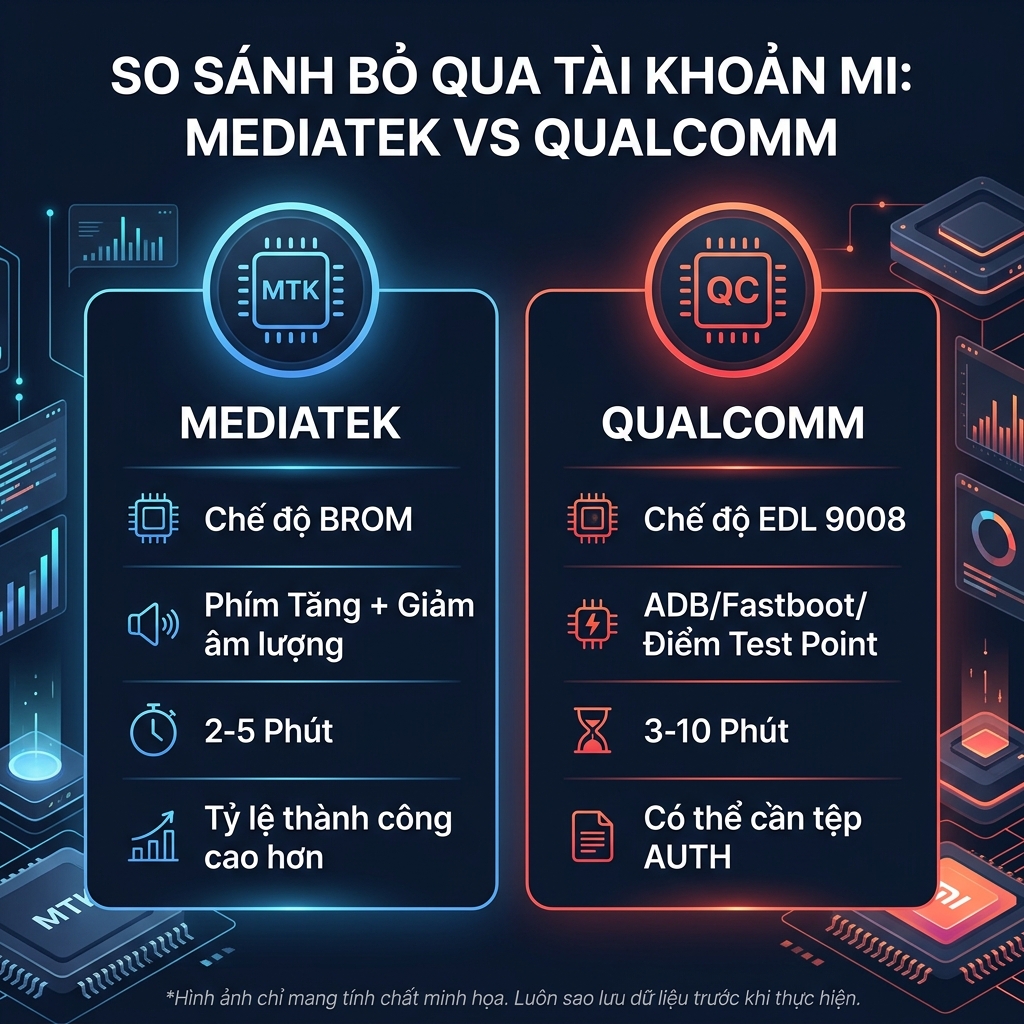
Check your handset's exact SoC before opening UnlockTool—MTK uses BROM Mode while Snapdragon uses EDL 9008 Mode:
| Chipset | Required Connection Mode | Mandatory Driver | Representative Devices |
|---|---|---|---|
| MediaTek (MTK) | BROM Mode | MediaTek USB VCOM Driver | Redmi Note 12, Redmi 13C, POCO M6 |
| Qualcomm | EDL 9008 Mode | Qualcomm QDLoader 9008 Driver | Xiaomi 14, POCO F6, Redmi Note 13 Pro |
4. Pre-Bypass Checklist
- Install UnlockTool: Grab the official package via our UnlockTool 2026 download & setup guide with a Windows Defender folder exclusion set.
- Install Both Drivers: Install both MediaTek USB VCOM Driver and Qualcomm HS-USB QDLoader 9008 Driver from the official UnlockTool driver portal alongside the client at unlocktool.net.
- Rent an UnlockTool Pass: Grab an automated pass starting from $0.30 on GSM24h.com (a 6-hour pass comfortably finishes multiple phones).
- Battery Check: Charge the phone above 50% before wiping partitions.
5. How Do You Bypass Mi Account on MediaTek (MTK) Devices?
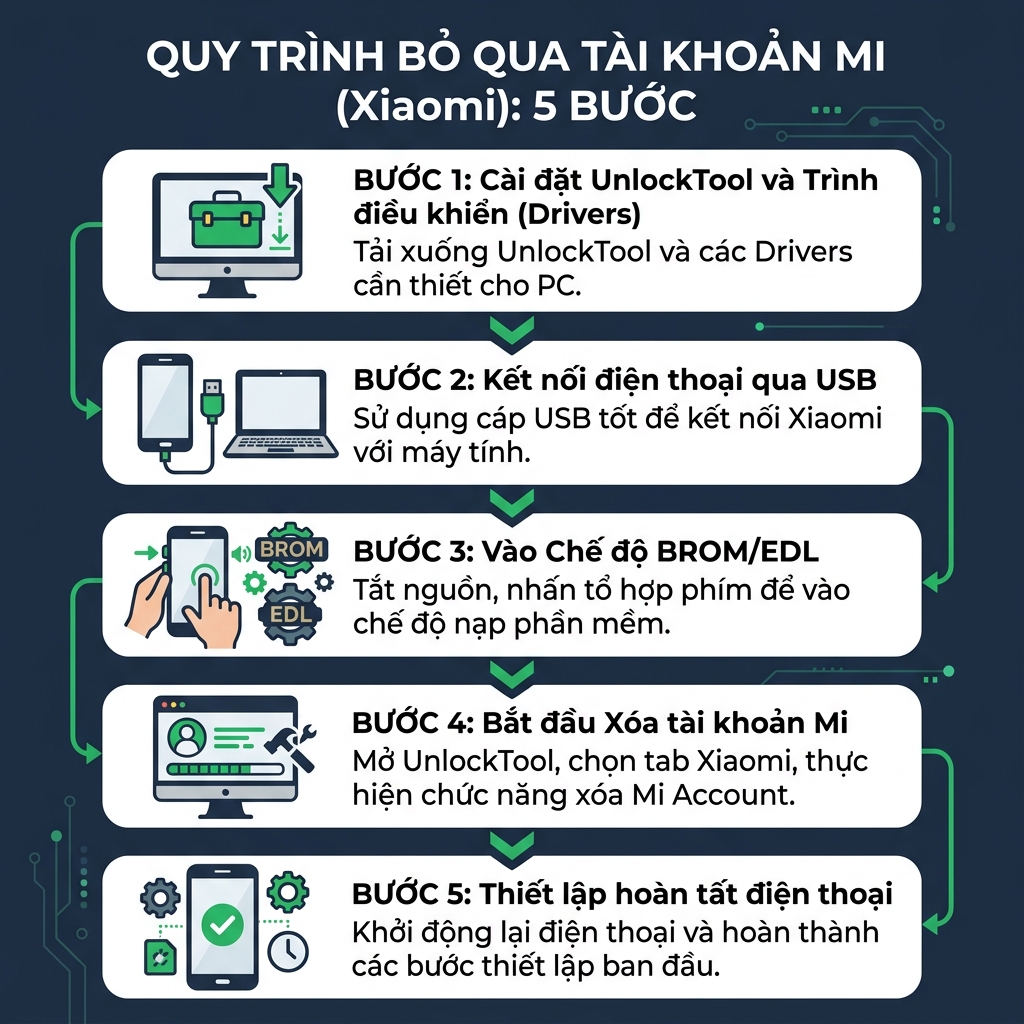
MediaTek Xiaomi, Redmi, and POCO phones run through UnlockTool's BROM Mode without requiring an active ADB session—power the phone completely off, hold both Volume buttons while inserting USB, and select combined FRP plus MiCloud reset.
- Step 1 — Power Off Completely: Shut the Xiaomi handset completely down and wait 10 seconds.
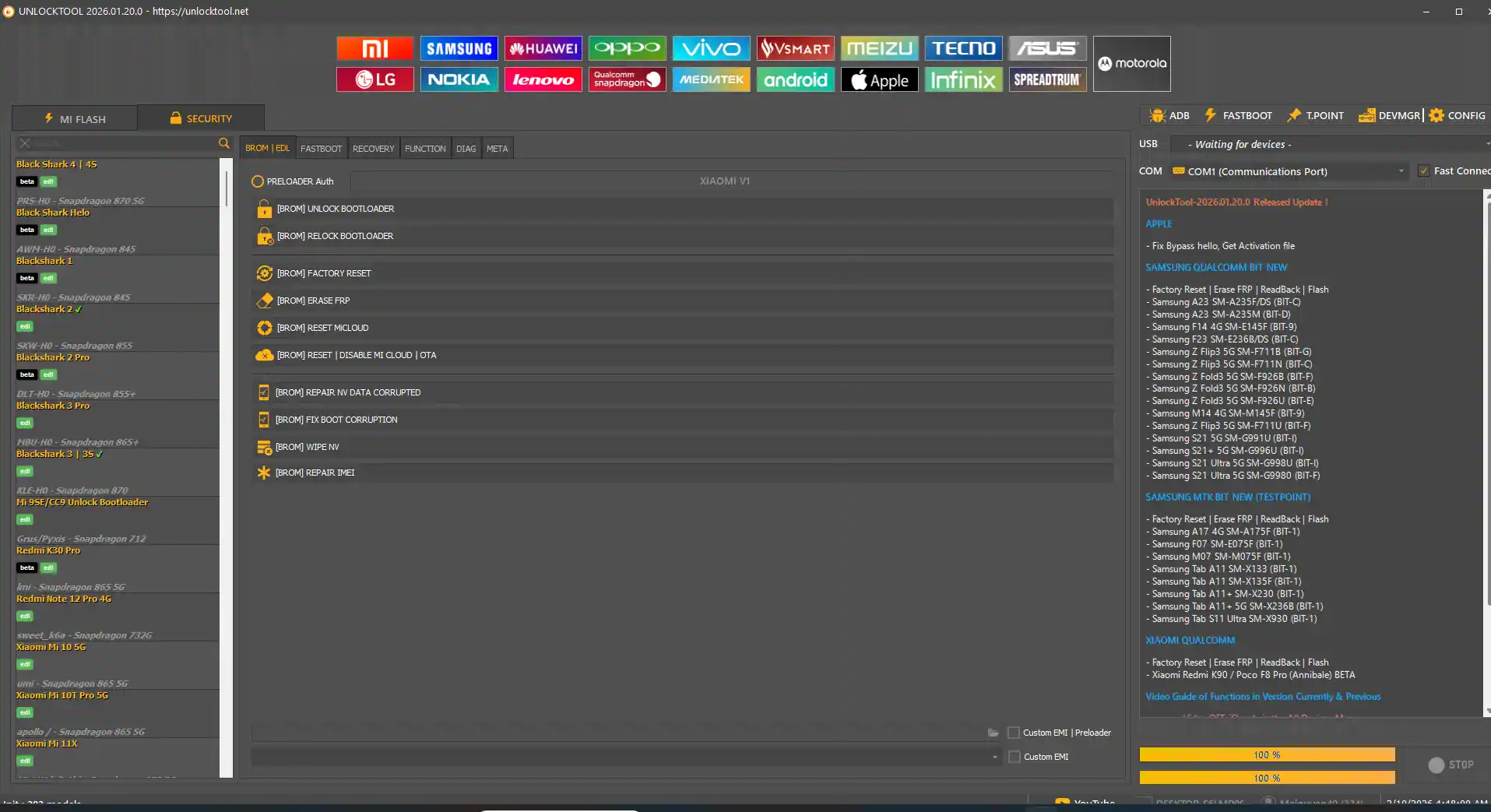
- Step 2 — Open Xiaomi MTK Tab: Launch UnlockTool as Administrator, sign in, open Xiaomi → MTK / BROM|EDL, and select
Reset MiCloud/Erase FRP + Mi Account. - Step 3 — Enter BROM Mode: Hold Volume Up + Volume Down simultaneously while plugging in USB until UnlockTool detects the MTK port (use motherboard testpoint pins if button combo fails on patched preloaders).
- Step 4 — Execute Bypass: Click Start/Execute and let UnlockTool read info, erase the Mi Account partition, and reset the phone (2–5 minutes).
- Step 5 — Initial Setup: Once rebooted, skip Wi-Fi or Mi sign-in prompts cleanly through the setup wizard.
6. Qualcomm Snapdragon Bypass Steps via EDL 9008
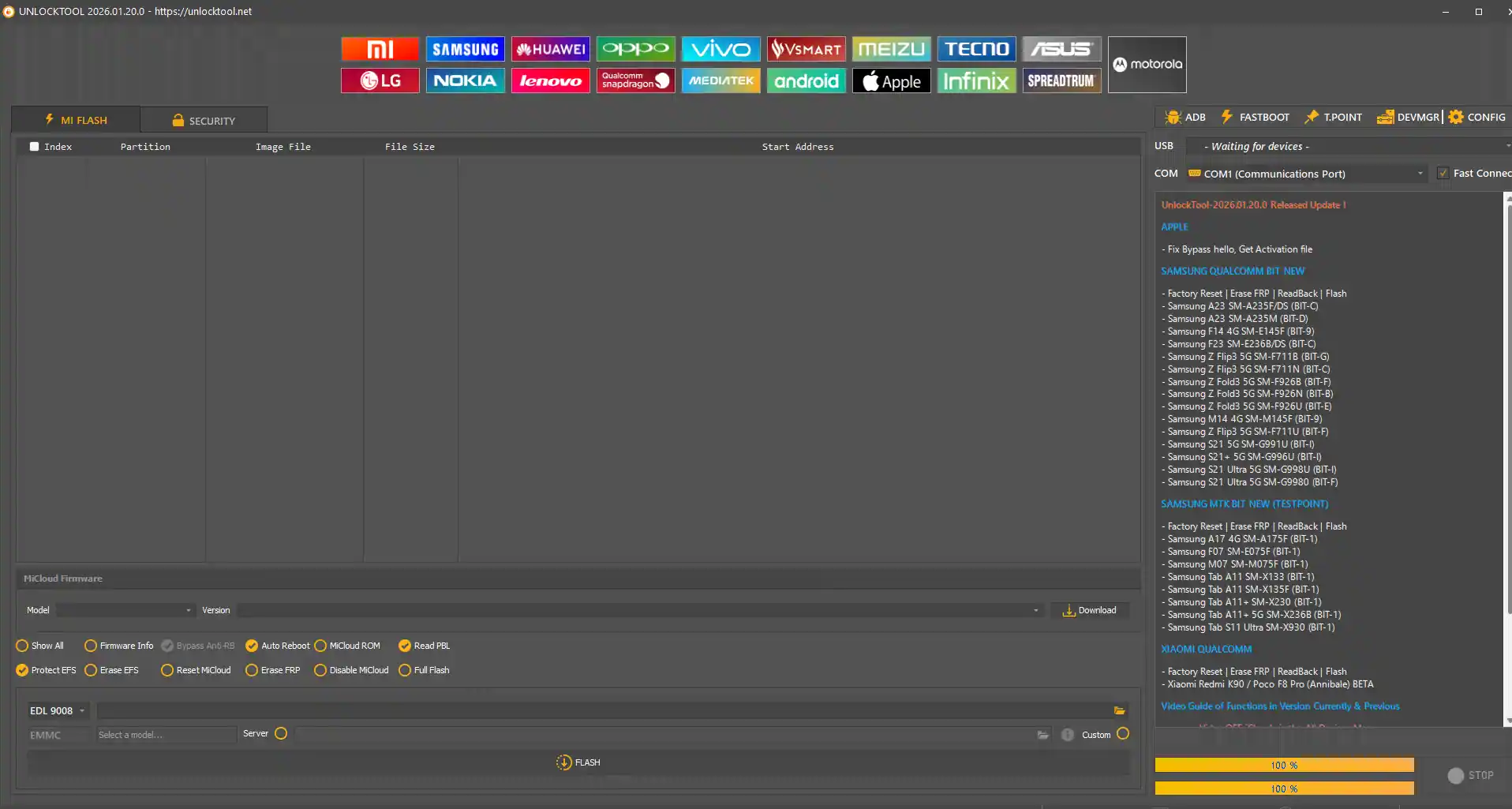
- Step 1 — Select Qualcomm Tab: Open UnlockTool as Administrator → Xiaomi → Qualcomm → select
Mi Account Remove. - Step 2 — Enter EDL 9008 Mode: Boot into Emergency Download via
adb reboot edl(if ADB active), Fastboot (`Power + Vol Down`, thenfastboot oem edlwhere permitted), or by shorting motherboard EDL test points while inserting USB. - Step 3 — Start Execution: Confirm Windows/UnlockTool shows
Qualcomm HS-USB QDLoader 9008, then run the reset job (typically 3–10 minutes depending on firmware security).
7. HyperOS vs MIUI Bypass Differences
Xiaomi transitioned from MIUI to HyperOS starting late 2023. The core UnlockTool workflow mirrors MIUI, with three practical differences:
- Always run the latest monthly UnlockTool release (2026 builds expanded HyperOS 1.x / 2.0 compatibility).
- Newer HyperOS flagships enforce tighter bootloader/EDL authentication and occasionally need model-specific firmware loaders or hardware testpoints to reach BROM/EDL cleanly.
8. Troubleshooting 4 Common Xiaomi UnlockTool Errors
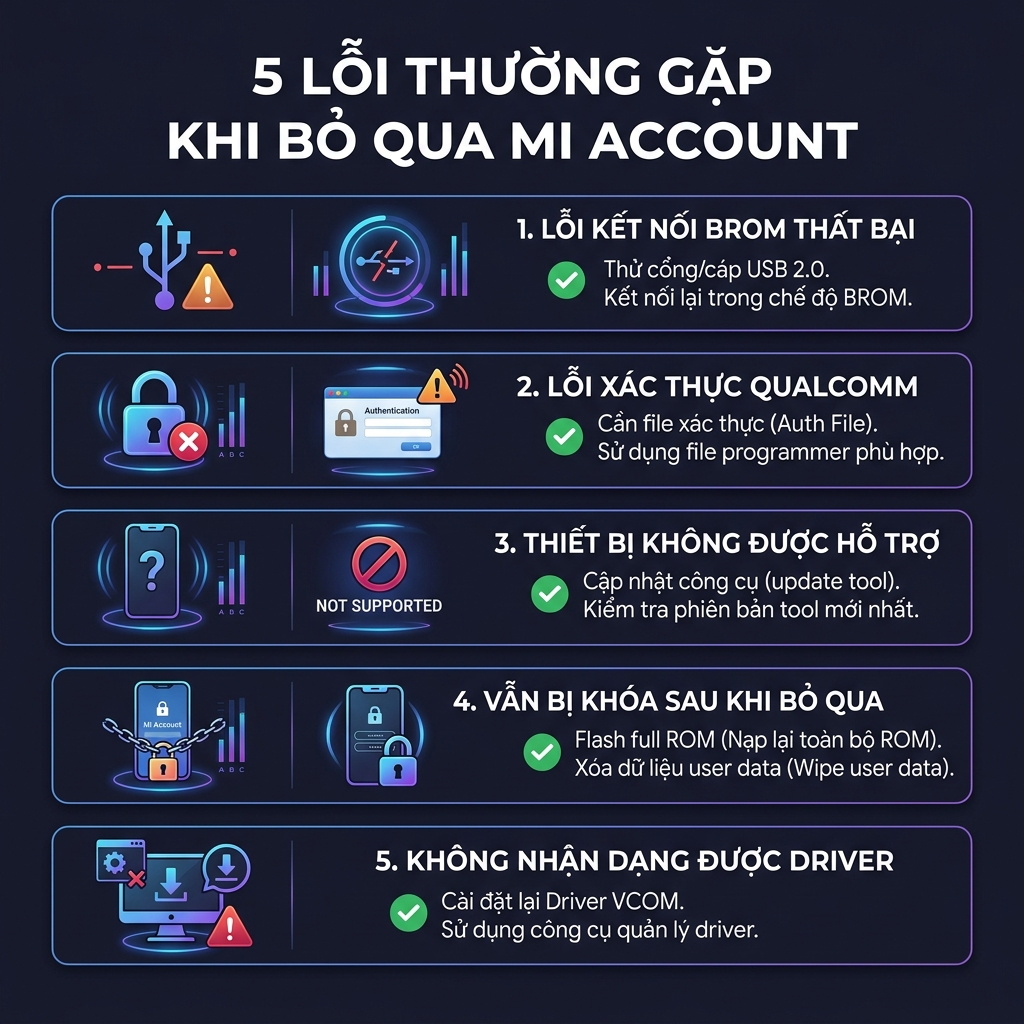
- "BROM Connection Failed": Reinstall MTK USB VCOM drivers, switch to a short USB 2.0 cable on a rear motherboard port, or use hardware testpoints.
- Qualcomm "Auth Error": Recent Snapdragon builds enforce server/loader authentication; confirm model auth support in your current UnlockTool release or use dedicated Qualcomm auth tools like DFT Pro.
- "Device Not Supported": Update to the newest UnlockTool build or verify the exact regional variant codename.
- Mi Account Prompt Returns After Wi-Fi Setup: Always select combined Erase FRP + Mi Account (or flash clean stock firmware after reset) so FRP or Mi Cloud persistency partitions do not re-lock on first Wi-Fi connection.
🔧 Driver & Port Field Tip (By Trần Kế Khang):
Most failed BROM or EDL connections stem from stale USB drivers or loose front-panel ports rather than UnlockTool bugs. Install clean MTK VCOM and QDLoader 9008 drivers first, switch to rear motherboard USB 2.0 ports, and run combined Erase FRP + Mi Account so first Wi-Fi setup does not relock.
9. Which Mi Account Bypass Method Should You Choose?
For repair desks without original cloud credentials, UnlockTool outperforms official cloud unlock waiting queues and avoids the brick risks of unverified custom ROM flashes on locked bootloaders.
| Method | Pros | Cons | Best For |
|---|---|---|---|
| UnlockTool | Fast, broad Xiaomi/Redmi/POCO support, frequent HyperOS updates | Requires active license or hourly rental | Repair technicians & multi-device jobs |
| Xiaomi Official Unlock | Free and official | Needs original credentials + multi-day waiting periods | Original owners with active Mi ID access |
| Custom ROM Flashing | Free community tools | Requires unlocked bootloader; brick risk on locked devices | Unlocked enthusiast handsets |
10. UnlockTool USD Rental Pricing & Important Limits
A 6-hour UnlockTool rental from $0.30 on GSM24h.com lets you complete dozens of 5–15 minute Mi Account resets without annual license commitments (check Discount Codes before paying):
| Package | Current price | Original price | Save |
|---|---|---|---|
| 6 hours | $0.30 | $0.35 | 14% |
| 12 hours | $0.42 | $0.49 | 14% |
| 1 day | $0.95 | $1.00 | 5% |
| 2 days | $1.20 | $1.30 | 8% |
| 3 days | $1.60 | $1.70 | 6% |
| 5 days | $2.00 | $2.10 | 5% |
| 7 days | $3.40 | $3.50 | 3% |
| 14 days | $3.90 | $4.00 | 3% |
| 30 days | $7.40 | — | — |
Updated November 2026 — listed price before coupon
- Key Limitations: Bypassing Mi Account wipes all user data, may void official factory warranty, and newer Snapdragon 8 Gen 3+ / HyperOS 2.0 flagships carry strict AUTH enforcement that requires waiting for tool updates. Need assistance? Reach GSM24h Support.
11. Frequently Asked Questions
Is UnlockTool safe for bypassing Mi Account?
Yes when downloaded strictly from official unlocktool.net servers. Always verify official files and avoid cracked repacks.
Is a 6-hour UnlockTool rental enough for Mi Account removal?
Yes—each reset typically finishes in 5–15 minutes once drivers are ready, leaving ample time in a 6-hour slot for 10+ phones.
Does UnlockTool support Xiaomi HyperOS 2.0?
2026 UnlockTool releases continue expanding HyperOS 2.0 support across Xiaomi 14, Redmi Note 13, and POCO F6 models, though brand-new patches can lag slightly behind release day.
Will the Mi Account lock return after reconnecting to Wi-Fi?
Selecting Erase FRP + Mi Account together prevents Google FRP and residual lock checks from re-triggering during first Wi-Fi setup.
Which is easier to bypass: MediaTek or Qualcomm Xiaomi?
MediaTek is usually simpler because BROM handshakes require minimal setup, whereas Qualcomm EDL 9008 often requires opening the back cover for hardware testpoints or loader authentication.
Which USB drivers are required for Xiaomi Mi Account bypass?
Install both MediaTek USB VCOM Driver and Qualcomm QDLoader 9008 Driver from file.unlocktool.net cleanly before connecting your handset.
How do I rent an UnlockTool account on GSM24h.com?
Visit our UnlockTool rental page, pick your time pass, complete USD checkout, and receive login credentials automatically on screen and via email.
👉 Ready to unlock a Xiaomi, Redmi, or POCO device?
Rent UnlockTool from $0.30 on GSM24h.com with automated credential delivery right after payment.
⚡ Rent UnlockTool Now →
Written by: Trần Kế Khang
5 years of in-depth mobile & laptop hardware repair experience; founder of thuetaikhoan.com.vn, unlocktool.us, dienthoailaptop.vn, and gsm24h.com. Facebook · Profile & articles · About us



có bài viết giúp bypass cái FRP ko ad, em dùng máy redmi turbo 3 giờ ko bt làm j :(((
GFT và Ghost Auth tool bạn tìm hiểu nha