
Completing a clean Motorola FRP Bypass on Moto G, Moto E, Motorola Edge, or Razr smartphones starts with identifying the exact processor inside the device rather than trying outdated Setup Wizard tricks. Because Motorola builds its lineup across three distinct silicon platforms — Qualcomm Snapdragon, MediaTek Helio/Dimensity, and Unisoc Tiger — each family requires its own Windows USB driver and bootrom connection mode. This bench-tested guide maps every Motorola chipset to the fastest authorized PC workflow using UnlockTool ($0.30), Android Multi Tool (AMT) ($0.39), TSM Tool Pro ($0.69), and TMT Pro Tool ($2.30).
Notice: All Motorola FRP servicing procedures in this guide apply strictly to owner-authorized devices or verified repair tickets with proof of ownership. Supported models depend on exact chipset and Android security patch.
Table of Contents
- How does FRP work across Motorola Qualcomm, MediaTek, and Unisoc models?
- Which Motorola Moto G, Moto E, Edge, and Razr models use which chipset?
- What drivers and Fastboot checks do you need before starting?
- How do you perform Motorola FRP removal by chipset cleanly?
- Can unlocking the Motorola bootloader bypass FRP lock?
- How do you fix common Motorola FRP connection errors?
- Frequently Asked Questions
How does FRP work across Motorola Qualcomm, MediaTek, and Unisoc models?
Motorola runs near-stock Android (MyUX / Hello UI), which enforces standard Google Factory Reset Protection inside the protected frp partition immediately after an untrusted reset. Because Google patched legacy TalkBack and browser shortcuts on Android 13–15, technicians clear the frp partition over MediaTek BROM/PreLoader, Unisoc SPRD Diag, Qualcomm EDL 9008, or authorized Fastboot Factory Mode.
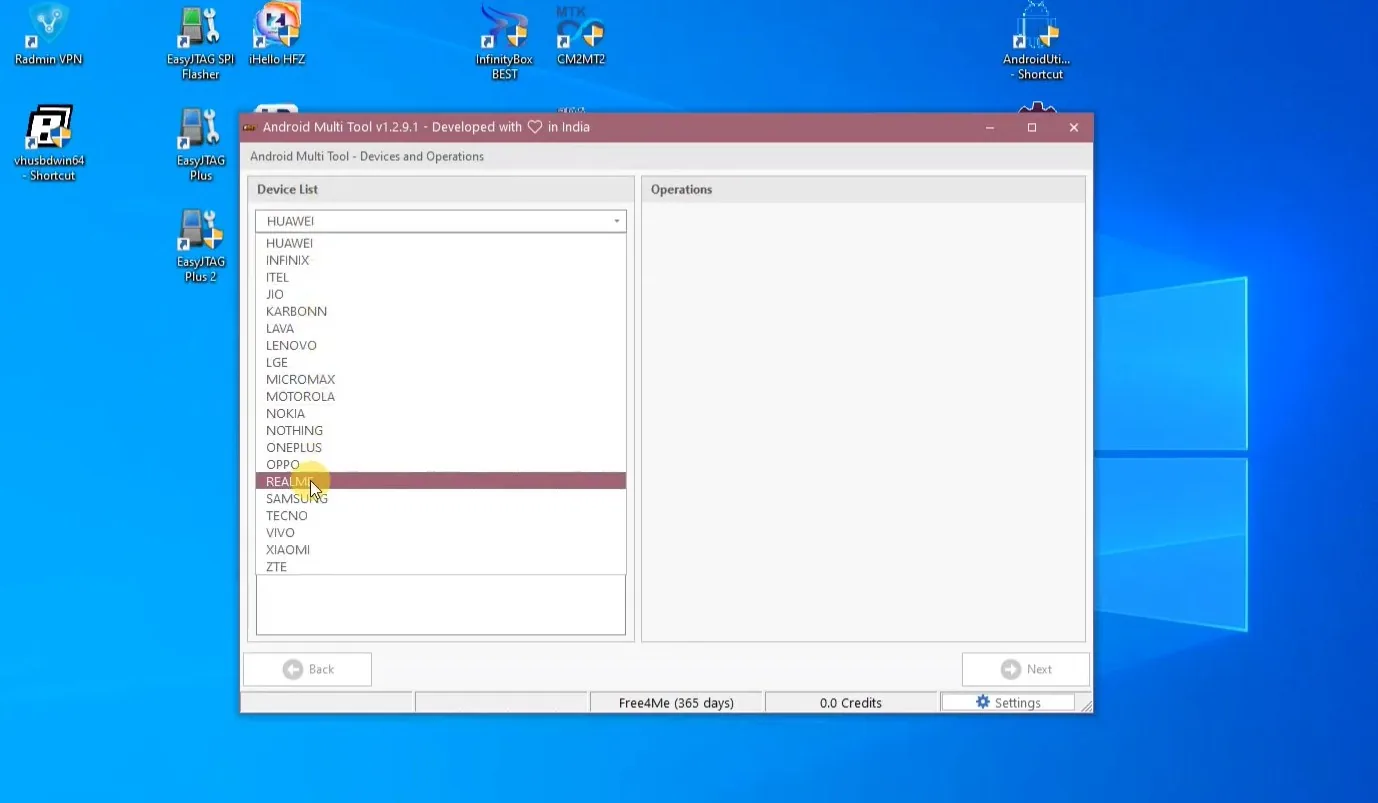
Android Multi Tool (AMT) device list showing dedicated Motorola servicing support alongside MediaTek, Qualcomm, and multi-brand Android modules.
Which Motorola Moto G, Moto E, Edge, and Razr models use which chipset?
Motorola frequently ships the same retail name (such as Moto G Play or Moto G Power) with different processors across release years, so checking the exact XT-model code printed on the SIM tray or displayed on the Fastboot barcode screen is mandatory before picking a tool module.
| Motorola Chipset Family | Representative Models (Verify Exact XT Code) | Connection Mode | Recommended Rental Tools |
|---|---|---|---|
| MediaTek Helio / Dimensity | Moto G Play 2023, Moto G Power 5G (2023/2024), Moto G14/G24, Moto E22, Edge 2022/40 | MTK PreLoader / BROM Mode | UnlockTool, TSM Tool, AMT |
| Unisoc Tiger / SC | Moto E13, Moto E14, Moto E20, Moto E40, Moto G04 / G04s, Moto G14 | SPRD U2S Diag Mode | UnlockTool, Hydra Tool, TSM Tool |
| Qualcomm Snapdragon | Moto G Stylus 5G, Moto G Play 2024, Moto G34/G54/G84, Edge+ / Edge 50, Razr series | Qualcomm EDL 9008 or Factory Mode | UnlockTool, TMT Pro, DFT Pro |
What drivers and Fastboot checks do you need before starting?
Before renting a tool shift, install Motorola USB drivers plus Qualcomm HS-USB QDLoader 9008, MediaTek VCOM, and Unisoc SPRD drivers from our complete GSM USB drivers guide, alongside Google Android SDK Platform-Tools and the official Android WinUSB reference.
- Read exact XT code via Fastboot: Power off the Motorola, hold Volume Down + Power to open AP Fastboot Flash Mode, and read the exact Product/Variant and SKU (XTxxxx-x) directly on screen.
- Verify Bootloader & Carrier Status: Note whether the screen says oem_locked and check if the phone belongs to a prepaid US carrier (such as Tracfone, Cricket, or Metro), as carrier-signed loaders may require specific Firehose or PreLoader Auth profiles.
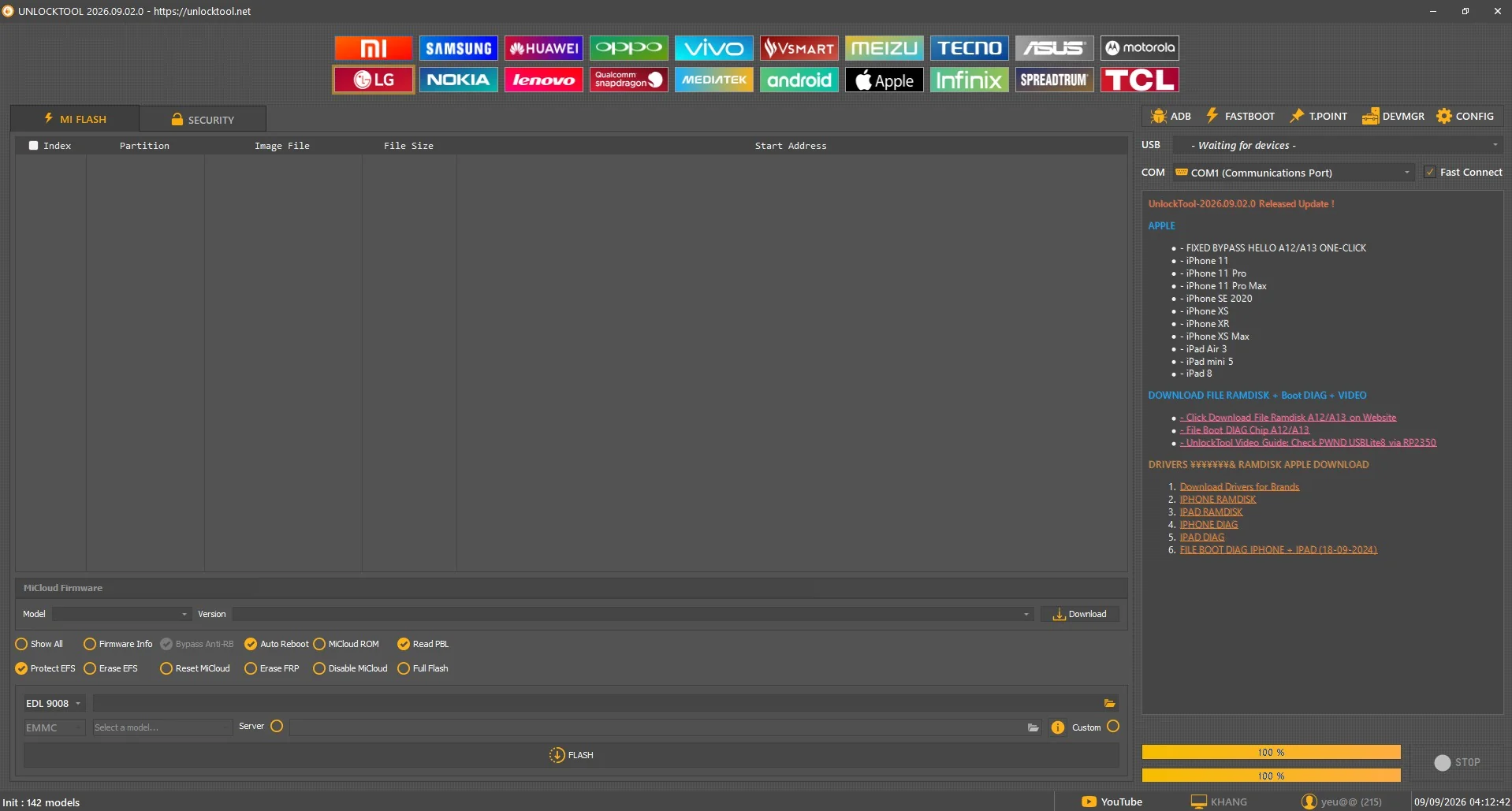
UnlockTool main workspace featuring dedicated Motorola, MediaTek, Qualcomm, and Spreadtrum tabs for unified multi-chipset bench work.
How do you perform Motorola FRP removal by chipset cleanly?
Always match your rented software workflow to the phone's confirmed processor: MediaTek and Unisoc Moto units finish over USB volume-key bootrom entry with zero disassembly, whereas newer Qualcomm Snapdragon Moto phones use either Fastboot Factory Mode ADB or Qualcomm EDL 9008.
MediaTek BROM / PreLoader & Unisoc SPRD Workflow
- Launch your rented tool: Open UnlockTool (Motorola or MediaTek / Spreadtrum tab), TSM Tool Pro, or Hydra Tool ($1.21).
- Select exact Motorola model or SoC: Choose the confirmed XT model so the tool loads the matching signed Download Agent (DA) or Unisoc FDL file.
- Click Erase FRP FIRST, then connect powered-off device: Hold Volume Up + Volume Down (MediaTek) or Volume Down (Unisoc) while inserting a rear-port USB cable.
- Confirm completion: Wait for the log to print Erasing FRP... OK and let the phone reboot cleanly to Setup Wizard without a Google verification wall.
Qualcomm EDL 9008 & Fastboot Factory Mode Workflow
- Try Fastboot Factory Mode first (no disassembly): In AP Fastboot screen, use volume keys to select Factory Mode and press Power. On supported security patches, this exposes diagnostic/ADB interfaces that UnlockTool or AMT can service cleanly.
- Fallback to Qualcomm EDL 9008: When Factory Mode is patched on newer Android 14–15 builds, connect via Qualcomm HS-USB QDLoader 9008 (using a verified model Firehose loader inside TMT Pro Tool, UnlockTool, or DFT Pro) to erase only the frp partition while keeping EFS and persist untouched.
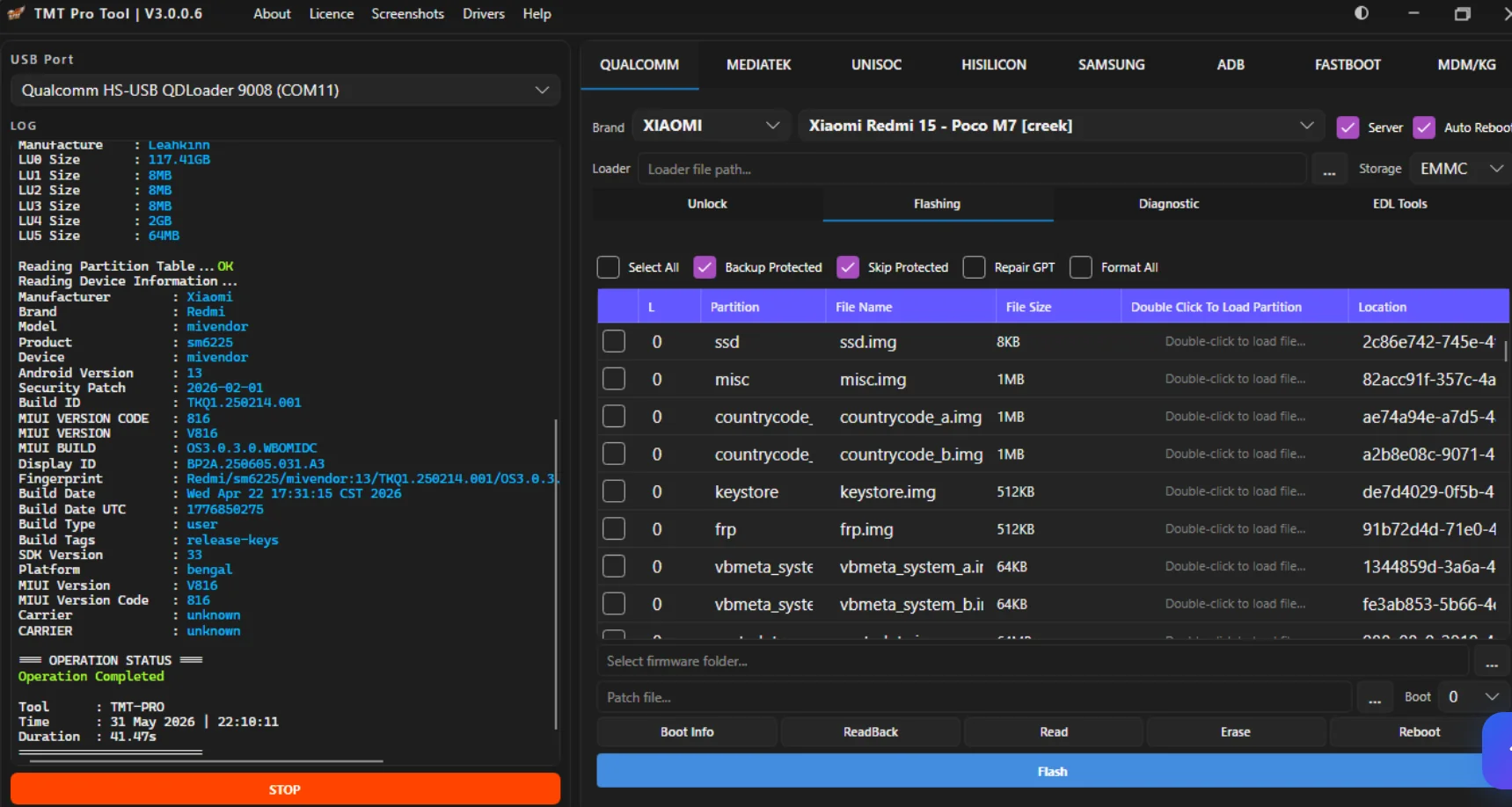
TMT Pro Tool v3.0.0.6 Qualcomm EDL module showing targeted frp partition control with Backup Protected and Skip Protected safeguards.
Bench Warning on Motorola Modem / CID Integrity: Never run "Format All" or erase the hob, dhob, fsg, or cid partitions on Motorola Qualcomm boards. Erasing those partitions destroys the phone's factory baseband and IMEI calibration permanently — always use targeted Erase FRP only.
Can unlocking the Motorola bootloader bypass FRP lock?
No — official Motorola bootloader unlocking cannot remove an active FRP lock. To request a Motorola unlock key and run fastboot oem unlock, you must first enable "OEM unlocking" inside Android Developer Options, which is completely inaccessible while the device is locked at the Google verification screen.
How do you fix common Motorola FRP connection errors?
Most failed Motorola FRP sessions trace back to three easily resolved causes: missing Motorola or chipset USB drivers, clicking Start after plugging in a MediaTek unit instead of before, or stale Qualcomm Sahara sessions that require unplugging USB for five seconds — see our Top 10 FRP Bypass Errors guide for deeper diagnostics.
- Fastboot not detected in Windows: Install the signed Motorola Mobile Drivers + Android Bootloader Interface driver and avoid front-panel USB hubs.
- MediaTek Moto boots straight to charging screen: Click Erase FRP in your tool first, hold both Volume keys on a fully powered-off unit, and switch to PreLoader Auth if BROM is locked.
- Qualcomm Sahara Fail / Loader Rejected: Unplug USB for 5 seconds, re-enter QDLoader 9008 cleanly, and verify your XT model's exact Firehose loader matches its Snapdragon chipset.
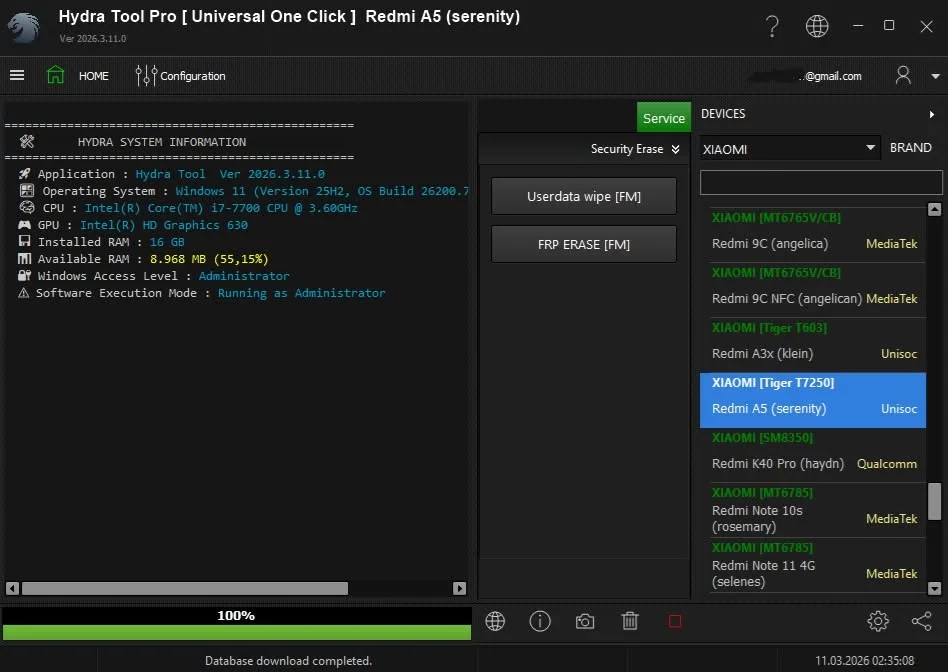
Hydra Tool Pro Universal One-Click module — fast fallback for Unisoc Tiger and MediaTek Motorola budget models.
| Package | Current price | Original price | Save |
|---|---|---|---|
| 6 hours | $0.30 | $0.35 | 14% |
| 12 hours | $0.42 | $0.49 | 14% |
| 1 day | $0.95 | $1.00 | 5% |
| 2 days | $1.20 | $1.30 | 8% |
| 3 days | $1.60 | $1.70 | 6% |
| 5 days | $2.00 | $2.10 | 5% |
| 7 days | $3.40 | $3.50 | 3% |
| 14 days | $3.90 | $4.00 | 3% |
| 30 days | $7.40 | — | — |
Updated November 2026 — listed price before coupon
Prepaid US Carrier Note: US carrier-branded Moto G Play / Moto G Power variants (Tracfone, Straight Talk, Verizon) frequently lock down standard Fastboot Factory Mode on newer Android 14–15 patches. Confirm exact XT SKU support inside UnlockTool, AMT, or TSM Tool before starting your rental shift.
Frequently Asked Questions
How do I find the exact model code on a FRP-locked Motorola phone?
Power off the device, hold Volume Down + Power to enter AP Fastboot Flash Mode, and scroll to Barcodes using the volume keys. The screen prints the exact SKU (such as XT2313-3 or XT2415-1) and serial number cleanly.
Can I bypass Motorola FRP by unlocking the bootloader through Motorola's website?
No. Motorola's official bootloader unlock requires enabling OEM Unlocking inside Android Settings first, which cannot be accessed while Google FRP is active on the Setup Wizard.
Do Moto E13, E14, and G04 use MediaTek or Unisoc?
Moto E13, E14, E20, E40, and Moto G04/G04s run Unisoc Tiger processors (SPRD U2S Diag mode), not MediaTek or Qualcomm. Install Spreadtrum/Unisoc USB drivers before connecting.
Does removing FRP on a Motorola phone erase my IMEI or network unlock?
No, provided you execute targeted Erase FRP rather than Format All. Targeted FRP removal only clears the small frp partition and leaves hob/dhob/fsg/nvdata radio partitions intact.
Which rented tool is best for mixed Motorola Qualcomm, MediaTek, and Unisoc models?
UnlockTool (/rent-unlocktool) starting from $0.30 covers the broadest mix of Motorola MediaTek, Unisoc, and Qualcomm models; TSM Tool Pro (/rent-tsm-tool) and Android Multi Tool (/rent-android-multi-tool) are strong low-cost alternatives.
Why do manual TalkBack and APK bypasses fail on newer Motorola Android 14 and 15?
Because Motorola runs clean near-stock Google Android, monthly Google security patches rapidly close Setup Wizard browser redirects and block APK sideloading during initial provisioning.
Ready to service an owner-authorized Motorola device? Rent UnlockTool with instant automated delivery on GSM24h.com.
View UnlockTool Rental Plans →
Written by: Trần Kế Khang
5 years of in-depth mobile & laptop hardware repair experience; founder of thuetaikhoan.com.vn, unlocktool.us, dienthoailaptop.vn, and gsm24h.com. Facebook · Profile & articles · About us



No comments yet. Be the first to share your thoughts!