
TSM Tool Pro (Turbo Service Mobile) is a Samsung-focused Windows GSM utility created by TSM Team in 2020 for one-click FRP removal, firmware flashing, Samsung root/unroot, Exynos IMEI restoration, and Samsung Account removal—alongside secondary modules for Xiaomi, OPPO, Vivo, MediaTek, Unisoc, and Kirin.
🚀 Rent TSM Tool Pro from $0.69 on GSM24h.com
Automated credential delivery right after checkout—pair with official drivers from tsm-tool.com:
📑 Table of Contents
- 1. What Is TSM Tool Pro?
- 2. Official Download Links & PC Requirements
- 3. USB Drivers Setup & Common Driver Fixes
- 4. Signing In & 1-PC Hardware Cooldown Rules
- 5. How Do You Remove Samsung FRP Using TSM Tool Pro?
- 6. Additional TSM Tool Pro Features
- 7. TSM Tool Pro Rental Rates (USD)
- 8. TSM Tool Pro vs UnlockTool: Which Should You Pick?
- 9. What Are the 5 Most Common TSM Tool Errors & Fixes?
- 10. Frequently Asked Questions
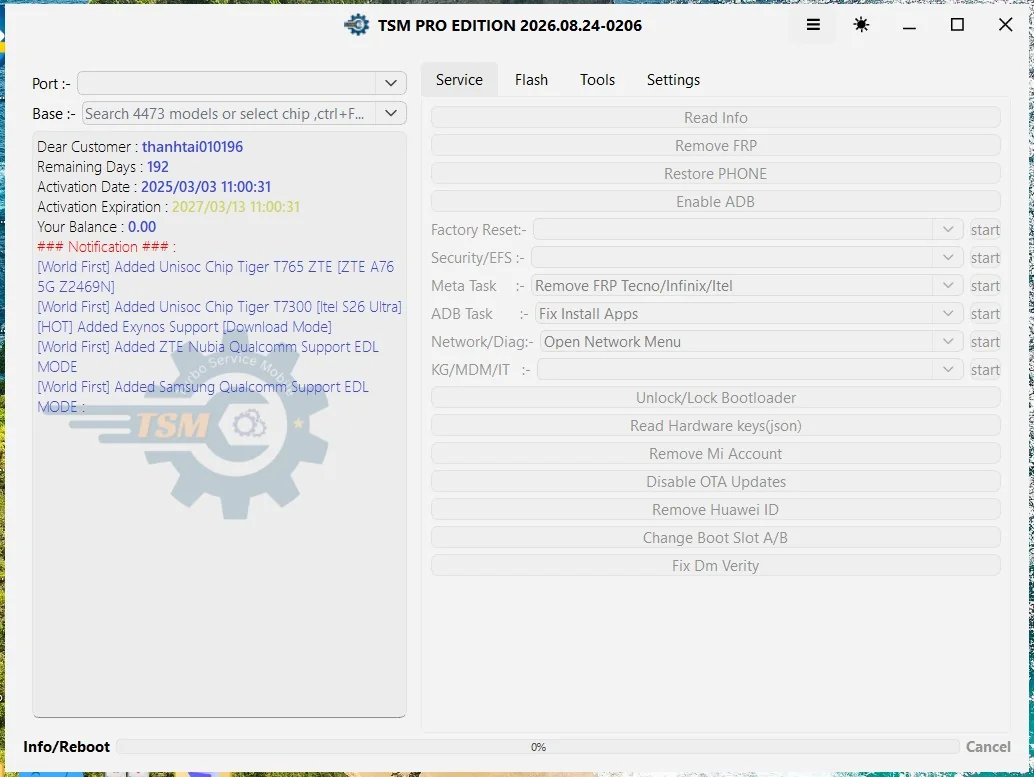
1. What Is TSM Tool Pro?
Unlike broad generalists, TSM Tool specializes deeply in Samsung Galaxy firmware and security workflows, boosting completion rates on recent Exynos and Qualcomm builds while also supporting Xiaomi Auth, OPPO/Vivo FRP, MediaTek, Unisoc, and Kirin chips.
💬 Operational Workshop Note — By Trần Kế Khang:
Most renters pick TSM Tool Pro primarily for Samsung Download Mode FRP bypass and Odin-style firmware flashing, as web checkout activates access automatically right after payment without manual account registration.
2. Official Download Links & PC Requirements
- OS & Hardware: Windows 10/11 (64-bit), minimum 4 GB RAM, 500 MB free disk space, stable Internet, reliable USB data cable, and Administrator privileges.
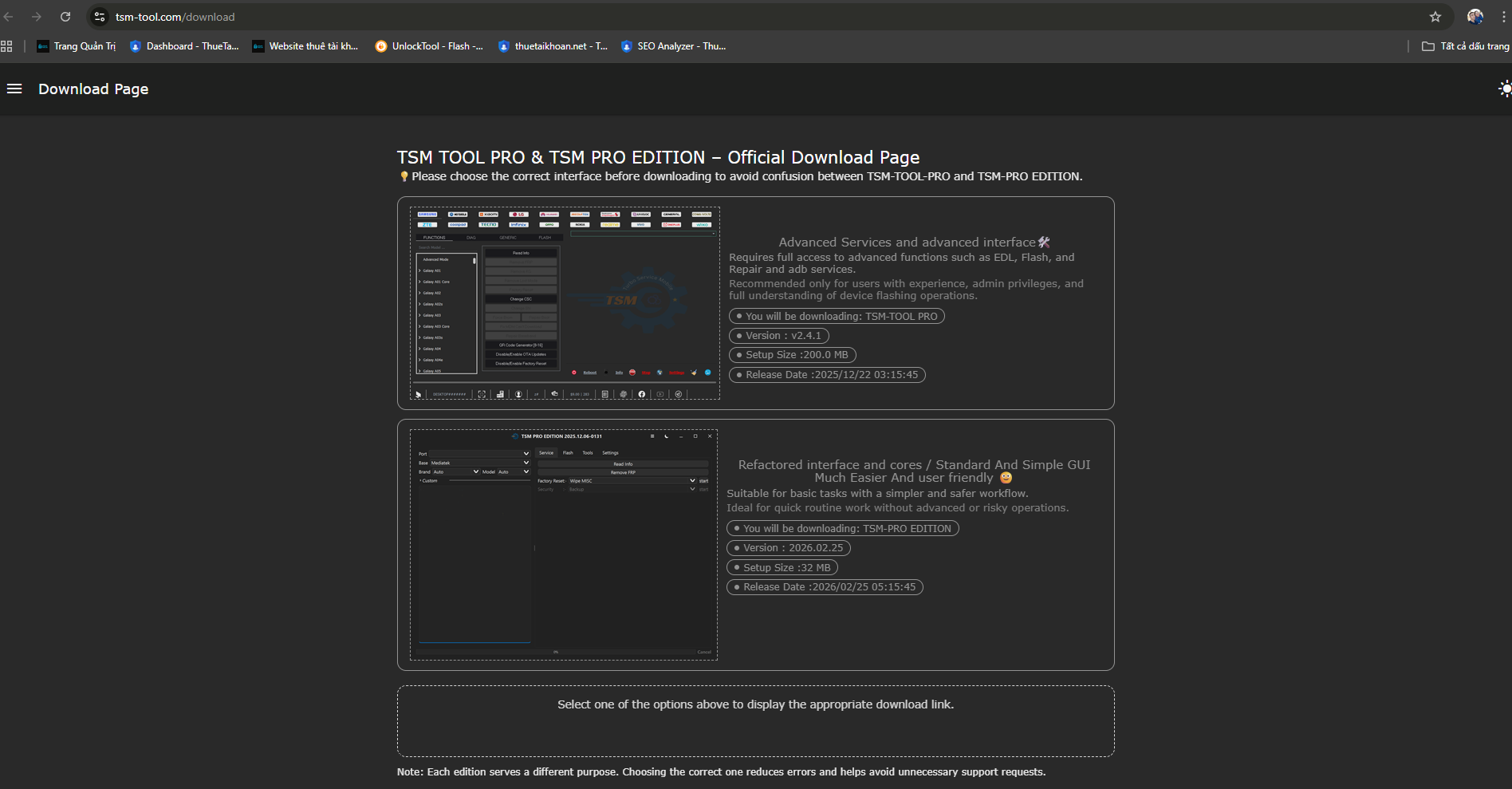
- Official Portal: Download exclusively from the official TSM Tool download page (offering both TSM-Tool PRO and TSM-PRO EDITION), extract the zip archive, and run
TSM-Tool.exeas Administrator.
⚠️ Antivirus Exclusion Note: Add the extracted TSM Tool directory to Windows Defender Exclusions before launching so real-time protection does not strip executable modules.
3. USB Drivers Setup & Common Driver Fixes
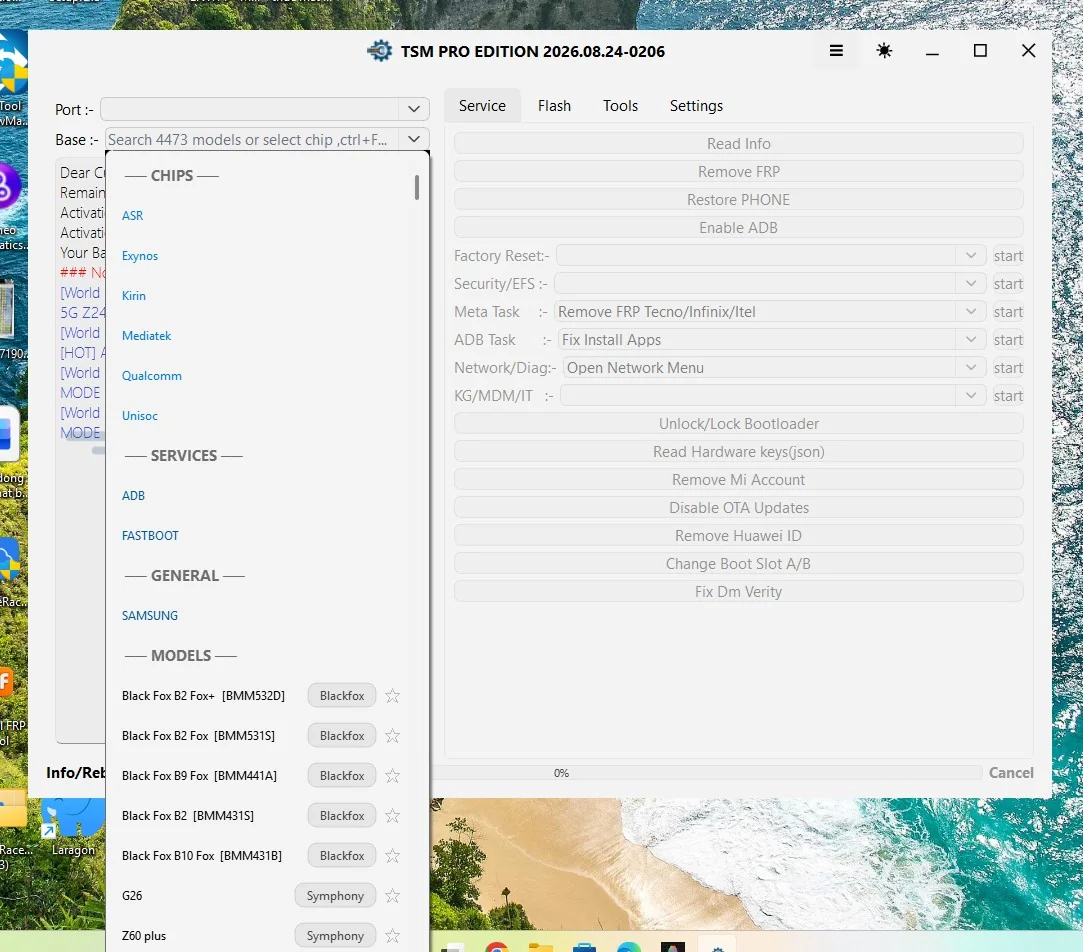
Most "Device not found" errors stem from missing drivers. Download the matching packages directly from the official TSM Driver portal alongside the Samsung Developer USB Driver:
- Samsung Android USB Driver: Mandatory for Download Mode, ADB, and MTP—restart Windows after installation.
- Qualcomm & MediaTek Drivers: Install Qualcomm QDLoader 9008 for Snapdragon Galaxy A/M models and MTK USB VCOM for MediaTek Xiaomi/OPPO repairs.
| Driver Error | Cause | Fix |
|---|---|---|
| Device not found | Samsung USB Driver missing | Install clean Samsung driver from tsm-tool.com/drivers |
| COM port missing | Charging-only cable or unstable USB 3.0 port | Switch to OEM data cable on a rear USB 2.0 port |
| QDLoader 9008 yellow warning (!) | Outdated/corrupt Qualcomm driver | Uninstall old driver and reinstall from TSM portal |
| ADB unauthorized | Debugging prompt unconfirmed | Accept RSA authorization on phone screen |
| Tool closes abruptly | Windows Defender quarantine | Exclude TSM Tool folder in Windows Security |
4. Signing In & 1-PC Hardware Cooldown Rules
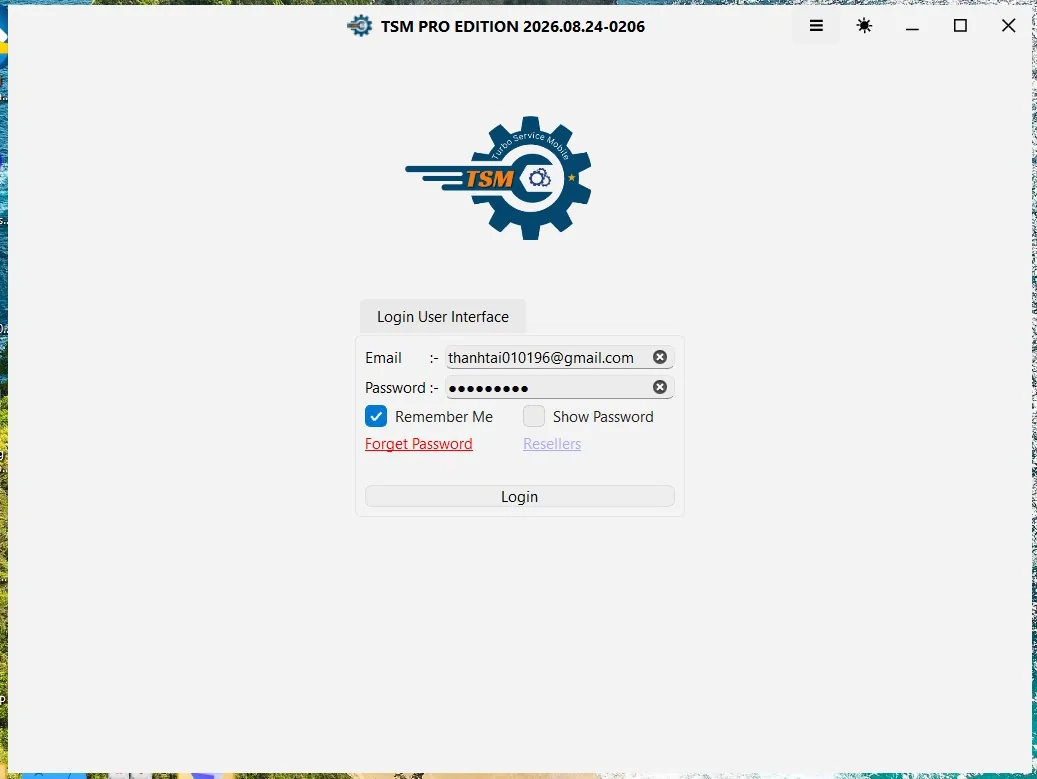
Launch TSM-Tool.exe and sign in using the username/password delivered after checkout on GSM24h.com. Keep in mind that TSM binds each account to 1 PC at a time—switching computers enforces a 3-hour cooldown from the previous login. Need urgent help? Contact GSM24h Support.
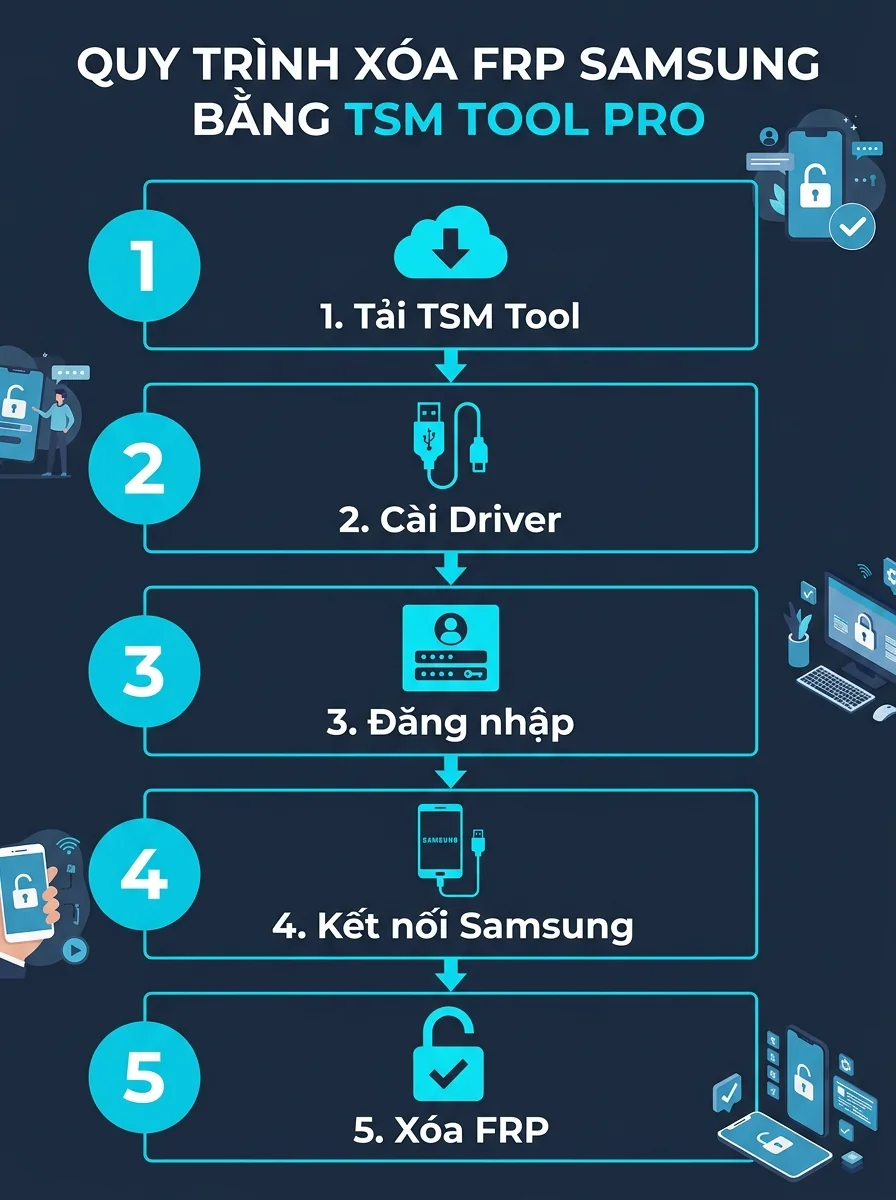
5. How Do You Remove Samsung FRP Using TSM Tool Pro?
Applicable to most supported Samsung models across Android 11 through Android 16 (verify device battery is ≥50% and drivers are ready):
- Boot the Samsung phone into Download Mode (power off → hold Vol Up + Vol Down while connecting USB → confirm).
- Open TSM Tool and select the Samsung tab so the client reads exact model, firmware, and FRP lock status.
- Click Remove FRP (or 1-Click FRP Remove on Pro Edition).
- Wait 2–5 minutes for the reset sequence to execute and the phone to reboot cleanly past the Google sign-in check.
6. Additional TSM Tool Pro Features
- Firmware Flashing: Flash stock Samsung
.tarand.zipfirmware packages cleanly. - Samsung Root / Unroot: Direct root/unroot utilities rarely packaged into competing multi-brand tools.
- Exynos IMEI Restoration: Restore corrupted original Exynos IMEI parameters via Download Mode for legitimate repairs.
- Samsung Account Removal: Clear residual Samsung cloud account bindings.
- Knox Guard / MDM Modules: Newer Pro builds add basic KG/MDM options; for heavy KG financing locks, combine with specialized Samsung Tool or KG Killer.
7. TSM Tool Pro Rental Rates (USD)
For shops servicing occasional Samsung tickets each month, renting a short pass from $0.69 saves dramatically compared to annual subscriptions—check live packages below (plus Discount Codes):
| Package | Current price | Original price | Save |
|---|---|---|---|
| 5 hours | $0.69 | $0.75 | 8% |
| 10 hours | $0.79 | $0.80 | 1% |
| 1 day | $1.10 | $1.12 | 2% |
| 2 days | $2.20 | $2.30 | 4% |
| 3 days | $2.38 | — | — |
Updated November 2026 — listed price before coupon
8. TSM Tool Pro vs UnlockTool: Which Should You Pick?
| Criteria | TSM Tool Pro | UnlockTool |
|---|---|---|
| Brand Focus | Samsung specialist + Xiaomi/OPPO expansion | Broad multi-brand + Apple A7–A13 |
| Samsung FRP | ✅ Strong (1-Click FRP) | ✅ Strong (see UnlockTool chipset guide) |
| Samsung Root | ✅ Built-in | ❌ N/A |
| iCloud Ramdisk Bypass | ❌ N/A | ✅ Yes (15-step guide) |
| Rental From (GSM24h) | $0.69 | $0.30 |
| Best Fit | Samsung-heavy repair desks | Multi-brand & Apple shops |
🔧 Pre-Run Chipset Verification (By Trần Kế Khang):
Always confirm whether the Galaxy A or M variant in front of you runs Exynos or Qualcomm before triggering a reset method, and never install multiple overlapping vendor USB driver packs at once—clean driver setup avoids nearly every Download Mode detection stall.
9. What Are the 5 Most Common TSM Tool Errors & Fixes?
Most TSM Tool errors come from expired login bindings (3-hour hardware cooldown), missing chipset drivers, Windows Defender quarantining executables, or unsupported newest security patches.
- Login Failed: Paste credentials cleanly to avoid typos; if the session is bound to an older PC inside the 3-hour cooldown window, reach GSM24h Support.
- Device Not Detected: Install full chip drivers from
tsm-tool.com/drivers, switch to an OEM USB data cable, and plug into rear USB 2.0 ports. - Antivirus Deleted Executable: Restore files and exclude the TSM directory inside Windows Security.
- Method Not Supported: Newer Samsung security patches require updated methods—update the client or try EFT Pro Dongle for Exynos Download Mode One-Click FRP.
- Samsung Bootloop After FRP: Flash matching stock Samsung firmware via TSM's Flash tab in Download Mode. (Always double-check whether your Galaxy variant uses Exynos vs Qualcomm before choosing a method!)
10. Frequently Asked Questions
Is TSM Tool Pro free to use?
No—TSM Tool Pro requires a paid license or rented login. You can rent automated hourly/daily passes starting from $0.69 on GSM24h.com.
Where can I safely download TSM Tool Pro?
Download strictly from the official portal at tsm-tool.com/download—avoid third-party repacks.
Can TSM Tool Pro remove Samsung Knox Guard?
Recent builds include initial KG/MDM features, though complex Knox Guard financing locks are better handled with dedicated utilities like Samsung Tool or KG Killer.
Which rental duration is enough for one Samsung FRP job?
Most FRP resets complete in 3–7 minutes once drivers are ready, so our shortest 5-hour rental comfortably handles 1–3+ devices.
Does TSM Tool support brands other than Samsung?
Yes—it includes Xiaomi Auth/FRP, OPPO/Vivo FRP/Factory Reset, and selected MediaTek, Unisoc, and Kirin devices, though Samsung remains its primary strength. For multi-brand + Apple support, pair with UnlockTool.
How do I fix missing USB drivers in TSM Tool?
Uninstall conflicting old drivers, grab clean packages from tsm-tool.com/drivers, reboot Windows, and connect via a direct OEM data cable on a USB 2.0 port.
👉 Ready to service Samsung devices with TSM Tool Pro?
Rent TSM Tool Pro automatically from $0.69 on GSM24h.com with instant automated credential delivery.
⚡ Rent TSM Tool Pro Now →
Written by: Trần Kế Khang
5 years of in-depth mobile & laptop hardware repair experience; founder of thuetaikhoan.com.vn, unlocktool.us, dienthoailaptop.vn, and gsm24h.com. Facebook · Profile & articles · About us

No comments yet. Be the first to share your thoughts!