
Learning how to Fix Unknown Baseband Samsung errors systematically saves hours of guesswork when a Galaxy smartphone suddenly loses cellular service, shows "Emergency Calls Only", and reports Baseband Version: Unknown alongside a blank or Null IMEI under *#06#. Because an Unknown Baseband can stem from either software corruption (a mismatched CP modem image, failed OTA update, or wiped EFS/NV partitions) or physical motherboard failure (baseband PMIC or RF transceiver cold joints), proper diagnosis always comes before flashing. This verified guide walks through exact diagnostic checks, matching 4-file stock firmware flashing, and authorized original EFS restoration using Samsung Tool CellTool ($2.15), Z3X Samsung Tool PRO ($4.50), Chimera Tool ($25.96), and DFT Pro ($1.19) strictly on owner-authorized devices.
Table of Contents
- What is Samsung Baseband and why does it show Unknown?
- How do you diagnose software vs hardware Unknown Baseband?
- How do you fix software Unknown Baseband Samsung step by step?
- When is Unknown Baseband a motherboard hardware fault?
- Which rented GSM tools help repair Samsung Baseband and EFS?
- Frequently Asked Questions
What is Samsung Baseband and why does it show Unknown?
Baseband is the dedicated cellular modem processor and firmware layer (flashed inside the CP file of a Samsung 4-file ROM) that controls 4G/5G radio registration, SIM card authentication, and IMEI communication. When Android cannot communicate with the modem processor or read valid EFS/NV calibration tables on boot, Settings reports Baseband Version as Unknown.
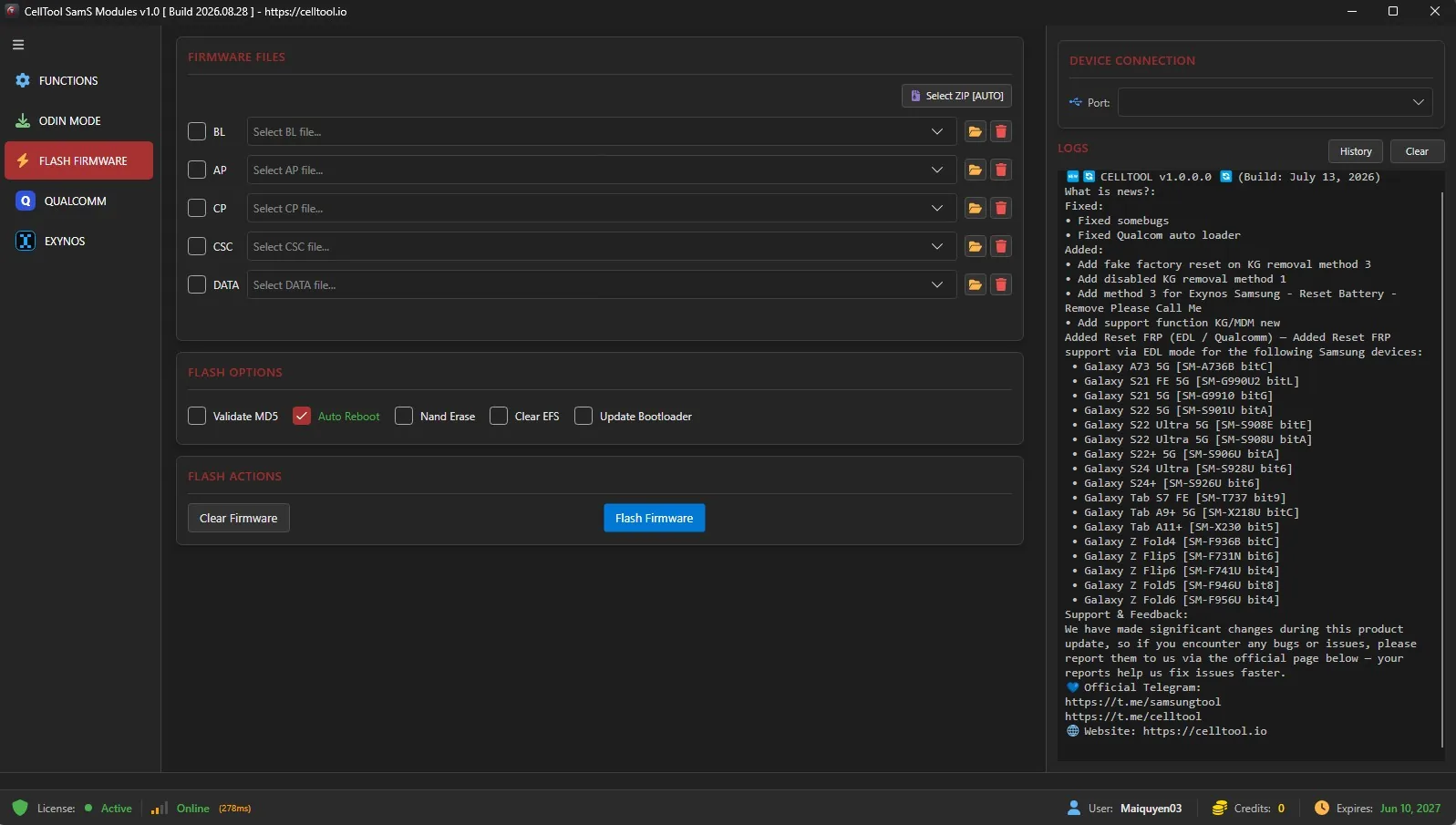
CellTool SamS Modules 5-slot Samsung Firmware Flasher (BL, AP, CP, CSC, DATA) — flashing a matching CP modem image is the primary fix for software baseband mismatches.
Under the Android partition architecture, the modem firmware (CP) and encrypted device identity partitions (EFS / SEC_EFS on Exynos; modemst1 / modemst2 / fsg on Qualcomm; nvram / nvdata on MediaTek) must stay synchronized with the active Android bootloader binary (BIT). Interrupting an update, downgrading across incompatible binaries, or accidentally wiping EFS breaks that handshake immediately.
How do you diagnose software vs hardware Unknown Baseband?
Before opening any flashing tool, run three 60-second checks directly on the phone: dial *#06# to check IMEI display, dial *#1234# to verify whether the CP (modem) string is missing alongside AP and CSC, and check whether Wi-Fi and Bluetooth still toggle cleanly while cellular remains dead.
| Diagnostic Clue | Likely Software Cause | Likely Hardware Cause |
|---|---|---|
| Trigger Event | Appeared right after OTA update, Odin flash, root, or CSC change | Appeared after drop, liquid exposure, overheating, or charging surge |
| *#1234# Output | AP & CSC show normally; CP line is missing or mismatched binary | CP missing even after clean 4-file stock ROM flash |
| Device Heat / Power Draw | Normal standby temperature and battery drain | Warm RF area, random reboots, or abnormal current draw on DC supply |
| Recovery Path | 4-file matching stock ROM + original EFS/NV restore | Board-level baseband PMIC / RF transceiver / CPU reballing |
How do you fix software Unknown Baseband Samsung step by step?
Fixing a software Unknown Baseband follows a strict two-stage order: first archive whatever remains of the phone's current EFS/NV partitions before writing anything, then flash the exact matching 4-file stock ROM (same model and equal or higher binary BIT) in Download Mode, and restore the device's original EFS/NV backup only if IMEI remains blank.
Step 1: Flash Matching 4-File Stock ROM (BL, AP, CP, CSC)
- Install official drivers first: Set up the Samsung Android USB Driver (see our GSM USB drivers guide) and confirm Download Mode enumerates cleanly on a rear USB port.
- Read exact Model & Binary (BIT): Enter Download Mode (Volume Up + Volume Down + USB) and note the exact model code (e.g., SM-A546E) plus the RP SWREV binary digit (e.g., B:7).
- Download the matching 4-file stock package: Never flash a single AP-only file when repairing Baseband. Load all four matching files — BL, AP, CP, and CSC — inside Odin, DFT Pro, or Samsung Tool CellTool (leaving Nand Erase and Clear EFS UNCHECKED!).
- Flash & inspect Baseband: Wait for PASS and first boot, then check Settings → About Phone → Software Information → Baseband Version. On pure CP mismatch cases, Baseband and original factory IMEI return immediately.
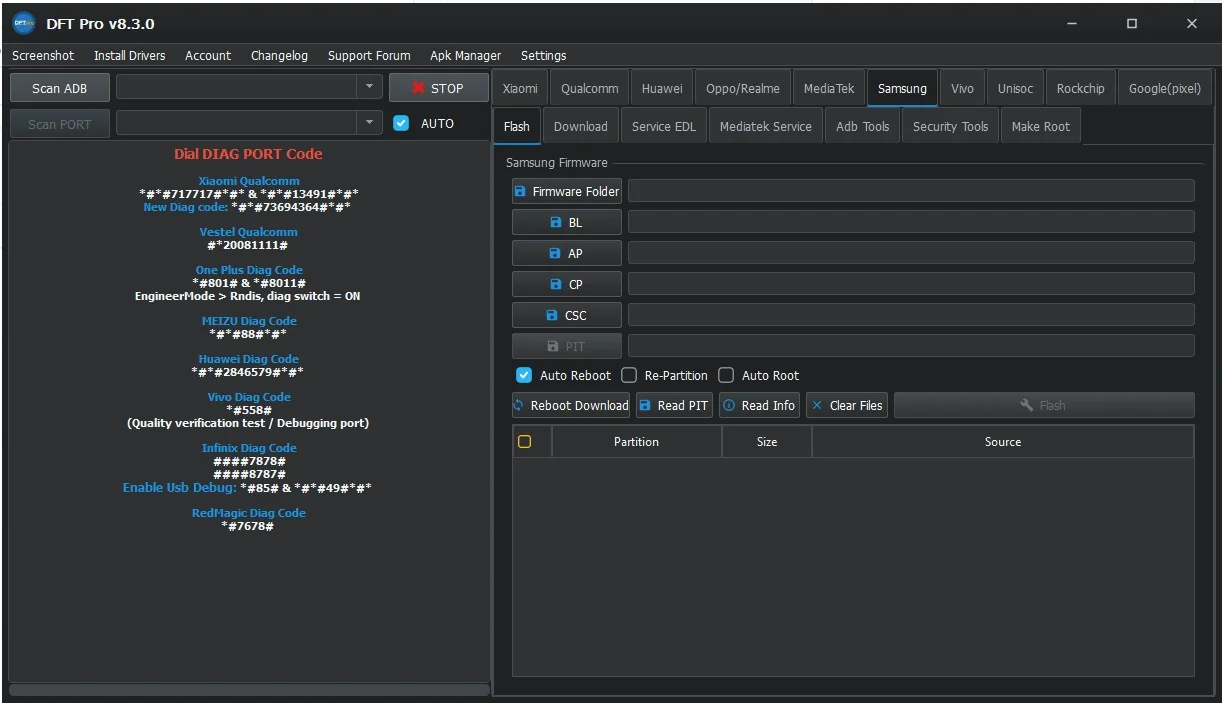
DFT Pro Samsung Download Mode tab showing structured BL, AP, CP, CSC, and PIT flashing without risky erase flags.
Step 2: Restore Original Device-Matched EFS & NV Backup
If Baseband Version returns after flashing stock CP firmware but IMEI still shows 000000000000000 or Null, the EFS / modemst / nvdata partition itself was damaged. Restore the phone's original EFS/NV archive using the same tool family that backed it up — follow our detailed Samsung EFS & NV backup and restore guide. Remember: flashing an EFS dump from a different Galaxy phone will NOT restore valid service because modern SEC_EFS certificates are bound to each motherboard's CPU hardware ID.
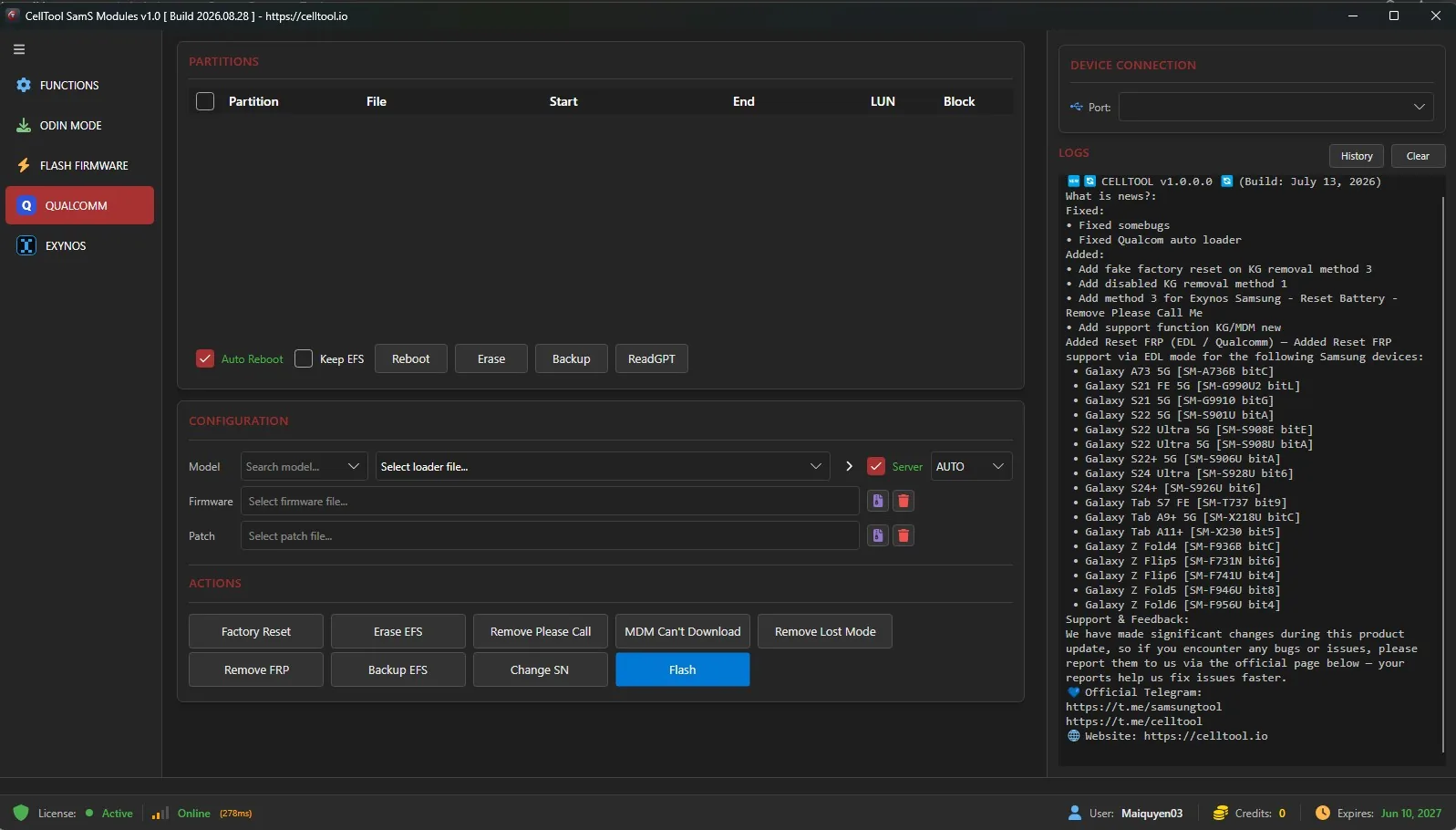
Always enable Keep EFS and run Backup EFS inside CellTool Qualcomm EDL before performing any low-level partition write.
Never Tick "Clear EFS" or "Nand Erase" While Troubleshooting Baseband: One of the most common bench mistakes is checking Clear EFS or Re-Partition in Odin/flashers hoping it will "reset" an Unknown Baseband. That wipes intact factory RF calibration permanently — turning a simple CP modem mismatch into an unrecoverable certificate loss.
When is Unknown Baseband a motherboard hardware fault?
If you have already flashed a verified matching 4-file stock ROM (with matching binary BIT and clean CP file) and Baseband Version STILL displays Unknown — especially on a phone that suffered a drop or liquid spill — stop flashing software and inspect the motherboard hardware.
- RF Transceiver & Baseband PMIC: On many Galaxy A and S boards, hairline cracks in solder balls beneath the SDR/WTR RF transceiver or missing 1.8V/1.0V modem power rails prevent the modem CPU from booting, causing Android to report Unknown Baseband regardless of firmware.
- Physical UFS / eMMC Degradation: Aging storage chips with read-only or corrupted blocks inside the EFS/modemst LUN will repeatedly fail modem initialization even right after a successful Odin flash.
- Sub-Board & Coaxial Check: Note that a disconnected coaxial antenna cable causes weak signal or No Service — NOT Unknown Baseband. Unknown Baseband always indicates modem-to-AP communication failure.
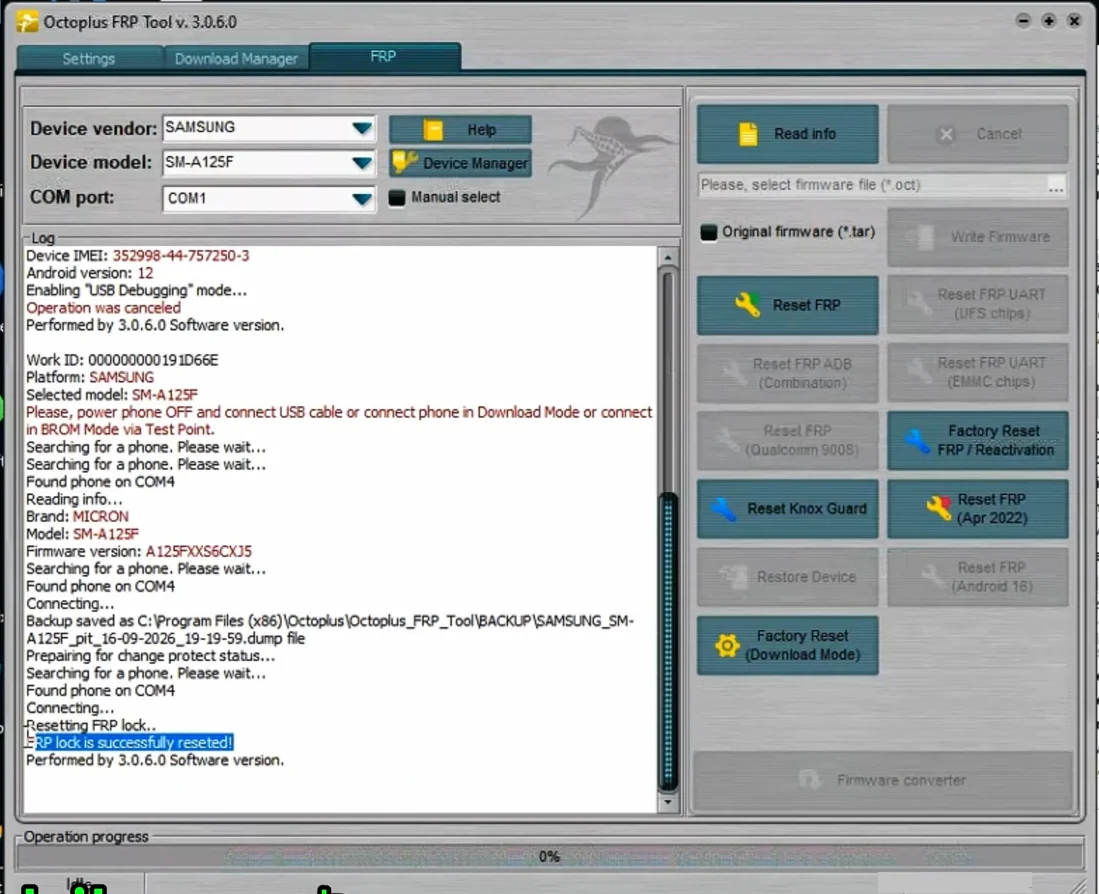
Professional tools like Octoplus, Z3X, and Chimera automatically archive partition dumps before critical servicing so you always have a rollback path.
Which rented GSM tools help repair Samsung Baseband and EFS?
Match your GSM24h hourly rental to the Galaxy chipset so you never overpay for unused annual smartcard boxes: choose Z3X Samsung Tool PRO or Chimera Tool for Exynos EFS and NV restoration, Samsung Tool CellTool or DFT Pro for 4-file Download Mode and Qualcomm EDL Keep EFS workflows, and UnlockTool for MediaTek NVRAM backups.
- Z3X Samsung Tool PRO ($4.50) & Chimera Tool ($25.96): Industry benchmarks for Exynos Read/Write EFS, NV, Cert diagnostics, and original factory modem restoration (Z3X guide | Chimera guide).
- Samsung Tool CellTool ($2.15) & DFT Pro ($1.19): Reliable 4-file Download Mode flashers plus Qualcomm EDL 9008 Keep EFS / Backup EFS / QCN utilities.
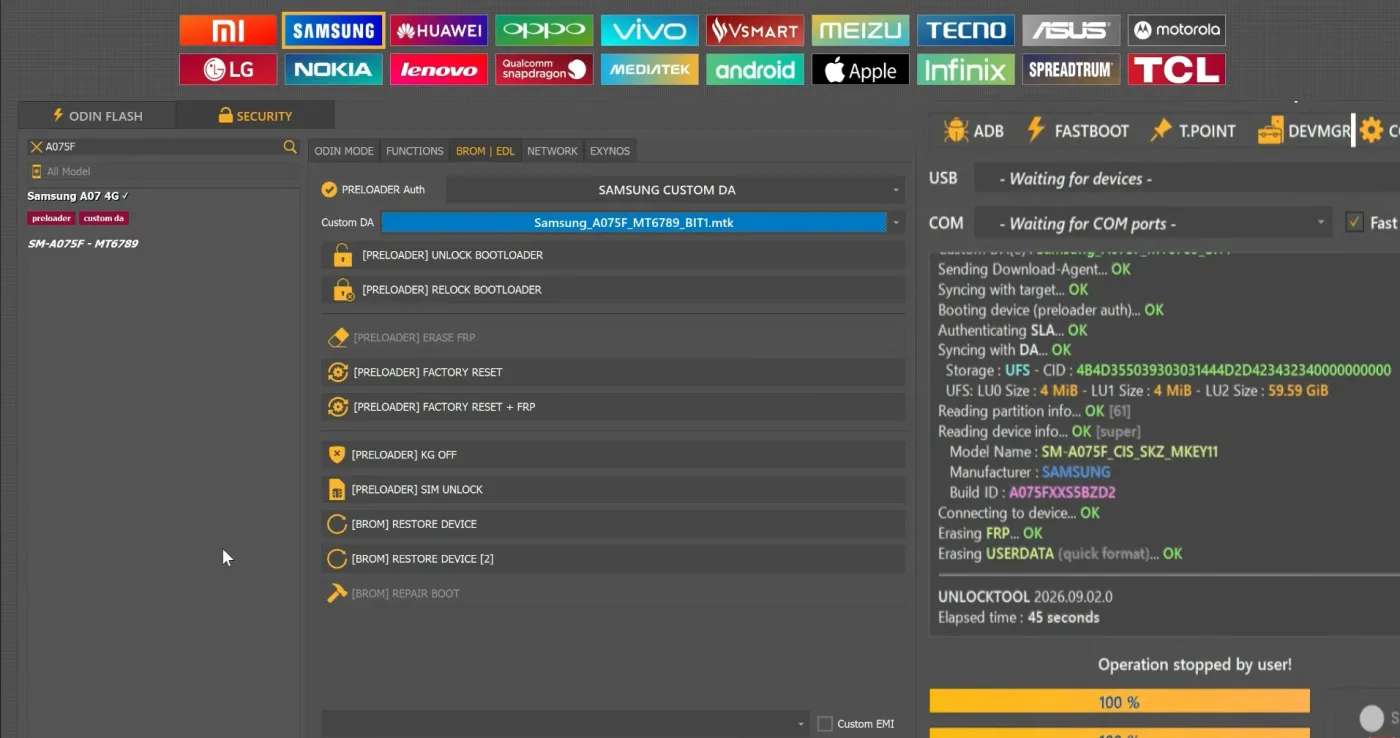
- UnlockTool ($0.30): Fast MediaTek NVRAM/NVDATA backup and Odin flashing on Galaxy A-series MediaTek boards.
| Package | Current price | Original price | Save |
|---|---|---|---|
| 1 hour | $4.50 | — | — |
Updated November 2026 — listed price before coupon
Legal & Compliance Reminder: All EFS, NV, QCN, and modem repair workflows are intended strictly for restoring a device's original factory-assigned identity and cellular operation on owner-authorized hardware — never for altering or cloning IMEI numbers.
Frequently Asked Questions
Does flashing 4-file Samsung stock firmware fix Unknown Baseband?
Yes, whenever the cause is software-based — such as a corrupted CP modem partition, interrupted OTA update, or mismatched firmware build. If Baseband remains Unknown after a clean matching 4-file flash, suspect a hardware baseband PMIC or RF transceiver fault.
Can a bad SIM card or broken antenna cable cause Unknown Baseband?
No. A faulty SIM card or detached coaxial antenna cable causes No SIM or No Service while Baseband Version and IMEI (*#06#) still display normally. Unknown Baseband means Android cannot communicate with the cellular modem hardware or modem firmware.
Can I fix Unknown Baseband by flashing an EFS backup from another identical Samsung phone?
No. Modern Samsung EFS and SEC_EFS partitions are cryptographically tied to each board's unique CPU ID. Flashing another phone's EFS triggers certificate mismatch and will not restore valid cellular registration.
Why does Odin show SW REV CHECK FAIL when I try to flash stock CP firmware?
SW REV CHECK FAIL means you tried to flash a lower binary (BIT) version than the bootloader currently installed on the phone. Check the RP SWREV digit in Download Mode and download a 4-file ROM with an equal or higher binary revision.
Should I check Nand Erase or Clear EFS when flashing Samsung firmware?
Never check Nand Erase or Clear EFS during baseband recovery. Those options wipe factory calibration and EFS structures permanently, making recovery far harder.
Which tool should I rent on GSM24h to back up or restore Samsung EFS safely?
Rent Z3X Samsung Tool PRO (/rent-z3x-samsung-tool) or Chimera Tool (/rent-chimera-tool) for Exynos EFS/NV tasks, Samsung Tool CellTool (/rent-samsung-tool) for Qualcomm EDL Keep EFS workflows, and UnlockTool (/rent-unlocktool) for MediaTek Galaxy NVRAM backups.

Written by: Trần Kế Khang
5 years of in-depth mobile & laptop hardware repair experience; founder of thuetaikhoan.com.vn, unlocktool.us, dienthoailaptop.vn, and gsm24h.com. Facebook · Profile & articles · About us

No comments yet. Be the first to share your thoughts!