Live GSM catalogue

Buy CF Tools Licenses and Credits — Compare Plans

This page groups currently available CF Tools activations and credit top-ups. A license grants time-based access, while credits fund separate billed services.

Available plans and live prices

Choose the exact activation, renewal, credit quantity, or duration. The final details are reviewed again at checkout.

CF Tools Rent [ 12 Hours ] V1

Instant
$0.60Select

CF Tools Credit Top Up

30-1 Minutes
$0.94Select

CF Tools 1 Month Activation

30-1 Minutes
$4.98Select

CF Tools 3 Month Activation

30-1 Minutes
$9.01Select

CF Tools 6 Month Activation

30-1 Minutes
$14.85Select

CF Tools 1 Year Activation

30-1 Minutes
$20.67Select
Automated result in about 3 secondsThe system sends the order result after confirming receipt of payment.
Automatic refund if the order failsThe full amount is credited back to your customer account balance. Refund policy.

What is CF Tools License & Credits?

CF Tools is an RBW-Tech Android servicing platform that combines Windows software with an account and credits for selected server services.

Licenses and credits serve different purposes: a license grants term-based access, while credits are consumed by services. Server status and required credits may change.

Core capabilities

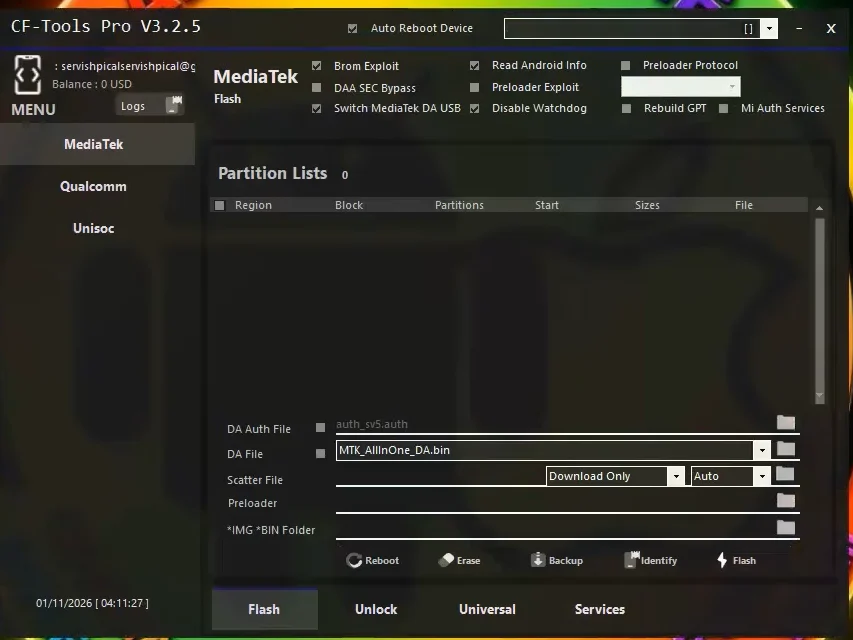
  • Supported Qualcomm and MediaTek flashing
  • Model-specific FRP, Mi Account, and screen-lock procedures
  • Compatible Fastboot-to-EDL and bootloader services
  • Factory Reset, EFS, and one-click repair utilities

Who is this product for?

Choose a plan only after confirming the tool and account type match your workflow.

Suitable forMulti-brand Android technicians
Suitable forExisting CF Tools users topping up credits
Suitable forShops needing a term license rather than short access

How to choose the correct plan

Match the plan to the existing account, hardware, workload, and exact operation instead of choosing by product name alone.

Choose license or credits

Buy activation when the account needs time-based access. Buy a credit top-up only for an eligible existing account after identifying the billed procedure.

Check the current server price

The official site displays the credit cost and status of Xiaomi Auth services. Do not rely on an old price screenshot because cost and status can change.

Verify model and connection mode

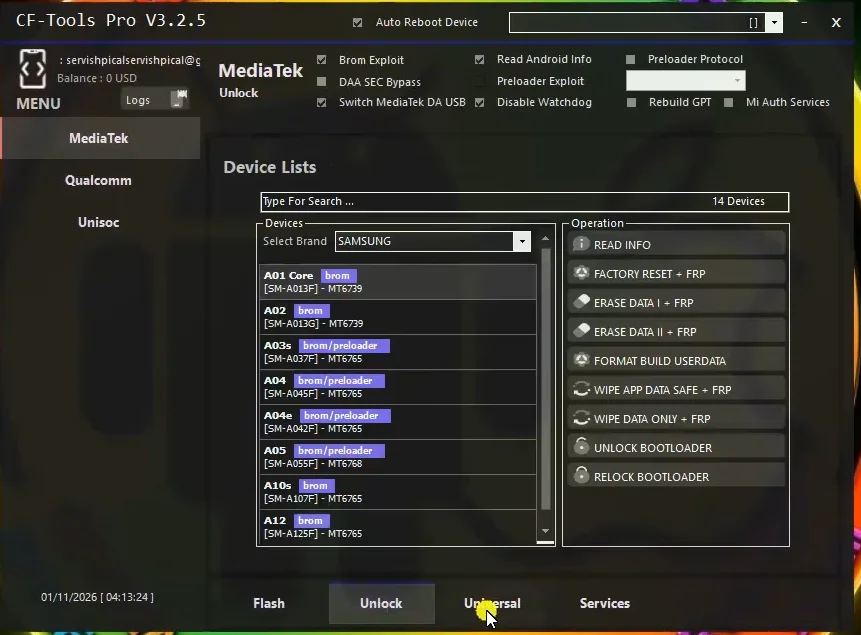
Confirm the exact model, chipset, firmware, patch, and Fastboot, Recovery, EDL, or Flash mode; a feature name does not imply universal support.

Limits and risks to understand

A valid license or credit balance does not guarantee that every model, firmware, patch, or server procedure is supported.

  • Credits do not replace a license, and a license does not include unlimited server services.
  • A server may enter maintenance or become temporarily unavailable.
  • An incorrect loader or firmware can cause data loss or brick risk.
  • Use the platform only on legally owned or explicitly authorized devices.

Compatibility and safety notes

⚠️ CF Tools publishes multiple feature groups, but actual support still depends on model, chipset, firmware, and server status. Check the device list and Xiaomi Auth table immediately before use.

Feature reference: official developer information

What to check before ordering

Term licenses

Activation products are separated into 1, 3, 6, or 12-month terms in the product name.

Separate credits

Credit top-ups require an existing CF Tools account and do not activate a license.

Check the service

Credit cost and Xiaomi Auth status can change; confirm them in the tool before starting.

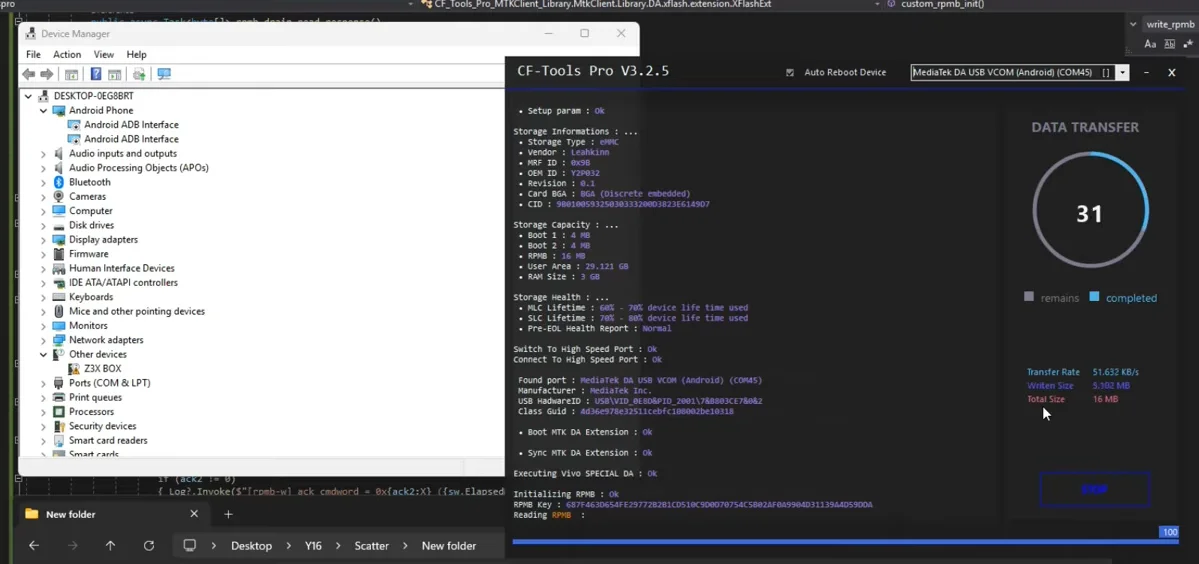
CF Tools License & Credits in practice

Real interface and workflow references. Verify your exact device, account, and release before performing a procedure.
Requirements

  • Decide whether you need activation or credits.
  • Enter the exact CF Tools account receiving access or balance.
  • Verify the term, credit quantity, and server status before payment.

How it works

Compare the listed variants and choose the exact plan.
Enter the requested account, serial, or identifier.
Review the details and complete payment.
Receive the automated result in about 3 seconds; failed orders are refunded to your account balance.

Verified customer reviews

Every published review is matched to a paid order for this product. Personal email and full order details are never shown.

There are no published verified reviews yet. If you purchased this product, be the first to share your experience.

Frequently asked questions

Do CF Tools credits include a license?

Not by default. Credits and activation are separate products unless a plan explicitly combines them.

Which CF Tools license term should I choose?

Choose 1, 3, 6, or 12 months by expected usage. Current plans and prices come from the live catalogue.

Which procedures consume credits?

Selected server services such as Xiaomi Auth may use credits. Check the in-tool cost and status before each procedure.

How fast is the order delivered, and what happens if it fails?

After payment is confirmed, the automated system normally returns the order result in about 3 seconds. If the supplier reports that the order failed, the full amount is automatically credited back to the customer account balance.

Call Admin +84 777 333 763 WhatsApp Admin +84 777 333 763 Telegram Admin @trankekhang